HighLevel Managed Agent Routines: Schedule AI Tasks That Run Themselves
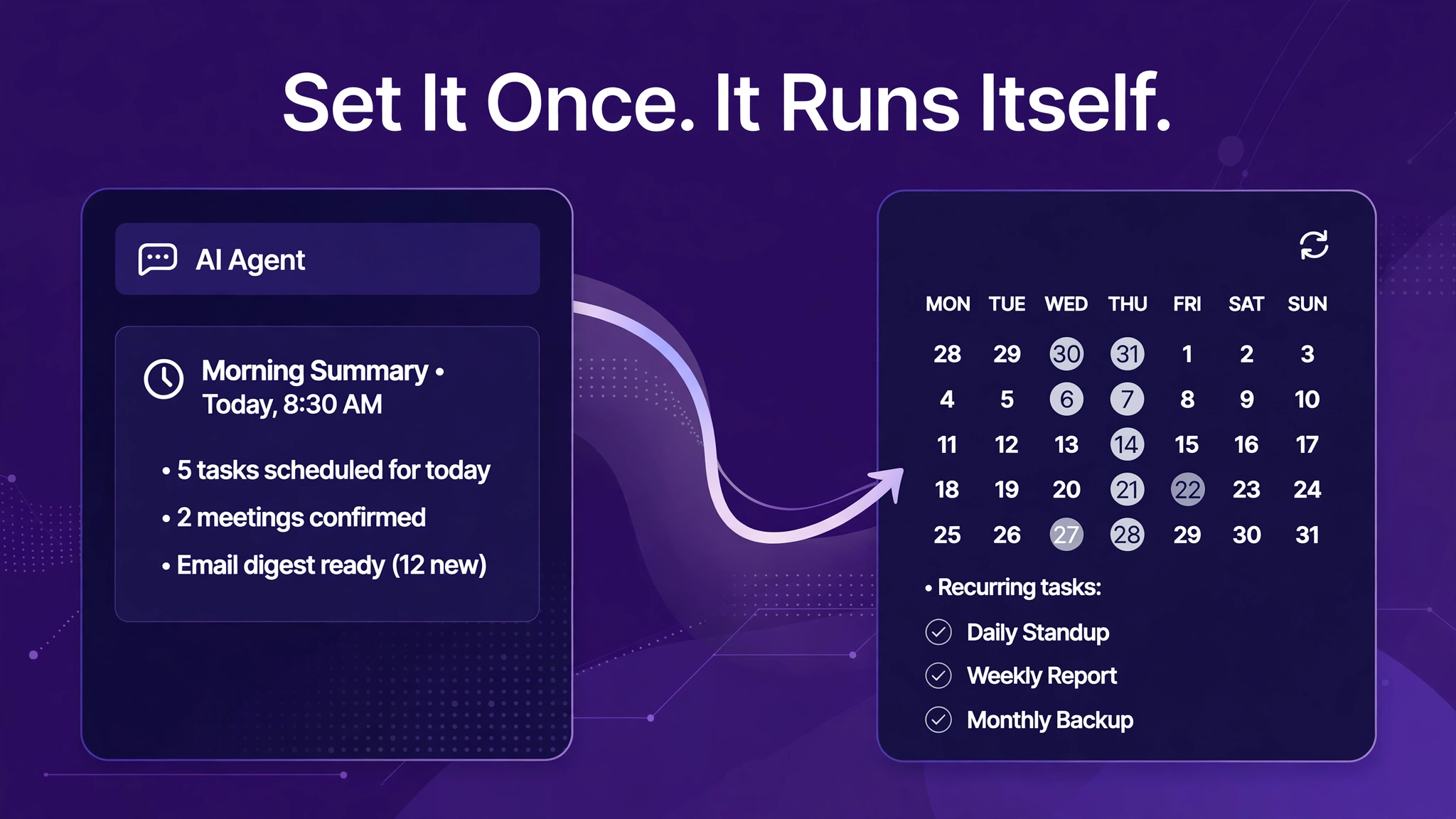
On 20 November 2026, HighLevel added Routines to Managed Agents. The idea is simple: instead of opening Agent Studio and asking your AI agent to do the same job every morning, you tell it once, in plain language, and it runs on a schedule and reports back in the same chat.
HighLevel Managed Agent Routines let a Managed Agent run a recurring task on a schedule and post the result in the chat, with no manual start. You describe the task and how often in plain language, such as a weekday 8 AM pipeline summary. The limit is 10 routines per person per agent, with a minimum interval of one hour.
This guide covers what Routines are, how to set one up, the five best use cases, the limits and costs, and how Routines differ from Scheduled Triggers, Scheduled Follow-Ups and plain workflows.
What are Managed Agent Routines in HighLevel?
A Managed Agent Routine is a recurring task you give to a published Managed Agent in plain language, which the agent then runs on a schedule and reports back in the same chat conversation, without anyone starting it by hand. You describe the job and how often it should run. The agent does the work each time and posts the result where you can keep talking about it.
Managed Agents are the AI agents you build in Agent Studio by describing the work in plain language. They have been generally available since September 2026, and they can use knowledge bases, take CRM actions, remember context and connect to outside tools. Routines add the schedule layer on top: the agent stops waiting to be asked and starts showing up on its own.
The example HighLevel gives in the announcement says it well. Ask the agent, "Every weekday at 8 AM, summarize my new leads and inactive deals," and that summary lands in your chat every weekday at 8 AM. No trigger to configure, no workflow to build, no manual prompt to repeat.
How do Routines work?
Routines work in three parts: you ask in plain language, the agent runs on the schedule you described, and the result lands in the same conversation, flagged with an unread indicator. Each routine stays connected to the conversation where it was created, so the result and any follow-up discussion live together.
Four details from the official announcement matter in practice:
- Natural-language scheduling. There is no cron expression to write and no trigger form to fill in. You tell the agent what to do and how often, in the same chat you already use to talk to it.
- The published version runs. A Routine uses the agent's published version. If you edit the agent's instructions afterwards, publish it again before you expect the routine to use the change.
- Computer-powered website tasks. Routines can use Computer, HighLevel's website-browsing capability, to work through websites and complete recurring tasks there. You approve supported website actions once for the routine ("Allow for this routine"). Sensitive actions that need new permissions pause for approval, and payments always require approval.
- Built-in safety controls. Routines are managed from a dedicated Routines tab, where you can pause, resume and change permissions. If a routine keeps failing, the safety controls pause it automatically instead of burning usage on repeated failures.
Email notifications for routine updates do not exist yet. HighLevel lists them as coming soon, so for now the in-chat result and its unread indicator are the only alert you get.
How do you set up a Routine in HighLevel?
You set up a Routine in five steps, all inside Agent Studio, and the whole thing is a conversation rather than a configuration form. The steps follow HighLevel's own getting-started instructions in the announcement:
- Go to AI Agents, then Agent Studio, then Managed Agents. This is where every Managed Agent lives.
- Open a published Managed Agent. Routines only run on published agents, so if the agent you want is still a draft, publish it first. If you do not have an agent yet, create one by describing the job in plain language, review the draft the builder produces, and publish it. Our guide to how AI agents are replacing basic chatbots in lead qualification covers what Managed Agents can and cannot do before you build one.
- Ask the agent to perform a task on a schedule. In the chat, say what you want and how often, in plain language. "Every weekday at 8 AM, summarize my new leads and inactive deals" is the pattern: the job, then the cadence.
- Approve Computer permissions on the first run, if the task needs them. If the routine browses websites, approve the supported website actions once for that routine. Anything sensitive pauses for your approval, and payments always need approval.
- Manage it from the Routines tab. That is where you pause a routine, resume it, change its permissions, or switch it off. Check the first two or three runs before you trust it: read the result, correct anything the agent got wrong, and only then leave it alone.
One habit is worth building from the start. Write the routine's instruction the way you would brief a new team member: the exact job, the exact cadence, and what a good result looks like. "Summarize my leads" produces a vague summary. "Every weekday at 8 AM, list new leads from the last 24 hours with source and pipeline stage, then list deals with no activity in 7 days" produces a report you can act on.
What can you use Routines for?
The best Routine jobs are recurring work that needs judgement: reading, summarising, checking and drafting, on a schedule you would otherwise have to remember yourself. Five use cases fit that shape well:
- The weekday pipeline summary. "Every weekday at 8 AM, summarize my new leads and inactive deals." This is HighLevel's own example, and it is the highest-value starting point: the day begins with the pipeline already read.
- The stale-deal sweep. "Every Friday at 4 PM, list deals that have not moved in 7 days and suggest the next step for each." Deals go stale quietly. A weekly sweep surfaces them before the month ends.
- The lead follow-up check. "Every morning at 9 AM, list leads from yesterday that got no reply and draft a follow-up message for each." Speed to lead is where most agencies leak revenue, and this routine watches it daily.
- The weekly reporting digest. "Every Monday at 7 AM, summarise last week's closed revenue, new leads and booked appointments." The numbers arrive before the Monday meeting, not after it.
- Recurring website checks. "Every Monday, check our pricing page for broken links and report anything that needs fixing." This one uses Computer, so approve the website actions once and let it run.
What Routines are not for is equally clear. They are not a replacement for workflows that must fire the instant something happens: a lead fills in a form and the confirmation text goes out in seconds, not at the next hourly slot. And they are not a way to run a task every 15 minutes: the minimum interval is one hour.
What are the limits and costs of Routines?
Routines are capped at 10 active routines per person, per agent, with a minimum interval of one hour, and each execution bills at standard Managed Agents usage rates. Those three numbers shape every decision about how to use them.
| Limit or cost | What it means in practice |
|---|---|
| 10 active routines per person, per agent | One person can run up to 10 routines on each agent. The cap is per agent, so a second agent gets its own 10, but do not treat that as an invitation to create agents just to hold routines. |
| Minimum interval of one hour | No routine can run more often than hourly. Anything that needs a faster response belongs in a workflow, not a routine. |
| Published version only | A routine runs the agent as published. Edit the agent and you must publish again, or the routine keeps running the old version. |
| Standard usage billing per execution | Each routine run bills at the standard Managed Agents usage rates. A daily summary costs one execution a day; an hourly check costs 24. Keep the cadence honest. |
| Automatic pause after repeated failures | If a routine keeps failing, HighLevel pauses it. Check the Routines tab rather than assuming it is still running. |
| Email notifications coming soon | Results arrive in chat only, with an unread indicator. If nobody opens the chat, nobody sees the result. |
The practical advice follows from the table. Start with two or three routines, not ten. Check the first few runs, correct the agent's mistakes, and only then add more. An hourly routine that produces a report nobody reads is not automation. It is a subscription to noise.
How do Routines compare with Scheduled Triggers and Scheduled Follow-Ups?
Routines, Scheduled Triggers and Scheduled Follow-Ups are three different ways to put a Managed Agent on a schedule, and the difference is what starts the work and where the result goes. HighLevel's own help documentation draws the line between the last two: a Scheduled Trigger starts an agent at a specific time, while a Scheduled Follow-Up lets an already-started agent pause and resume.
| Routines | Scheduled Triggers | Scheduled Follow-Ups | |
|---|---|---|---|
| What it does | Runs a recurring task and posts the result in chat | Starts an agent at a chosen time or cadence | Pauses a running agent and resumes it later |
| How you set it | Ask in plain language, in the agent's chat | Configure in the agent's Triggers section | Describe to the AI builder, or edit in the schedule editor |
| When it runs | On the recurring schedule you described | Once, on a repeating interval, or on a cron pattern | After a delay, or before or after an event such as an appointment |
| Where the result appears | In the same chat conversation | In the agent's Activity feed | In the same conversation, when the agent resumes |
| Best for | Recurring reports, summaries and checks you want delivered in chat | Kicking off a full agent run on a fixed timetable | Follow-up actions timed around a call, appointment or event |
The verdict is simple. If the job is a recurring report or check you want delivered to you in chat, use a Routine. If the job is a full agent run that must start at a precise time, a Scheduled Trigger is the right tool. If the job is a follow-up that must happen a set time before or after an appointment, that is what Scheduled Follow-Ups are for. The three overlap, but each one is the simplest answer to a different question.
Ready to try HighLevel for yourself? Start your 14-day free trial here (affiliate link). And if the real question is not which scheduling feature to use but who will build and run the whole system for you, that is what we do: CRM Automates is a GoHighLevel certified company trusted by 300+ businesses, with 150+ team members and 24/7 live expert support. Our pay-as-you-go service covers one-off HighLevel tasks, including Agent Studio setup, at $80 per 4-hour block.
Should you use a Routine or a workflow?
Use a Routine when the job needs judgement. Use a workflow when the job is a fixed rule. That is the whole decision, and it is worth stating plainly because the two tools look similar from a distance.
A workflow fires on an event and runs the same steps every time: a lead fills in a form, the confirmation text goes out, the contact is tagged, the deal is created. It is fast, deterministic and cheap, and it is the right tool for anything that must happen in seconds. Our guide to HighLevel Workflow AI shows how the AI Agent action inside workflows can sort and route inbound email, which is a good example of a workflow doing judgement work inside a fixed process.
A Routine handles work that needs reading, summarising and deciding, on a schedule rather than on an event. The morning pipeline summary is the classic case: nobody wants a workflow firing every time a single lead arrives, but everybody wants the summary at 8 AM. The same logic applies to the stale-deal sweep and the weekly digest. And when the workflow itself is the problem, our guide to why GoHighLevel workflows break at scale covers the failure modes to check before you automate anything that carries revenue.
In most accounts the answer is both. Workflows carry the instant, event-driven work. Routines carry the recurring, judgement-heavy work. The mistake is forcing one tool to do the other's job: a workflow asked to write a nuanced daily summary, or a routine asked to respond to a lead in seconds.
Bottom line
Routines are a small feature with a large effect on how Managed Agents fit into a working day. Before Routines, an agent waited to be asked. Now it shows up on a schedule, does the recurring job, and reports back in the same chat. The limits are clear, 10 active routines per person per agent and a one-hour minimum interval, the billing is standard usage per execution, and the setup is a conversation rather than a configuration form.
Start with one routine, the weekday pipeline summary, and check its first three runs. If the summary is useful, add the stale-deal sweep. If it is not, fix the instruction before you add anything else. The agencies that get value from Routines will be the ones that treat the first week as a test, not a launch.
Ready to put an AI agent on a schedule? Start your 14-day free trial of GoHighLevel here (affiliate link) and build your first Managed Agent in Agent Studio. And if you would rather have a team set it up and run it for you, see what CRM Automates does or book a call to scope the work. Our shared marketing team covers CRM, media buying, design, social, video, SEO and growth for $1,250 a month.
FAQ
What are HighLevel Managed Agent Routines?
Routines let a published Managed Agent run a recurring task on a schedule and post the result in the same chat conversation, with no manual start. You describe the task and how often it should run in plain language, for example "Every weekday at 8 AM, summarize my new leads and inactive deals." HighLevel announced Routines on 20 November 2026.
How do I set up a Routine in HighLevel?
Open a published Managed Agent in AI Agents, then Agent Studio, then Managed Agents, and ask it in chat to perform a task on a schedule. Approve any Computer permissions on the first run if the task browses websites. Manage the routine from the dedicated Routines tab, where you can pause, resume and change permissions.
How many Routines can I run, and how often?
Each person can run up to 10 active routines per agent, and the minimum scheduling interval is one hour. Routines use the agent's published version, so republish the agent after editing it. If a routine keeps failing, HighLevel's safety controls pause it automatically.
Do Routines cost extra?
There is no separate Routines subscription. Each routine execution bills at the standard Managed Agents usage rates, so a daily summary costs one execution a day and an hourly check costs 24. Keep the cadence honest: a routine that runs more often than anyone reads its output is wasted usage.
What is the difference between Routines and Scheduled Triggers?
A Routine is created conversationally in chat and delivers its result in that same chat on a recurring schedule. A Scheduled Trigger is configured in the agent's Triggers section and starts the full agent at a chosen time, once, on a repeating interval, or on a cron pattern. Use a Routine for recurring reports delivered in chat; use a Trigger for a full agent run on a fixed timetable.
Can a Routine browse websites or take actions?
Yes, through Computer, HighLevel's website-browsing capability. You approve supported website actions once for the routine. Sensitive actions that need new permissions pause for your approval, and payments always require approval. Email notifications for routine updates are not available yet; results arrive in chat with an unread indicator.