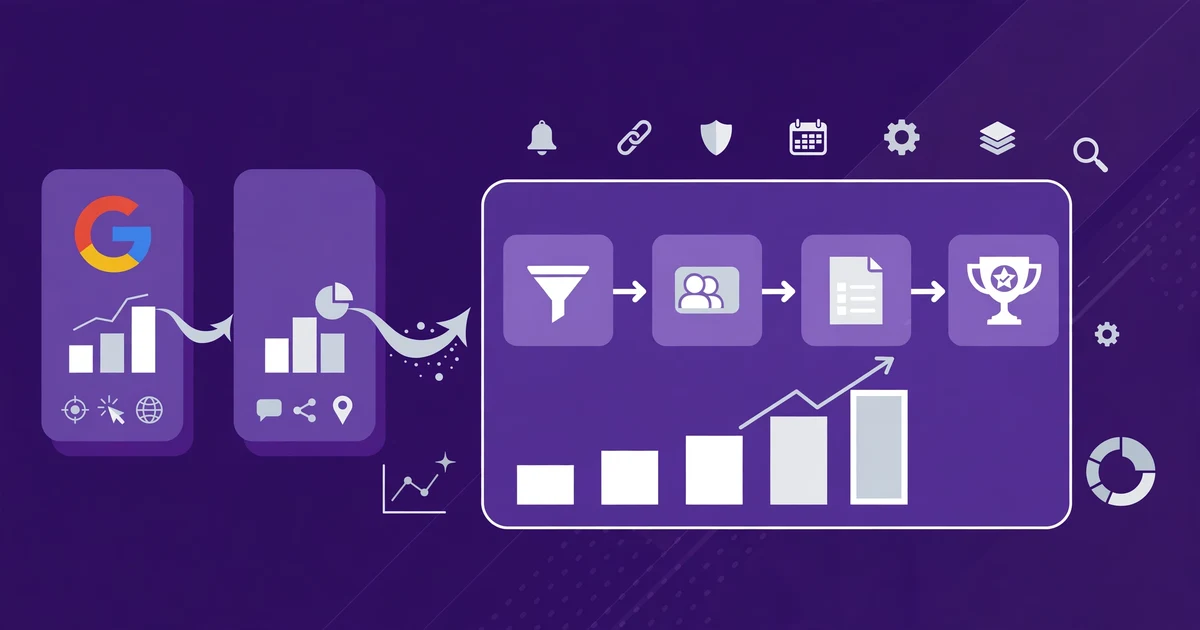
HighLevel Attribution Reports: Track Which Ads Actually Drive Revenue
Most ad reports answer the wrong question. They tell you which campaign got the most clicks, the cheapest leads, or the lowest cost per conversion. None of that tells you which campaign brought in the customer who actually paid. A campaign can look like a winner on lead volume and still produce nothing but tyre-kickers, while a quiet campaign with half the leads quietly brings in the sales that keep the business running.
HighLevel has a report built for the right question.
HighLevel Attribution Reports connect your ad campaigns to the leads, won opportunities and closed revenue inside your CRM. Open Reporting, then Attribution Report, in any sub-account, switch between First and Last Attribution, and you can see which campaigns produced paying customers, not just clicks, so you stop funding ads that fill your pipeline with leads that never buy.
This guide shows you where the report lives, how HighLevel decides which source gets the credit, the UTM setup that makes the tracking work, and the traps that leave your attribution blank.
What are HighLevel Attribution Reports?
HighLevel Attribution Reports are the dashboards inside a HighLevel sub-account that connect marketing sources and campaigns to the leads, opportunities and closed revenue recorded in the CRM. Instead of measuring success by clicks and leads alone, they show how your advertising contributes to revenue, which is the point HighLevel makes in its own tutorial on the feature, published on 27 October 2026.
Attribution is the breakdown of which channel or source a contact came from. HighLevel records that information every time a contact interacts with your system, and the Attribution Report turns those records into a view you can act on. It is the difference between knowing you got 200 leads this month and knowing which 200 leads came from the campaign that closed.
What can Attribution Reports actually track?
The report tracks five things: closed revenue, won opportunities, total leads, lead sources, and pipeline performance. Each one answers a different question about your marketing, and together they stop you from judging a campaign on a single number.
| Metric | What it tells you | Why it matters |
|---|---|---|
| Closed revenue | Revenue associated with your marketing sources and campaigns | The only number that proves a campaign paid for itself |
| Won opportunities | Which sources contribute to successful deals | Shows whether a source produces buyers, not just enquiries |
| Total leads | How many leads your marketing generates | Useful for volume, misleading on its own |
| Lead sources | Where contacts originate, including paid ads, social media and other channels | Shows the mix behind your pipeline |
| Pipeline performance | How opportunities progress across different sales pipelines | Lets you compare two pipelines side by side |
HighLevel's own example makes the point plainly. In its tutorial, it describes running Google Ads and Facebook ads side by side, then discovering that one Google Ads campaign generated $15,000 in attributed closed revenue while another campaign brought in plenty of leads but no completed sales. That is the exact situation the report exists to catch: the lead-rich campaign eating your budget while the revenue-rich campaign gets starved.
First touch vs last touch: which view should you trust?
First Attribution shows the first tracked interaction that brought a contact into your marketing journey; Latest Attribution shows the most recent tracked interaction credited before conversion. HighLevel stores both values on every single contact, and the Attribution Report lets you switch between them with a selector. Neither view is the "correct" one. They answer different questions.
First touch tells you which channel introduced a prospect. Latest touch tells you which interaction brought them back before they converted. A source that shows up often on first touch but rarely on last touch is doing a different job from the one that closes. Look at both before you move any budget, because cutting the channel that introduces prospects will eventually starve the channel that closes them.
You can also see both values on any individual contact. Open Contacts, select a contact record, and the First and Latest Attribution details sit in the bottom right column under the Activity tab, including the source, medium, campaign, content, referring URL, landing page and advertising identifiers. That per-contact view is where you check a specific deal when the report totals look surprising.
How do I open and read the Attribution Report?
Open the sub-account, go to Reporting, then Attribution Report, and the dashboard shows closed revenue, won opportunities and total leads. The steps below follow HighLevel's own tutorial.
1. Open the report. Inside your sub-account, navigate to Reporting, then Attribution Report. The dashboard shows your marketing attribution metrics at the top: closed revenue, won opportunities and total leads.
2. Compare first touch and last touch. Use the attribution selector to switch between First Attribution and Last Attribution. Note which sources change between the two views. A campaign that looks strong on first touch and weak on last touch introduces prospects; one that looks strong on last touch closes them.
3. Analyse lead sources. Open the Leads section to see where your contacts originate. Depending on your tracking data, you may see Google Ads, Facebook Ads, social media, third-party integrations and CRM workflows, plus marketing mediums and session events from direct traffic, organic search and other sources.
4. Review opportunities and pipeline performance. Go to the Opportunities section to see how leads progress through your sales process. You can review opportunity statuses and pipeline stages, then compare two pipelines side by side using the pipeline dropdown menus.
5. Use the data to change your campaigns. Once you know which campaigns are associated with leads and closed revenue, you can evaluate your marketing strategy. HighLevel's own guidance is direct: a campaign generating fewer leads but more closed revenue may deserve closer attention than one producing high lead volume with few sales. List the campaigns with many leads but no closed revenue before you change any ad spend.
How does HighLevel decide which source gets the credit?
HighLevel checks the full page URL and the referring domain against a fixed set of rules, applied in order, and assigns the first matching source. Attribution is only recorded when a contact completes one of four actions in the same session: a form or survey submission, a calendar booking submission, a chat widget submission after they give their contact details, or an order form submission. Supported third-party forms can also capture attribution through External Tracking.
The rule order, from HighLevel's official help article, is:
| Order | What HighLevel looks for | Source assigned |
|---|---|---|
| 1 | utm_source contains "adwords", or a gclid, wbraid, gbraid or msclkid click ID is present | Paid Search |
| 2 | utm_source contains "fb_ad", "linkedin_ad", "twitter_ad" or "reddit_ad", or a ctwa_clid is present | Paid Social |
| 3 | The referring domain is a social media site | Social Media |
| 4 | The referring domain is a search engine (Google, Yahoo, Bing, DuckDuckGo) | Organic Search |
| 5 | The referring domain is another website | Referral |
| 6 | No referring domain or tracking URL | Direct Traffic |
| 7 | The lead came from an incoming call, SMS, email, WhatsApp or Facebook message | Others |
| 8 | The lead was created manually inside the CRM | CRM UI |
| 9 | The lead was created by a third-party tool such as Zapier | Third-Party |
Two details in that table catch people out. First, the old utm_source=facebook value is deprecated: HighLevel now expects utm_source=fb_ad for Facebook ads. Second, the source types are fixed. There are nine in total: Paid Search, Paid Social, Direct Traffic, Organic Search, Social Media, Referrals, Others, CRM UI and Third-Party. If a lead shows up as "Others", it came through a message or call, not through a tracked page visit.
What UTM setup makes attribution work?
Use HighLevel's own UTM templates, exactly as published, and do not add custom UTM parameters. HighLevel's help article is blunt about this: do not add custom UTM parameters to Facebook, Instagram or Google Ads, because it can cause missing data or a failure to record anything at all. The parameters are also case-sensitive, so a capital letter where a lower-case one belongs will break the match. Copy and paste the templates rather than typing them.
Google Ads template:
{YourLandingPageUrl.com}?utm_source=adwords&utm_medium={adname}&utm_campaign={campaignname}&utm_content={adgroupname}&utm_keyword={keyword}&utm_matchtype={matchtype}&campaign_id={campaignid}&ad_group_id={adgroupid}&ad_id={creative}
Facebook and Instagram Ads template:
{YourLandingPageUrl.com}?utm_source=fb_ad&utm_medium={{adset.name}}&utm_campaign={{campaign.name}}&utm_content={{ad.name}}&campaign_id={{campaign.id}}
For Google and Facebook ad reporting inside HighLevel, the platform also offers dedicated ad-reporting setup, with separate guides for Facebook and Instagram Ads reporting and for Google Ads reporting. That setup connects your ad accounts so spend and performance data sit alongside the attribution data. If you need help beyond the standard setup, HighLevel's help article notes you may need to consult an ad specialist for more advanced reporting and attribution work.
Why is my attribution data missing or wrong?
Attribution data goes missing for a small number of repeatable reasons, and most of them are setup mistakes, not platform bugs. Work through this list before you conclude the report is broken.
The visitor left the landing page before submitting. For UTM parameters to be recorded, the submission has to happen on the final URL, the page the ad sent the visitor to. If someone lands on a page and then clicks a button that moves them to another page to submit the form, no attribution data is added. The workaround HighLevel suggests is to add a pop-up or a section with the submission form on the landing page itself, so the data is captured where the visitor arrived.
Custom UTM parameters were added. As above, HighLevel's templates are the only parameters to use. Extra or renamed parameters can stop the record from being created.
Typos, spaces or wrong case in the URL. Check for misspellings and extra spaces from copying, and remember the examples are case-sensitive. A single upper-case letter in the wrong place can cause errors in attribution.
Contacts with no source. The report can only credit what was tracked. Contacts created with no source information, for example imported lists or leads that arrived through untracked paths, leave gaps in the report. Keep your lead capture on tracked forms, calendars and order forms wherever possible.
Opportunities never marked won. Closed revenue only appears when opportunities are actually moved to won. If your team closes deals but leaves the pipeline stage untouched, the revenue never shows up in the report, and a campaign that is working looks like it is not. Pipeline discipline is part of attribution, not separate from it.
How do I read the report like a media buyer?
Judge campaigns on closed revenue per lead, not on lead volume, and compare first and last touch before you touch any budget. The report gives you three numbers per campaign: how many leads it produced, how many opportunities it won, and how much revenue it closed. The useful comparison is the ratio between them.
A campaign with 200 leads and $0 in closed revenue is a cost, not an asset, however cheap those leads looked. A campaign with 40 leads and $15,000 in attributed closed revenue is the one to protect. That is the judgement HighLevel's own tutorial pushes you toward, and it is the opposite of how most ad dashboards rank campaigns.
For agencies, the same reading applies client by client. Compare pipelines side by side in the Opportunities section to see whether one client's sales process converts the same leads better than another's. If the leads are similar but the won rate is not, the problem is the follow-up, not the ads. Our guide to AI agents in lead qualification covers why speed of follow-up decides so many of those deals, and our Smart Lists guide shows how the same lists feed Meta Custom Audiences for retargeting.
One more habit worth building: review attribution monthly, not daily. Daily swings are noise. A monthly read, first touch and last touch side by side, shows which campaigns consistently produce revenue and which ones consistently produce only leads.
What are the limits of HighLevel attribution?
Attribution reports show first and last touch only, and they can only credit what was tracked and recorded. That is an honest limit, and HighLevel states it in its own tutorial: attribution depends on the tracking information available in your CRM and the attribution model selected, and first-touch and last-touch reporting provide useful perspectives, but neither proves that a single ad was solely responsible for a sale.
Three more limits deserve a straight answer. First, there is no full multi-touch model in the report. A prospect who saw a Google ad, read an organic blog post, then clicked a Facebook ad before buying will show up under one touchpoint or the other, not as a journey. Second, email attribution is a separate system with its own rules: HighLevel uses a 5-day attribution window by default for email campaign conversions, which you can customise, and revenue attributed to an email is not the same as ROI, because ROI also needs cost or spend information. Third, the report reflects your pipeline hygiene. If stages are not updated and sources are not captured, the numbers will understate what your marketing actually did.
None of that makes the report useless. It makes it a reporting tool, not a proof machine. Use it to compare campaigns, to catch the lead-rich campaign that never closes, and to defend the quiet campaign that does. Do not use it to claim a single ad caused a single sale.
How CRM Automates helps with attribution setup
Attribution only works when the whole chain is set up right: UTM templates on every ad, forms that submit on the landing page, ad accounts connected for reporting, pipelines kept honest, and a monthly review that actually moves budget. Any one broken link leaves the report half empty, and most accounts we see have at least two.
That is the setup CRM Automates does. Our team wires up the UTM templates and ad reporting connections, checks that your forms and calendars capture attribution on the right pages, tidies the pipelines so won deals show up as closed revenue, and builds the monthly reporting view your team actually reads. It is the same team model behind our other GoHighLevel work: a GoHighLevel certified company with 150+ team members, trusted by 300+ businesses, with 24/7 live expert support and a 94% client retention rate. If your ad spend decisions are still based on lead counts, explore what our team can build for you or book a free call and we will tell you straight what your tracking is missing.
Frequently asked questions
What is the HighLevel Attribution Report? The HighLevel Attribution Report is a dashboard inside a HighLevel sub-account that connects marketing sources and campaigns to the leads, won opportunities and closed revenue recorded in the CRM. It shows which campaigns produced paying customers rather than just clicks or leads, so you can judge ad spend on revenue instead of volume. Find it under Reporting, then Attribution Report.
Where do I find Attribution Reports in HighLevel? Open the sub-account, go to Reporting in the left navigation, then select Attribution Report. The dashboard shows closed revenue, won opportunities and total leads at the top, with Leads and Opportunities sections below. Use the attribution selector to switch between First Attribution and Last Attribution, and the pipeline dropdowns to compare two pipelines side by side.
What is the difference between First and Latest Attribution in HighLevel? First Attribution is the first tracked interaction that brought a contact into your system, such as their first visit or first form submission, and it never changes. Latest Attribution is the most recent recorded interaction before conversion, and it changes every time a new qualifying interaction is recorded. Both are stored on every contact and visible in the bottom right of the contact record under the Activity tab.
Why do some of my leads show no source in HighLevel? A lead shows no source when HighLevel could not capture tracking data for it. Common causes are imported contact lists, leads created manually, forms that submit on a different page from the one the ad sent the visitor to, custom UTM parameters, or typos and wrong case in the tracking URL. Keep lead capture on tracked HighLevel forms, calendars and order forms, and use HighLevel's published UTM templates exactly as written.
Do I need UTM parameters for HighLevel attribution to work? Yes, for paid campaigns. HighLevel assigns Paid Search and Paid Social sources by matching UTM parameters and click IDs such as gclid and fbclid in the landing page URL. Use the Google template with utm_source=adwords and the Facebook template with utm_source=fb_ad, noting that the older utm_source=facebook value is deprecated. Do not add custom UTM parameters, and keep the values case-sensitive.
Can HighLevel attribution tell me my ad ROI? Not on its own. The Attribution Report shows closed revenue credited to each source and campaign, which is the revenue half of ROI. ROI also needs cost or spend information, which comes from connecting your Google and Facebook ad accounts through HighLevel's ad reporting setup. HighLevel's own tutorial makes the same distinction: attribution data informs your advertising investment decisions, but it does not prove a single ad was solely responsible for a sale.
The bottom line
HighLevel Attribution Reports answer the question ad dashboards usually dodge: which campaigns brought in the customers who paid. Open Reporting, then Attribution Report, compare first and last touch, and read closed revenue next to lead count before you move a dollar of budget. The campaigns worth protecting are the quiet ones with revenue attached, not the loud ones with leads attached.
If you are not on GoHighLevel yet, this is the kind of visibility that makes the platform worth trying: start your 14-day free trial here (affiliate link) and open the Attribution Report in your own account. If you already run on HighLevel and your attribution is half empty, explore what our team can build for you or book a free call and we will tell you straight what your tracking is missing.