CRM Automation for Real Estate: The Complete Guide
CRM Automation for Real Estate: The Complete Guide for Agents, Brokers & Teams
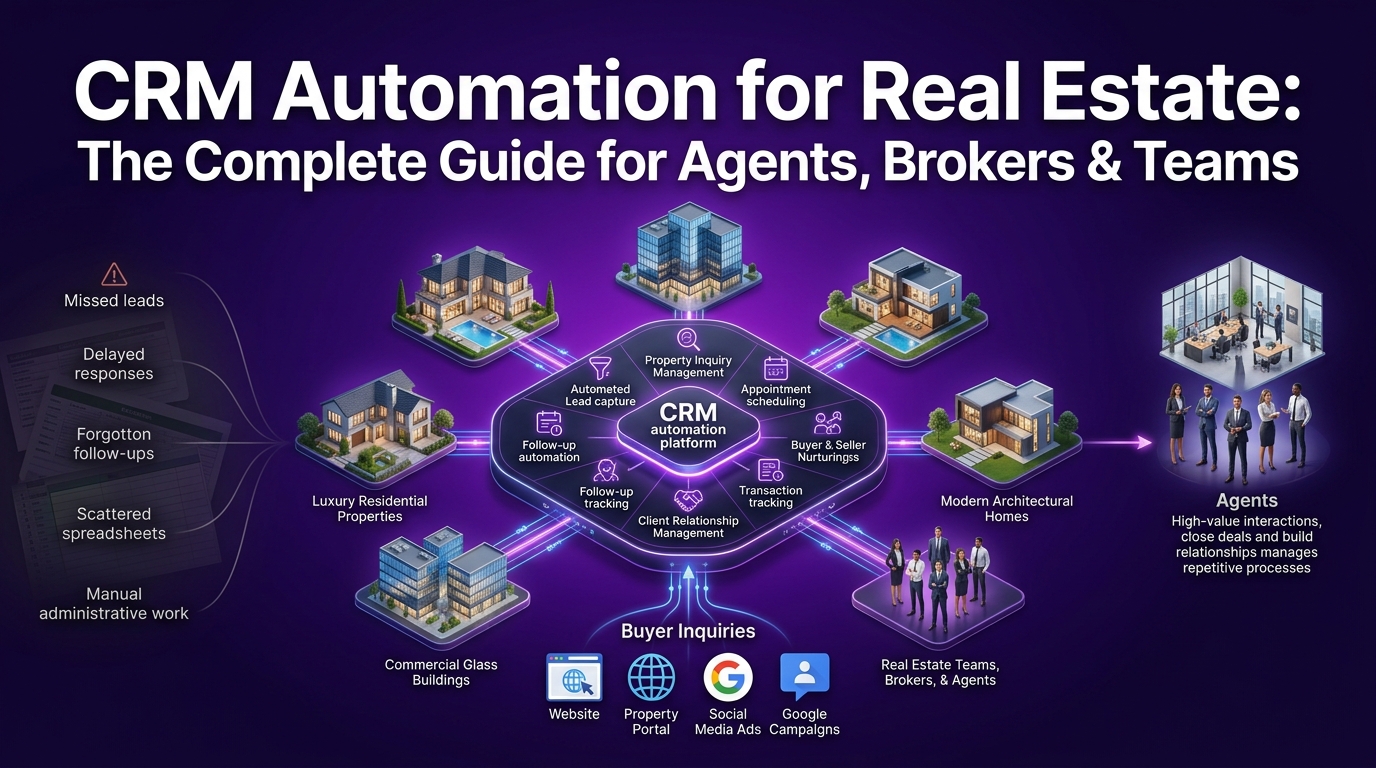
You got the lead. They filled out your form, clicked your IDX listing, maybe even texted your number.
And then, nothing. Your follow-up was late. The email went out two days after they'd already signed with someone else. Sound familiar? This is not a leads problem. This is a systems problem.
The top-producing real estate agents in the USA are not necessarily the most talented salespeople in their market. They are the ones who built the right infrastructure behind their business, one that follows up instantly, nurtures consistently, and never lets a contact fall through the cracks.
That infrastructure is called CRM automation for real estate. And this guide breaks down exactly what it is, which workflows move the needle most, how to choose the right platform, and how crmautomates.com helps agents and brokerages across the USA build systems that close more deals with less manual effort.
What Is CRM Automation in Real Estate — And Why Do Agents Actually Need It?
At its core, real estate CRM automation is the process of using trigger-based workflows, behavioral signals, and integrated software logic to manage client communication, lead nurturing, and transaction coordination, without requiring manual action at every step.
Think of it as putting your entire client management process on a set of intelligent rails. When a lead comes in, the CRM responds. When a client goes quiet, the CRM re-engages. When a transaction milestone hits, the CRM notifies everyone who needs to know.
This is fundamentally different from simply storing contacts in a database. A real estate CRM software used without automation is just a digital Rolodex. With automation, it becomes the operational backbone of your entire business.
How Is Real Estate CRM Automation Different from Generic CRM Software?
Generic CRM software is built for broad industries, retail, SaaS, services, manufacturing. Real estate has a completely different rhythm, a different client lifecycle, and a different set of conversion triggers that generic platforms simply were not designed to handle.
Real estate CRM automation accounts for:
Long lead nurture cycles: A buyer who inquires today might not be ready to transact for six to eighteen months. Your CRM needs to maintain consistent, relevant communication across that entire window without burning them out.
MLS and IDX integration: Property alert automation, new listing notifications, and price change triggers all depend on live data feeds from your MLS and IDX platform, something a generic CRM cannot support natively.
Transaction milestone tracking: Real estate transactions involve dozens of coordinated steps across multiple parties. Automation keeps checklists moving, deadlines visible, and everyone accountable.
Referral and repeat business cycles: Past clients are your highest-value lead source. Automated anniversary messages, market update emails, and check-in sequences keep you top of mind years after closing.
Dual-audience management: You are managing both buyers and sellers simultaneously, each with completely different timelines, motivations, and communication needs.
Platforms like Follow Up Boss, Wise Agent, kvCORE, LionDesk, BoomTown, and Real Geeks are built with these realities in mind. But even the best real estate CRM delivers a fraction of its value without properly configured automation workflows behind it.
Why Manual Follow-Up Is Costing Real Estate Agents Deals Every Month
Here is a stat that should change how you think about your follow-up process: 78% of buyers choose the agent who responds first. Not the most experienced agent. Not the one with the best reviews. The first one.
Manual follow-up cannot win that race consistently. When you are on a showing, in a closing, or simply away from your desk, leads sit unanswered. And in real estate, unanswered leads do not wait, they move on.
Beyond response speed, manual client management creates:
Inconsistent nurture sequences: Some leads get three follow-ups, others get none, depending on how busy you are that week
Forgotten pipeline stages: Deals stall because no one triggered the next action at the right time
Missed referral opportunities: Past clients who would have sent you business simply forgot about you because you stopped showing up in their inbox
Administrative overload: Hours each week spent on scheduling, reminders, and data entry that software should handle automatically
The solution is not working harder. It is building a real estate CRM system that works while you are doing the parts of this business only a human can do.
The Real Numbers Behind Missed Leads and Lost Commissions
Consider a mid-volume agent closing 24 transactions per year with an average commission of $8,000. If poor follow-up and inconsistent nurture costs just three deals annually, a conservative estimate for agents without automation, that is $24,000 in lost income per year.
For a brokerage managing fifty agents with similar volume, that number becomes staggering.
The agents consistently reporting the highest lead conversion rates in their markets share one common denominator: they are not better at sales. They are better at systems. Their automated CRM for realtors handles the communication cadence so thoroughly that no lead ever feels ignored and no past client ever forgets their name.
How Does CRM Automation Help Real Estate Agents Close More Deals?
CRM automation compresses your sales cycle, extends your nurture runway, and eliminates the gaps where leads typically go cold. Here is what that looks like across the full real estate client journey:
Instant lead response: The moment a lead fills out a form, visits a listing page, or texts your number, an automated response goes out immediately, while you are still on the other side of town
Behavioral nurture sequences: Leads who open emails about condos get different follow-up than leads who clicked on single-family listings, your CRM tracks the behavior and adjusts the messaging automatically
Pipeline stage progression: When a client signs a buyer agreement, the CRM automatically updates their pipeline stage, triggers the next task, and notifies the right team member
Transaction coordination triggers: Inspection dates, appraisal deadlines, and closing day logistics get managed through automated checklists that keep every party on track
Post-closing retention campaigns: Thirty days after closing, a year later, every anniversary, automated sequences keep your relationship alive without any manual scheduling
From First Inquiry to Closed Transaction — Automating Every Client Touchpoint
The most powerful thing about a properly configured real estate automation system is that it does not just help you at one stage of the client journey. It operates across the entire lifecycle.
Here is what a fully automated real estate client journey looks like in practice:
Inquiry stage: Lead comes in from Zillow, your IDX website, or a referral. The CRM instantly creates a contact record, assigns a lead source tag, scores the lead based on behavior and profile data, and fires an immediate response sequence, email plus SMS within the first sixty seconds.
Nurture stage: Over the following days and weeks, the lead receives a personalized drip campaign tailored to their buyer or seller profile, market insights, neighborhood guides, relevant listings, and helpful home-buying content. Every interaction is tracked and used to refine the next touchpoint.
Active client stage: Once the client is actively searching or preparing to list, the CRM shifts into a higher-frequency communication mode, automated showing confirmations, feedback requests, offer update notifications, and direct calendar integrations for appointments.
Transaction stage: From contract to close, automated checklists and deadline triggers keep every milestone on track. The CRM coordinates communication between agent, client, title company, lender, and any other party involved in the transaction.
Post-closing stage: The relationship does not end at closing. Automated anniversary messages, market update reports, and referral request sequences activate on schedule, turning closed clients into a steady stream of repeat and referral business.
Must-Have CRM Automation Workflows for Real Estate Agents and Brokerages
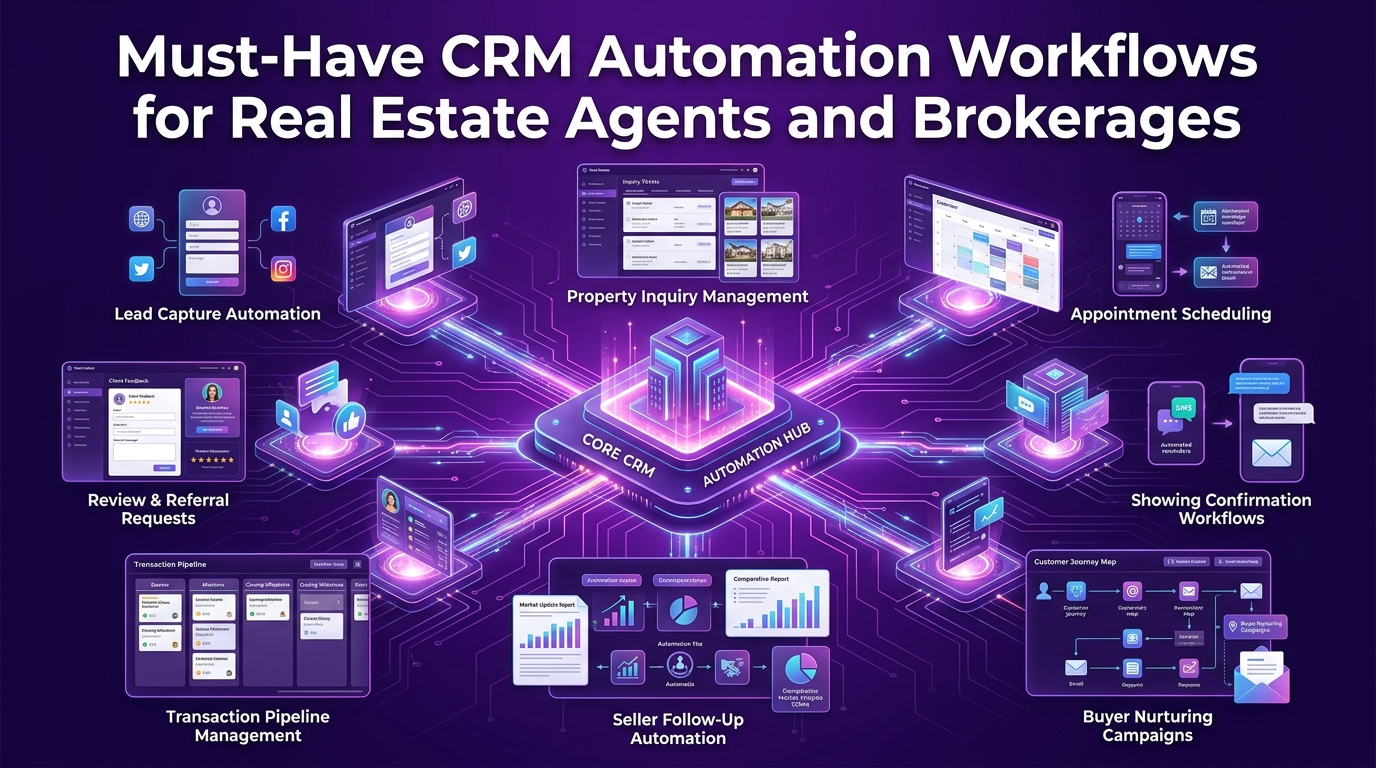
Not every workflow delivers equal value. For real estate professionals, whether you are a solo agent, a team lead, or a brokerage owner, certain automation sequences generate disproportionate returns because they directly protect your lead pipeline, accelerate your sales cycle, and reduce the operational burden on your team.
Here are the four workflow categories every serious real estate professional should have running before anything else.
How Do Real Estate Agents Automate Follow-Ups Without Losing the Personal Touch?
This is the question almost every agent asks when they first explore CRM automation. The fear is understandable, real estate is a relationship business, and the worry is that automated messages will feel cold, generic, and off-putting to clients who chose you because of a personal connection.
The reality is the opposite. Automated follow-up in real estate, when built correctly, actually makes your communication feel more personal because it is consistent, timely, and relevant to where each client is in their journey.
The key is building your automation around behavioral triggers rather than simple time delays. A time-delay drip sends the same message to everyone on day three regardless of what they have done. A behavioral workflow sends different messages to different people based on exactly what they engaged with, clicked on, or responded to.
A buyer who opened your email about downtown condos gets a follow-up featuring more urban listings and lifestyle content. A buyer who clicked on your school district guide gets neighborhood-specific resources next. The automation is doing the segmentation, you just need to build the logic once.
Drip Campaign Workflows That Nurture Leads on Autopilot
A well-constructed real estate drip campaign is not a newsletter blast. It is a carefully sequenced series of touchpoints designed to move a prospect along the customer journey, from curious inquiry to confident client, without requiring you to manually send a single message.
Here is what a high-performing real estate lead nurture drip looks like:
Day 0: Immediate response: Automated email and SMS fire within sixty seconds of lead capture. The message is warm, helpful, and includes a direct question or call to action, not a generic "thanks for reaching out."
Day 1: Value delivery: A follow-up email delivers genuine value, a neighborhood market report, a first-time buyer guide, or a home valuation overview, depending on the lead's profile and inquiry type.
Day 3: Behavioral check: The CRM reviews what the lead opened, clicked, or ignored and routes them into a more specific sub-sequence based on their demonstrated interests.
Day 7: Social proof touchpoint: A testimonial or success story from a similar client, same neighborhood, same buyer profile, builds credibility and keeps your name top of mind.
Day 14: Soft check-in: A casual, conversational email (written to sound personal) checking in on their timeline and offering to answer questions. This is often the message that reopens stalled conversations.
Monthly: Long-term nurture: For leads with extended timelines, a monthly market update, new listing alert, or seasonal real estate tip keeps the relationship warm for months or years until they are ready to move.
This is automated lead nurturing for realtors done with intention, not spam, but a genuine communication system that respects the prospect's timeline while keeping your business front and center.
What CRM Workflows Should Real Estate Brokerages Prioritize First?
For brokerage owners and team leaders, the automation priorities look slightly different from a solo agent's workflow stack. You are managing not just client relationships but also agent performance, lead distribution, and team accountability, all of which benefit enormously from systematic automation.
The highest-priority workflows for broker CRM setups are:
Lead distribution automation: New leads are automatically assigned to the right agent based on geography, property type, price range, or agent availability, eliminating the manual lead routing bottleneck that slows response times
Agent accountability triggers: If an assigned lead has not received a response within a defined window, the CRM escalates automatically to the team lead with a notification
Pipeline visibility automation: Deal stages update automatically as activity occurs, giving brokers a real-time view of every agent's pipeline without requiring manual reporting
Team communication workflows: Transaction milestones trigger automated notifications to the relevant agent, keeping everyone aligned on active deals without requiring a manager to chase updates
Automated Lead Routing, Lead Scoring, and Pipeline Stage Management
Lead routing automation is one of the highest-value workflows a brokerage can implement. In a manual environment, a new lead comes in, sits in a queue, gets assigned by a manager, and reaches an agent minutes or hours later. By then, the lead has often already connected with a competitor.
With automated lead routing, the sequence happens in seconds:
Step 1 — Lead capture: The lead comes in from any source, Zillow, Realtor.com, your IDX website, social media, or a paid ad campaign.
Step 2 — Instant scoring: The CRM scores the lead based on behavioral signals, demographic data, inquiry specifics, and source quality. A lead requesting a showing in a high-value ZIP code scores higher than a general information request.
Step 3 — Automatic assignment: Based on the score and routing rules, the lead is instantly assigned to the appropriate agent and that agent receives an immediate notification via SMS and email with full lead context.
Step 4 — Pipeline stage creation: The CRM automatically creates a pipeline record for the lead, assigns the appropriate nurture sequence, and sets the initial follow-up tasks, all before the agent even opens the notification.
Step 5 — Accountability trigger: If the assigned agent does not log a contact attempt within a defined window, the CRM escalates to the team lead and optionally reassigns the lead to maintain response time standards.
This kind of sales pipeline automation is what separates high-performing brokerages from those constantly losing leads to faster competitors.
How Can Realtors Automate Client Communication Across Email and SMS?
Modern real estate clients do not communicate through a single channel. Some prefer email. Many prefer text. Others engage through your property portal, your app, or social platforms. Meeting them where they are consistently, is what builds the kind of relationship that leads to referrals and repeat business.
Omnichannel communication automation in a real estate CRM means building workflows that coordinate across email, SMS, and task-based outreach simultaneously, so your clients always feel attended to, regardless of which channel they prefer.
The most effective real estate teams run these omnichannel sequences:
Email for depth: Market reports, listing recommendations, educational content, and transaction updates where detailed information is appropriate
SMS for immediacy: Showing confirmations, offer notifications, deadline reminders, and quick check-ins that require fast responses
Task-based outreach: Automated reminders for agents to make personal phone calls at key relationship moments: when a client hits a major milestone, when a deal stalls, or when a past client's anniversary rolls around
Omnichannel Automation — Combining Email Drips, SMS Triggers, and Task Reminders
Here is a real-world scenario that illustrates how omnichannel automation works in practice:
A buyer submits an inquiry on a Friday evening at 9 PM, outside normal business hours.
Within sixty seconds, they receive an automated SMS: "Hi [Name], thanks for your interest in [Address]. I'll be in touch first thing tomorrow with more details. In the meantime, here are a few similar homes in the area: [link]."
Simultaneously, an email fires with a curated listing package and a link to schedule a call.
The following morning, the assigned agent receives an automated task notification with the lead's full profile, inquiry details, and suggested talking points based on the properties they viewed.
If the lead clicks the scheduling link and books a call, the confirmation is automated, the reminder SMS fires 24 hours before the appointment, and the CRM stage updates automatically. If they do not book, a follow-up email fires at 10 AM with a direct question: "Still looking for homes in [Neighborhood]? I have two new listings that match your criteria."
This entire sequence happens without the agent touching a single button. That is real estate customer management operating at its highest level.
How Does Automated Transaction Management Save Agents Hours Every Week?
Transaction coordination is one of the most time-intensive parts of a real estate agent's week. Between managing deadlines, chasing signatures, coordinating with lenders and title companies, and keeping clients informed, the administrative load of a single transaction can consume ten to fifteen hours of an agent's time.
Automated transaction management does not eliminate the human judgment required to navigate a complex deal. But it eliminates the administrative overhead that consumes so much of your capacity.
Checklist Triggers, Deadline Alerts, and Closing Coordination on Autopilot
A well-configured transaction management workflow in your real estate CRM operates like a dedicated transaction coordinator working around the clock. Here is how it works:
Contract execution trigger: The moment a contract is marked as executed in your CRM, an automated transaction checklist activates, with every milestone, deadline, and responsible party pre-assigned based on your standard transaction template.
Deadline alerts: The CRM automatically calculates key dates, inspection period, financing contingency, appraisal deadline, closing date and sends automated reminders to the agent, client, and relevant third parties at defined intervals before each deadline.
Document tracking: Integration with platforms like SkySlope or DocuSign allows the CRM to track document completion status and trigger follow-up reminders for any outstanding signatures or missing items.
Client update automation: Rather than manually updating clients every time something happens, automated milestone notifications go out when the inspection is scheduled, when the appraisal is ordered, when clear-to-close is received, and when the closing date is confirmed.
Post-closing handoff: After closing, the CRM automatically transitions the client from the transaction pipeline into the long-term retention sequence, triggering a thank-you message, a review request, and the first post-closing nurture email on a defined schedule.
Platforms like Wise Agent, kvCORE, and Top Producer have strong native transaction management features that crmautomates.com configures and optimizes for real estate teams across the USA.
How to Choose the Best CRM Automation Platform for Real Estate
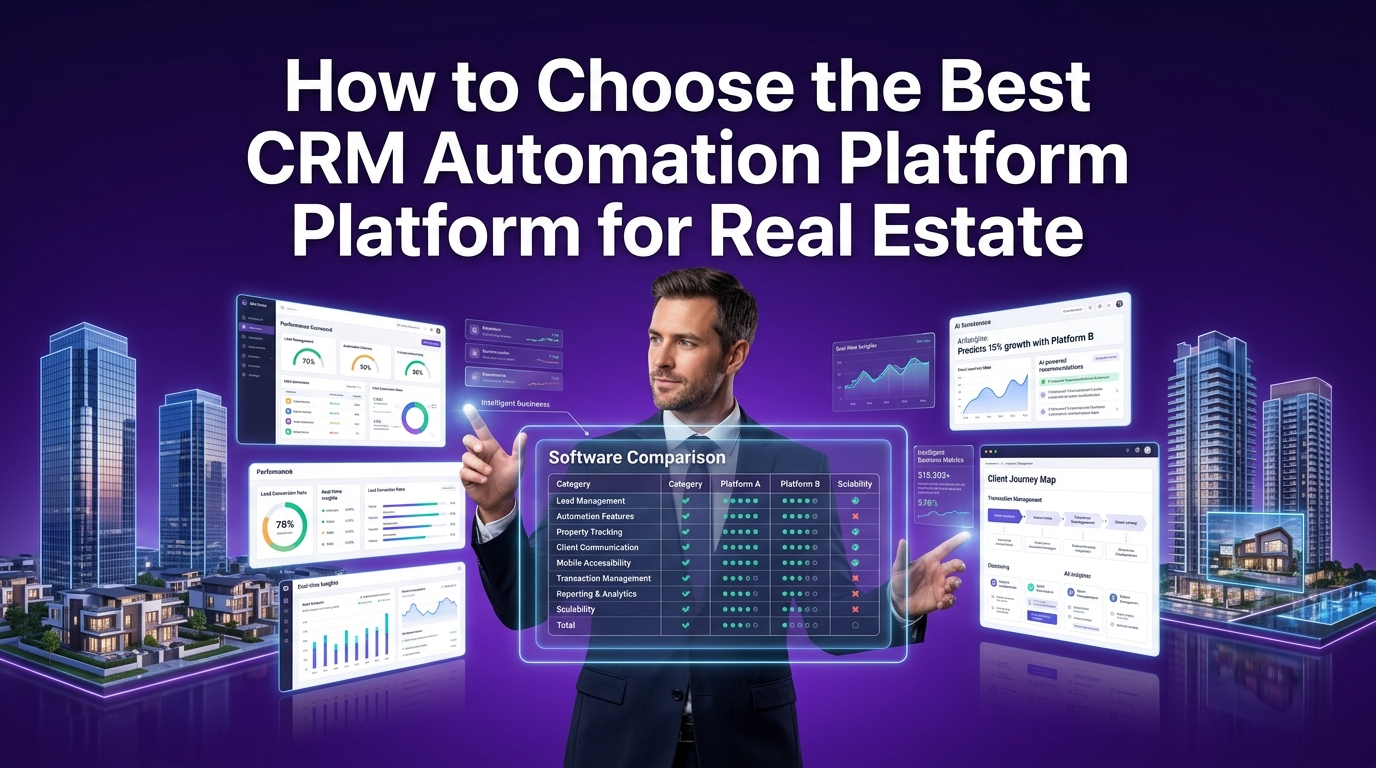
The real estate CRM market is crowded with options and the marketing from most platforms sounds nearly identical. Every tool claims to be the easiest, the most powerful, and the best value. Sorting through those claims to find the right fit for your specific business requires a clearer framework.
The right real estate CRM for a solo buyer's agent in a suburban market looks very different from the right platform for a fifty-agent brokerage running a full inside sales operation. Getting this decision right from the start saves you a painful migration twelve months down the road.
Which CRM Is Best for Solo Agents vs. Large Real Estate Brokerages?
The honest answer is that no single platform is universally best. The right choice depends on your team size, transaction volume, tech stack, budget, and the specific workflows you need to automate.
Here is a practical breakdown by agent profile:
Solo agents and small teams (1–5 agents) You need a CRM that is easy to set up, affordable to maintain, and powerful enough to run your core nurture and follow-up workflows without requiring a dedicated admin. Wise Agent, LionDesk, and Follow Up Boss are strong contenders here. Pipedrive works well for agents with a more sales-process-oriented approach to their pipeline.
Growing teams (5–20 agents) At this stage, you need proper lead routing, team accountability features, and deeper integration with your lead sources and transaction management tools. kvCORE, BoomTown, and Real Geeks are purpose-built for this segment of the market and offer the workflow depth that growing teams require.
Large brokerages (20+ agents) Enterprise-grade workflow automation, multi-tier reporting, and deep IDX and MLS integration become non-negotiable. Lofty (formerly Chime), kvCORE, and Salesforce with a real estate configuration are the primary options at this level. HubSpot CRM is also a powerful choice for brokerages that want best-in-class marketing automation alongside their sales pipeline management.
Comparing Top Real Estate CRMs — Follow Up Boss, Wise Agent, kvCORE, LionDesk, and BoomTown
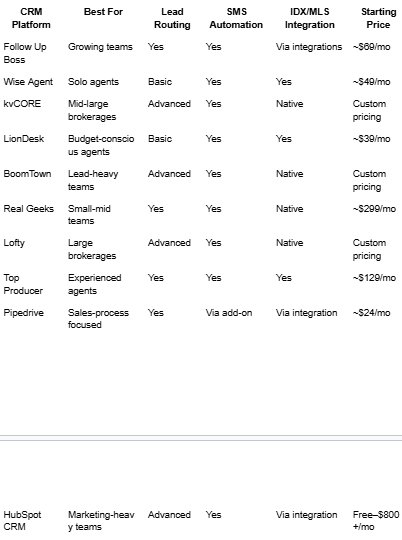
No platform in this table delivers its full value out of the box. Every one of them requires thoughtful configuration, integration work, and workflow design to perform at the level your business demands. That is where the real investment and the real return lies.
Key Features Every Real Estate CRM Automation Platform Must Have
Before committing to any platform, evaluate it against these non-negotiable criteria for real estate use:
Automated lead response: Can the CRM send an immediate, personalized response the moment a lead comes in from any source?
Behavioral drip campaigns: Does the platform support trigger-based nurture sequences that respond to what a lead actually does, not just time delays?
SMS automation: Native two-way SMS is essential for the response rates modern real estate clients expect
MLS and IDX integration: Automated property alerts, new listing notifications, and price change triggers depend on live MLS data feeds
Lead scoring and routing: Rule-based and intelligent lead distribution to the right agent at the right time
Transaction management: Checklist templates, milestone tracking, and deadline automation within the CRM or through a native integration
Reporting and performance dashboards: Real-time visibility into lead source performance, agent activity, pipeline value, and conversion metrics
Mobile functionality: Agents work in the field. Your CRM needs to be fully functional on a mobile device, not just a stripped-down app
What CRM Integrates with MLS, IDX, and Real Estate Transaction Tools?
Integration capability is often the deciding factor when choosing a real estate CRM software platform because your CRM does not operate in isolation. It sits at the center of a technology ecosystem that includes your IDX website, your MLS data feed, your transaction management platform, your e-signature tool, and your marketing stack.
The platforms with the strongest native real estate integration ecosystems are kvCORE, BoomTown, Lofty, and Real Geeks, all of which offer native IDX websites with direct CRM integration, meaning behavioral data from a prospect's property search feeds directly into their contact record and triggers appropriate automation sequences.
For agents using standalone IDX solutions, Follow Up Boss offers broad integration support across the widest range of lead sources, making it the most flexible option for teams pulling leads from multiple platforms simultaneously.
Key integrations to verify before choosing your platform:
MLS data feeds: For automated property alerts and listing match notifications
IDX website platform: For behavioral lead capture and search activity tracking
Transaction management: SkySlope, DocuSign, DotLoop, or Click Contracts
Communication tools: Gmail, Google Workspace, Outlook, and team communication via Slack or Microsoft Teams
Marketing automation: Mailchimp, ActiveCampaign, or native email marketing tools
Workflow automation: Zapier or Make for connecting tools that do not integrate natively
Must-Have Integrations — MLS, IDX, SkySlope, DocuSign, and Zillow
The most impactful integrations in a real estate CRM automation stack are the ones that connect your lead sources and transaction tools directly to your contact records, eliminating manual data entry and ensuring every automation trigger fires on accurate, real-time information.
MLS integration feeds current listing data into your CRM so property alert emails always reflect live inventory. When a new listing matches a buyer's saved search criteria, the CRM fires an automated alert without any agent involvement.
IDX integration captures the browsing behavior of every visitor to your real estate website, which properties they viewed, how many times they visited, what price ranges they searched and feeds that behavioral intelligence into your lead scoring and nurture workflows.
SkySlope and DocuSign integration creates a seamless bridge between your transaction management platform and your CRM, so document status, signature completion, and compliance milestones automatically update contact records and trigger the appropriate next steps in your transaction checklist.
Zillow and Realtor.com integration ensures that every lead from your paid advertising spend enters your CRM instantly, with source attribution intact, and receives an immediate automated response, regardless of when the inquiry arrives.
Is AI-Powered CRM Automation Worth It for Real Estate Agents?
The short answer: yes, but only when it is configured to work with real data from your specific market and client base.
Modern real estate CRM platforms increasingly incorporate predictive analytics and intelligent lead qualification capabilities that go beyond simple rule-based automation. Instead of treating every lead the same way, these systems analyze patterns across thousands of interactions to identify which leads are most likely to transact and when.
How Predictive Analytics and AI Lead Scoring Change the Game for Realtors
Predictive analytics for realtors uses historical behavioral data, demographic signals, and engagement patterns to rank leads by their probability of converting within a defined timeframe. Rather than spending equal time on every lead in your pipeline, your team focuses energy on the contacts most likely to result in a closed transaction.
In practice, this means:
A lead who has visited your IDX website fourteen times in the last week, searched the same ZIP code repeatedly, and opened every email you've sent scores significantly higher than a lead who filled out a form once and never engaged again
Your CRM flags the high-score lead for immediate personal outreach while placing the lower-score lead into a long-term nurture sequence automatically
Over time, the system refines its scoring model based on your actual closed transaction data — making its predictions increasingly accurate for your specific market
Platforms like kvCORE, Lofty, and BoomTown have invested heavily in AI lead scoring capabilities that deliver measurable improvements in agent efficiency and lead conversion rates for teams willing to configure them properly.
The difference between an agent using basic drip campaigns and one using behavioral triggers with predictive lead scoring is not incremental. It is the difference between reactive follow-up and proactive revenue management.
Why CRM Automates Is the Smarter Real Estate Automation Partner for Agents and Brokers Across the USA
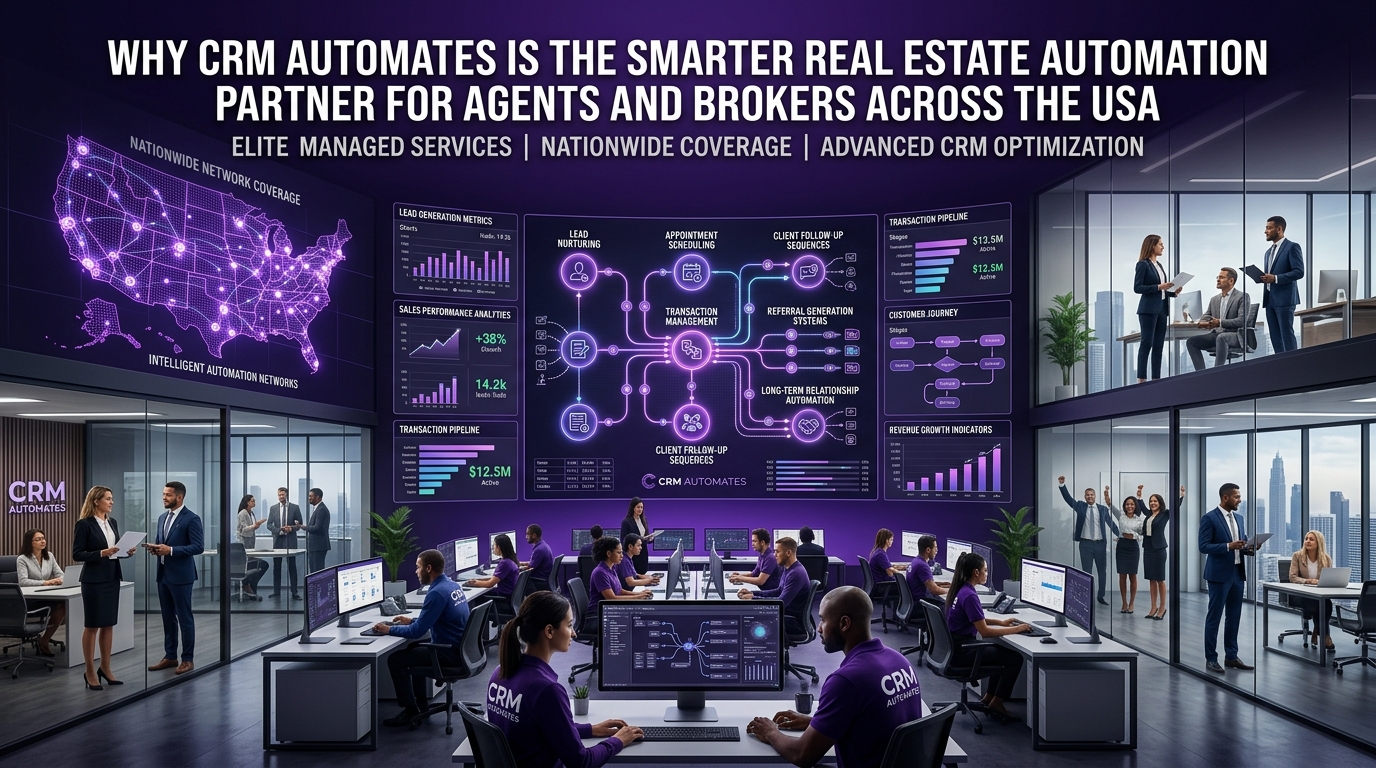
Buying a real estate CRM is easy. Building a real estate CRM automation system that actually drives closed deals is a completely different challenge, one that most agents and brokers underestimate until they are six months in, paying for a platform they are using at 15% of its potential.
The gap is not the software. The gap is the strategy, the workflow design, and the implementation expertise behind it.
That is the problem crmautomates.com exists to solve, specifically for real estate professionals across the USA.
How CRM Automates Builds Revenue-Driven Automation Systems for Real Estate Professionals
We work exclusively with real estate agents, teams, and brokerages to design, build, and deploy CRM automation systems that directly impact the metrics that matter: lead response rate, nurture conversion, transaction volume, and referral generation.
Our engagements are not generic CRM setups. Every system we build starts with a deep understanding of your specific lead sources, your client lifecycle, your current tech stack, and your revenue goals.
We build automation systems that handle:
Instant lead response workflows: Automated email and SMS sequences that respond to every lead within sixty seconds, regardless of when they come in
Behavioral drip campaigns: Personalized nurture sequences triggered by what your leads actually do, not arbitrary time delays
Omnichannel follow-up: Coordinated email, SMS, and task-based outreach that meets clients on their preferred channel consistently
Lead scoring and routing: Intelligent distribution systems that get every lead to the right agent at the right time
Transaction coordination automation: Checklist triggers, deadline alerts, and milestone notifications that keep every deal on track
Post-closing retention systems: Anniversary sequences, market update campaigns, and referral request workflows that turn past clients into a steady referral pipeline
Brokerage reporting infrastructure: Real-time dashboards tracking agent activity, pipeline value, lead source ROI, and conversion metrics
We are platform-agnostic. Whether your team uses Follow Up Boss, Wise Agent, kvCORE, LionDesk, BoomTown, HubSpot, or Salesforce, we configure it to perform at the level your real estate business demands.
Our Implementation Process — From CRM Audit to Full Workflow Deployment
Every crmautomates.com engagement follows a structured, proven process:
Phase 1: Business and Tech Audit We map your current lead sources, client lifecycle stages, existing CRM usage, and tech stack integrations. We identify every automation gap and every workflow opportunity your current setup is missing.
Phase 2: Workflow Architecture Design Before writing a single automation rule, we design your complete workflow architecture, every trigger, sequence, routing rule, and integration point, in a visual blueprint you review and approve.
Phase 3: Build and Integration We build your workflows, configure your integrations, MLS feeds, IDX platforms, SkySlope, DocuSign, Zapier, Make, Gmail, and more and connect your lead sources to your CRM with full attribution tracking.
Phase 4: Testing and Quality Assurance Every workflow is stress-tested across real lead scenarios before going live. We verify every trigger, every branch, and every integration point to ensure flawless execution.
Phase 5: Team Training and Handover Your agents and admin team receive full documentation and live training so they can manage, iterate, and build on the system independently.
Phase 6: Ongoing Optimization For clients who want continued support, we provide ongoing consulting, monitoring performance, refining workflows, and building new automation sequences as your business grows and your needs evolve.
What Makes CRM Automates Different from Off-the-Shelf Real Estate CRM Solutions?
Most real estate CRM vendors sell you the software and leave the rest to you. A few offer basic onboarding calls and help articles. Almost none provide the strategic, hands-on implementation work that turns a CRM platform into a genuine revenue system.
Here is what makes our approach different:
Real estate exclusivity: We do not work across industries. Our methodology, our workflow templates, and our integration expertise are built entirely around real estate client lifecycles, lead sources, and transaction processes
Revenue-first design: Every workflow we build is tied to a measurable business outcome: lead response rate, nurture conversion percentage, transaction volume, or referral rate
Full-stack integration expertise: We connect your CRM to your entire real estate tech stack, IDX platform, MLS feeds, transaction management, marketing tools, and communication platforms, so your data flows seamlessly and your automation fires on accurate signals
No black-box setups: You know exactly what we are building, why we built it, and what it is designed to achieve. Full transparency, full documentation, no surprises
USA-based team: We understand the US real estate market, its lead sources, its transaction processes, and its compliance considerations intimately
Real Results — How Real Estate Teams Across the USA Are Closing More with Less Effort
The outcomes real estate agents and brokerages consistently report after working with crmautomates.com:
Lead response times drop from hours to under sixty seconds, capturing significantly more inquiries before competitors respond
Nurture conversion rates improve by 30–50%, because behavioral drip campaigns deliver relevant content rather than generic blasts
Transaction coordination time drops by 40–60%, through automated checklists, deadline alerts, and milestone notifications
Referral and repeat business increases by 25–35%, because systematic post-closing sequences keep agents top of mind with past clients
Agent productivity improves measurably, because time previously spent on administrative follow-up redirects to showings, listings, and client relationships
These are not aspirational benchmarks. They are the outcomes that result from building the right automation infrastructure, intentionally, strategically, and in direct alignment with how real estate clients actually behave.
Frequently Asked Questions
What is CRM automation in real estate? CRM automation in real estate refers to the use of trigger-based workflows, behavioral signals, and integrated software to manage lead follow-up, client nurturing, transaction coordination, and post-closing communication automatically, without requiring manual action at every step. It allows agents and brokerages to maintain consistent, personalized communication at scale.
What is the best CRM for real estate agents? The best real estate CRM depends on your team size and workflow needs. Follow Up Boss and Wise Agent are strong choices for solo agents and small teams. kvCORE, BoomTown, and Lofty are better suited for growing teams and large brokerages. The platform matters less than how well it is configured, a well-automated mid-tier CRM outperforms an unconfigured enterprise platform every time.
How do real estate agents automate follow-ups? Real estate agents automate follow-ups by building trigger-based drip campaigns in their CRM that respond to lead behavior, form submissions, email opens, property clicks, and website visits, rather than sending generic timed messages. Combining email sequences with automated SMS touchpoints and task-based reminders creates a multi-channel follow-up system that engages leads on their preferred channel consistently.
Can CRM automation replace personal client communication in real estate? No, and it should not try to. The most effective real estate automation systems handle the consistent, repetitive communication touchpoints that would otherwise fall through the cracks, while freeing agents to focus on the high-value personal interactions that build genuine relationships. Automation handles the cadence; the agent handles the connection.
What CRM integrates with MLS? Several real estate CRM platforms offer native MLS integration, including kvCORE, BoomTown, Real Geeks, Lofty, and Top Producer. These platforms can automatically send property alert emails to buyers when new listings match their saved search criteria, pulling live data directly from the MLS feed.
How do you automate lead routing in a real estate brokerage? Lead routing automation in a brokerage assigns incoming leads to the appropriate agent automatically based on predefined rules — geography, property type, price range, agent availability, or round-robin rotation. When a lead comes in, the CRM scores it, matches it to the routing criteria, assigns it instantly, and notifies the agent via SMS and email, all within seconds of the initial inquiry.
Is CRM automation worth it for real estate agents? For any agent closing more than ten transactions per year, yes, the return on investment is clear and measurable. The time saved on manual follow-up, the leads captured that would otherwise have gone cold, the referral business generated through systematic post-closing sequences, and the transactions protected through automated deadline management all add up to a material impact on annual commission income.
How much does real estate CRM software cost? Real estate CRM pricing ranges from approximately $39 per month for entry-level platforms like LionDesk to several hundred dollars per month for enterprise solutions like kvCORE and BoomTown. Many platforms offer tiered pricing based on user count and feature access. Implementation and configuration costs, whether handled internally or by a specialist like crmautomates.com, are separate from software subscription fees.
Final Thoughts
The real estate agents closing the most deals in 2025 are not necessarily the most talented. They are the most systematic.
They respond to every lead instantly. They nurture every contact consistently. They never miss a transaction deadline. And they stay in front of past clients long enough to earn the referral when the time comes. None of that happens through willpower and a good memory. It happens through the right CRM automation system, built deliberately, configured correctly, and maintained strategically.
If you are ready to stop losing leads to faster competitors, stop letting past clients forget your name, and stop spending hours each week on administrative work your CRM should be handling, crmautomates.com is ready to build that system for you.
Book your free real estate CRM automation audit today and get a clear, no-obligation picture of exactly where your current setup is leaving money on the table and what it would take to fix it.
