Workflow Automation Software: The Honest 2026 Buyer's Guide

Why most teams pick the wrong workflow automation software
A founder in Toronto signs up for Zapier on a Monday, builds 14 Zaps by Friday, and by month three is paying $599 for a Team plan because tasks ballooned. An agency owner in Manchester does the same and learns Make would have cost a third of that for identical logic. Both made the same mistake — they chose workflow automation software based on which name they recognized first.
The market is bigger and louder than ever. According to Gartner's 2024 Hyper automation forecast, organizations now run an average of 5–7 automation tools simultaneously, and rationalizing that stack is the top operations priority for 2026. The choice you make now sets the spend for the next two years.
This guide skips the recycled top-15 list. We'll match real tools to real business shapes — solo, SMB, agency, enterprise — and show the math that vendors quietly leave out.
What is workflow automation software, exactly?
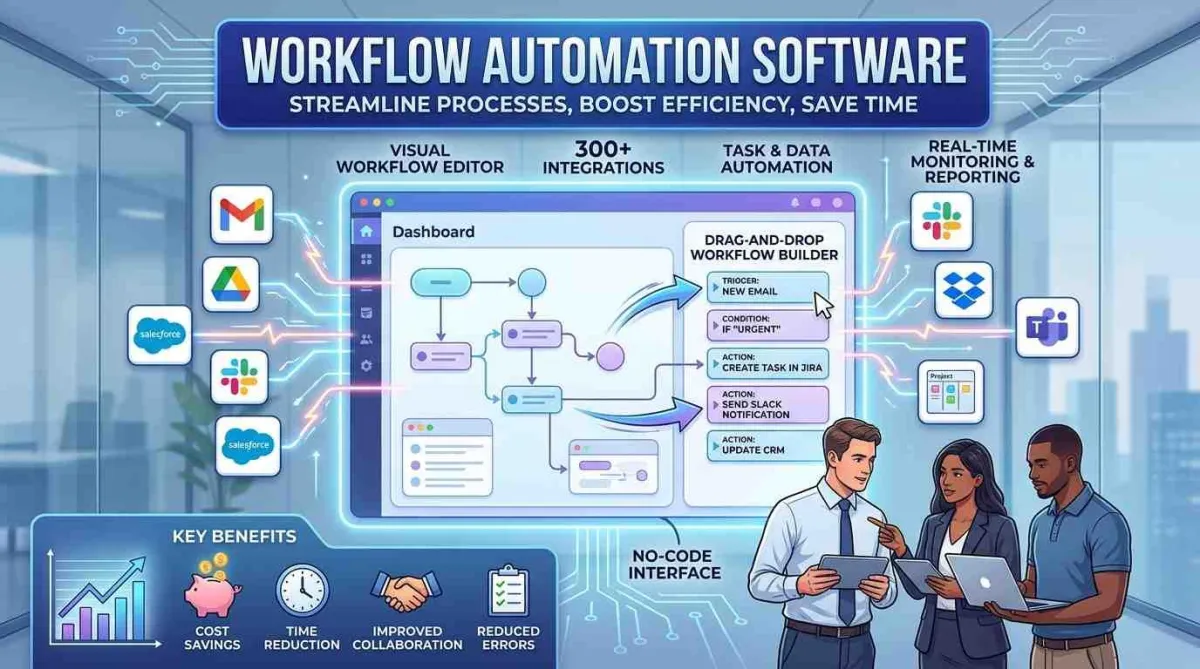
Workflow automation software is a platform that runs predefined sequences of actions across apps, triggered by events or schedules, without manual handoffs. The category covers three distinct shapes: rule-based automation (Zapier, Make), process automation suites (Workato, Pipefy, Kissflow), and AI-agent platforms (Gumloop, Lindy, Relevance AI).
Each shape solves a different problem:
Rule-basedhandles "when X happens, do Y" — fast to build, breaks when conditions get fuzzy.
Process suiteshandle multi-stakeholder approvals, audit trails, and compliance — slower to build, holds up at enterprise scale.
AI-agent platformshandle judgment-heavy steps like classifying inbound emails or summarizing transcripts — newer category, costs more per run but replaces 5–10 rule-based steps.
If you can't articulate which of the three you need, you'll buy the wrong one. That's the single most common reason teams swap tools within 18 months.
The 2026 shortlist by business type
Here's how the recommendation actually shifts at scale. Pricing is indicative verify on each official website before purchasing.
Here is the condensed version:
Solo founders and coaches should start with Zapier Starter or Make Core at $20 to $35 per month — fast to set up, right-sized for low task volumes. SMBs with five to twenty-five staff get better value from Make Pro or n8n Cloud at $35 to $150, with higher task ceilings at a proportional cost. Agencies doing client work lean toward self-hosted n8n or Make for white-label flexibility and predictable billing, typically $50 to $250 per month. AI-heavy operations needing agent-style logic rather than linear automation chains should evaluate Gumloop, Lindy, or Relevance AI starting around $80 and scaling past $500. Enterprise teams with governance and SLA requirements land on Workato, Microsoft Power Automate, or Tray.io — usually custom contracts starting above $25,000 annually.
UK and Canadian buyers should note that n8n's EU data residency and self-hosting options resolve most GDPR and PIPEDA concerns upfront. A US-only data center can disqualify a vendor for regulated buyers regardless of features. Verify all current pricing on each platform's official website before committing.
The honest trade-offs nobody puts in the listicle
Zapier
Zapier is still the easiest to learn and has the largest app library (8,000+ integrations as of 2025). The trade-off is task pricing — at 50,000 tasks/month, Zapier is materially more expensive than Make or n8n for the same logic. Build complex multi-step workflows here and the bill gets ugly fast.
Make
Make (formerly Integromat) gives you visual scenarios, branching, and per-operation pricing that often runs 40–60% cheaper than Zapier at scale. The trade-off is a steeper learning curve and worse error messages when scenarios fail at 3 a.m.
n8n
n8n is the practitioner favorite because you can self-host, version-control workflows in Git, and run unlimited executions on your own infrastructure. The trade-off is ops overhead — somebody has to maintain the server, manage updates, and own uptime.
Gumloop, Lindy, Relevance AI
These AI-native platforms collapse what used to be 8-step Zaps into one agent. Strong fit for content ops, lead enrichment, and inbound triage. The trade-off is cost per run (LLM tokens add up) and reliability — agents still hallucinate at edges, so human review on outputs over $X is a hard rule.
The total cost of ownership most buyers miss
Sticker price is the smallest line item. Real cost includes:
Subscription— what you sign up for
Task / operation overage— what you actually pay after month 3
Integration fees— premium app connectors (HubSpot, Salesforce often gated)
Build time— hours to design, test, document workflows
Maintenance— workflows break when APIs change; budget 10–15% of build time per month
Switching cost— when you outgrow the tool, rebuilding 60 workflows is a quarter of work
A 25-person agency running 40 workflows on Zapier Pro typically spends $69/mo on subscription and 8–12 hours/month on maintenance meaning the real monthly cost lands closer to $700–1,000 once you price the operator's time at agency rates.
Bookmark this list before you shortlist. Pricing pages won't show it to you.
Build vs. buy: when off-the-shelf stops making sense
Off-the-shelf workflow automation software wins until you hit one of three thresholds: task volume above ~500,000/month, latency requirements under 1 second, or proprietary logic you can't expose to a third-party API. Past those points, custom-built automation on AWS Step Functions, Temporal, or a Node/Python service usually beats SaaS on cost and control.
For most SMBs and agencies, that threshold is years away. For a Series B SaaS company processing payment events, it's already here.
Pros and cons of workflow automation software in 2026
Pros
Removes manual data entry and handoff delay
Reduces error rate on repetitive ops by an order of magnitude
Frees senior staff from low-judgment tasks
AI-native tools now handle classification and summarization that used to need humans
Cons
"Automation debt" — workflows nobody owns, breaking silently
Vendor lock-in is real; export is rarely clean
API changes from connected apps cause cascading failures
Over-automating fragile processes amplifies bad data instead of fixing it
The honest read: automate stable, well-understood processes first. Anything still in flux should stay manual until the steps stop changing weekly.
How to pick — a 7-question shortlist
What's our current monthly task volume, and what will it be in 12 months?
Do we need AI judgment steps, or is rule-based logic enough?
Which apps must integrate natively (no workarounds)?
What's our data residency requirement (US, EU, UK, Canada)?
Who owns workflow maintenance internally?
What's the cost ceiling at 3x current volume?
How clean is our export path if we switch vendors in year two?
If you can't answer six of seven before you start a free trial, the trial will mislead you. Audit your current setup against these questions first — it usually reshuffles the shortlist.
What changed in the last 12 months
Three shifts matter for 2026 buyers:
Zapier launched Agents and Canvas in 2024–2025, moving toward AI-native workflows but at higher per-run cost than classic Zaps.
n8n hit version 1.x stabilitywith AI nodes (LangChain integration) becoming first-class in 2024, making self-hosted AI automation viable for SMBs.
Microsoft Power Automate added Copilot-driven flow creation in 2024, lowering the entry bar for organizations already on Microsoft 365 — the default winner for enterprises with E3/E5 licensing.
Pricing pages move every quarter. Verify on each vendor's official site before signing.
Final word
Workflow automation software pays back fastest when you match the tool to the actual shape of your business not to the brand you saw on a podcast. Solo founders and coaches will rarely outgrow Zapier or Make. Agencies usually win with n8n. AI-heavy operations belong on Gumloop, Lindy, or Relevance AI. Enterprises with compliance needs default to Workato or Power Automate. Pick the tool that fits your task volume, your data rules, and the person who'll maintain it on a rough Tuesday — that's the decision that ages well.
FAQ Section
1. What is the best workflow automation software in 2026?
There's no universal best the right tool depends on scale and use case. Zapier remains the easiest entry point with 8,000+ integrations. Make wins on price-per-operation for SMBs. n8n suits agencies and self-hosted setups. Gumloop, Lindy, and Relevance AI lead for AI-agent workflows. Enterprises typically pick Workato or Microsoft Power Automate for governance.
2. Is Zapier still worth it in 2026?
Zapier is still worth it for solo founders, coaches, and small teams running fewer than 10,000 tasks per month. Above that threshold, Make or n8n usually saves 40–60% on identical logic. Zapier's 2024–2025 push into Agents and Canvas added AI capability but raised per-run costs, so heavy AI users should price-check Gumloop or Lindy.
3. What's the difference between Zapier and Make?
Zapier charges per task with a simpler builder; Make charges per operation with a visual scenario editor and more granular logic. Make typically costs less at scale and handles branching better, but the learning curve is steeper. Zapier wins for speed of setup; Make wins for cost efficiency and control above moderate volumes.
4. Can workflow automation software work without code?
Yes most modern workflow automation software is no-code or low-code. Zapier, Make, Pipefy, and Kissflow require zero programming for standard workflows. n8n and Power Automate offer optional code nodes (JavaScript, Python) for complex logic. AI-agent platforms like Gumloop and Lindy use natural-language prompts instead of traditional rules.
5. How much does workflow automation cost for a small business?
Most small businesses spend between $20 and $250 per month on workflow automation software. Solo founders typically pay $20–35 (Zapier Starter, Make Core). Teams of 5–25 land in the $50–150 range. Costs scale with task volume and premium app connectors. Verify current pricing on each vendor's official website before committing.
6. Is n8n better than Zapier?
n8n is better than Zapier for technical teams, agencies, and high-volume use cases where self-hosting or unlimited executions matter. Zapier is better for non-technical users who want fast setup and the largest app library. The split usually comes down to who maintains workflows internally and whether self-hosting is acceptable.
7. What is AI workflow automation?
AI workflow automation uses large language models or AI agents to handle judgment-heavy steps like classifying emails, summarizing calls, or extracting data from unstructured text. Tools like Gumloop, Lindy, and Relevance AI replace multi-step rule-based workflows with single agents. The trade-off is higher per-run costs and the need for output review on critical tasks.
8. What are the risks of workflow automation?
The main risks are automation debt (workflows nobody maintains), cascading failures when connected APIs change, vendor lock-in, and amplifying bad processes instead of fixing them. Gartner's 2024 hyperautomation research notes that rationalizing automation stacks is now a top operations priority, suggesting many organizations have over-automated without governance.
9. How long does it take to set up workflow automation?
Simple workflows take 15–60 minutes per scenario in Zapier or Make. Complex multi-app workflows with branching and error handling take 4–10 hours. Self-hosted n8n adds setup time for the server itself (1–2 days for a production-ready instance). Budget ongoing maintenance at 10–15% of initial build time per month.
10. Does workflow automation software meet GDPR requirements?
Some do, some don't — it depends on data residency and processing terms. n8n self-hosted, Make (with EU region), and Microsoft Power Automate offer EU data residency suitable for GDPR and UK GDPR. For Canadian buyers under PIPEDA, check whether the vendor stores personal data in Canada or has acceptable cross-border safeguards. Always review the DPA before signing.