CRM Automation for HVAC Companies: Stop Losing Jobs to Missed Calls and Slow Follow-Up
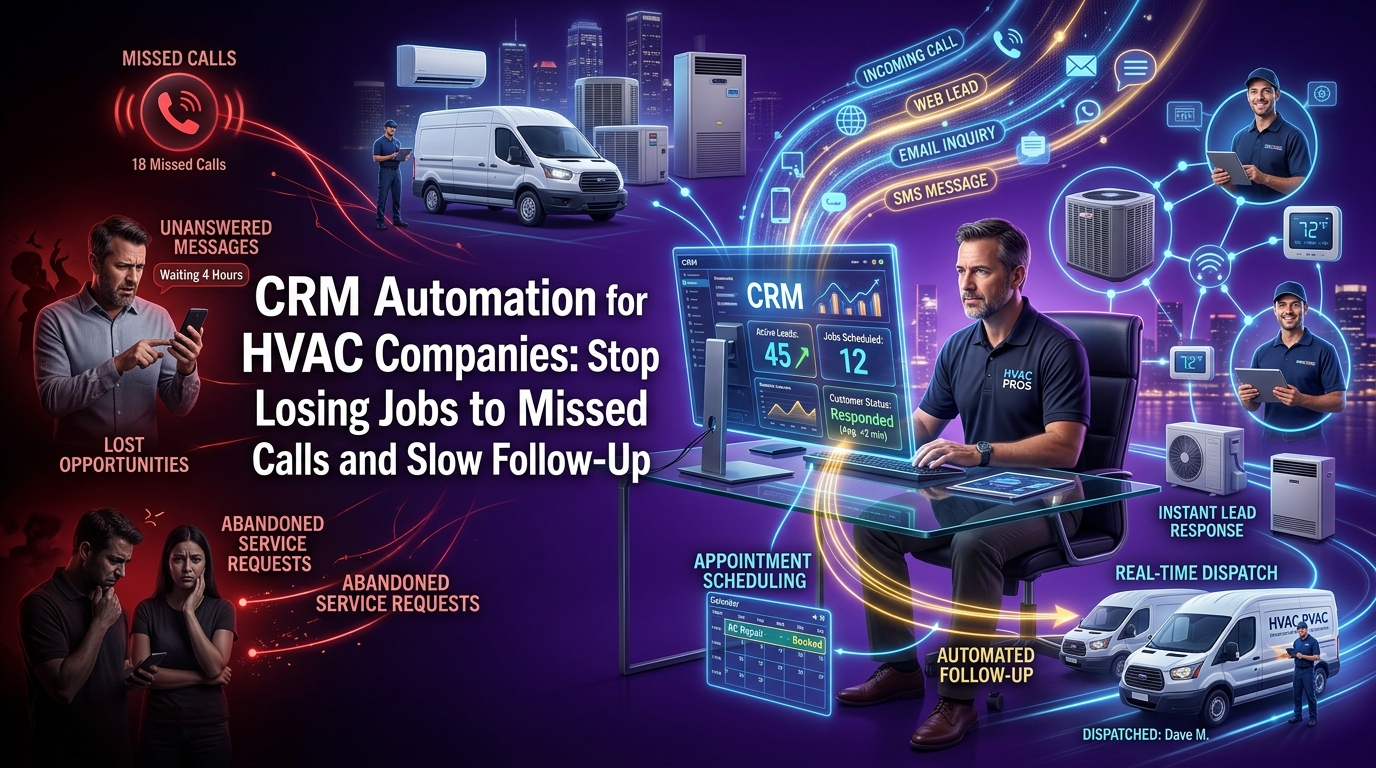
Every HVAC owner knows the feeling. You're on a job, hands dirty, under a unit and your phone rings. You can't answer. By the time you call back two hours later, the customer has already booked your competitor.
That one missed call didn't just cost you a service visit. At average HVAC ticket values, it potentially cost you $300, $500, maybe a recurring maintenance customer worth $1,200 a year. Multiply that by the calls you miss every single week, and you're looking at a serious, silent revenue leak that most HVAC business owners never sit down to calculate.
CRM automation for HVAC companies exists to close exactly that gap, not by adding more work to your plate, but by building systems that respond, follow up, remind, and re-engage your customers automatically, whether you're on the roof at 2 PM or off the clock at 10 PM.
This guide covers everything: the revenue you're losing right now, the six automations that recover it, how to choose the right tools, and how to get it all running without becoming a software expert.
Why HVAC Companies Keep Losing Revenue Without CRM Automation
Most HVAC business owners assume their revenue problem is a marketing problem. They think they need more leads. In reality, the majority of HVAC companies are sitting on a pipeline full of untouched opportunities, missed calls that never got returned, estimates that went cold because no one followed up, and past customers who simply never heard from them again.
This isn't a hustle problem. It's a systems problem. And it's costing more than most owners realize.
How Much Does a Missed HVAC Call Actually Cost Your Business?
The instinct is to think of a missed call as one lost job. The math, however, tells a different story.
According to industry data widely cited across field service benchmarks, the average HVAC service call generates between $250 and $450 in revenue. A new installation or system replacement can run $5,000 to $12,000. Even at the conservative end, if your business misses five calls per week, not an unusual number for a two- or three-tech operation without front-office coverage, that's potentially $65,000 to $100,000 in annual revenue walking straight to your competitors.
The Real Numbers Behind Missed Calls and Slow Response Time
Speed of response is one of the most studied variables in lead conversion across all service industries. Research consistently shows that leads contacted within five minutes of inquiry convert at dramatically higher rates than those contacted after 30 minutes and the conversion rate drops sharply every hour after that.
For HVAC companies, where customers are often calling because something is broken right now, that window is even tighter. A homeowner whose AC stops working in July is not going to wait two hours for a callback. They're going to call the next number on Google.
The businesses winning those calls aren't necessarily better at HVAC. They're simply faster to respond and in many cases, that speed is powered by automation, not by a full-time receptionist.
How Many Estimates Are You Losing Because Nobody Followed Up?
The estimate problem is quieter but equally damaging. Most HVAC companies send a quote and then wait. If the customer doesn't respond, they assume it wasn't the right fit and move on.
Industry data suggests that 44% of salespeople give up after one follow-up attempt, yet the majority of conversions happen between the second and fifth contact. In HVAC, where customers are comparing multiple quotes and making decisions over several days, the company that follows up consistently, without being pushy almost always wins the job.
If your current process is "send the estimate and hope," you're converting a fraction of what your pipeline is actually worth.
Why Your HVAC Business Is Bleeding Revenue at Every Stage
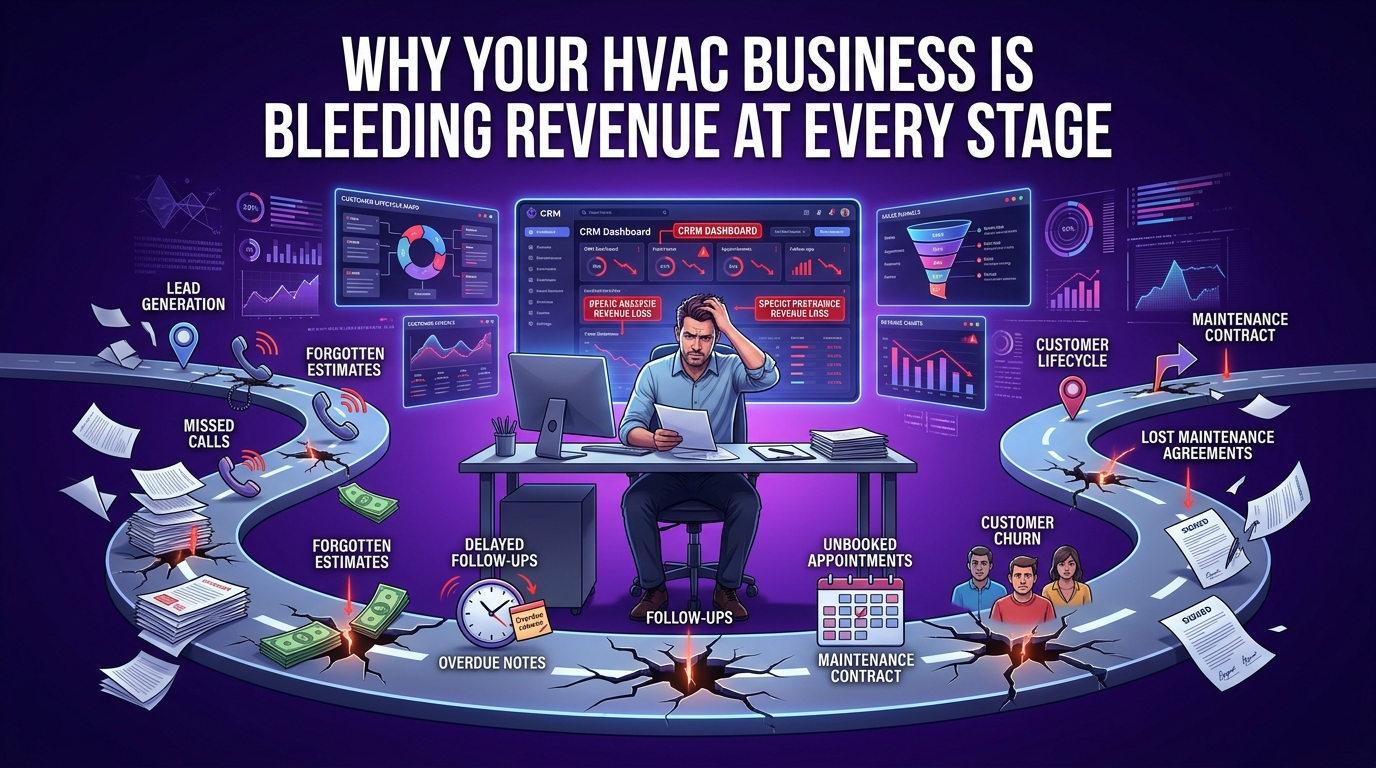
Revenue loss in an HVAC business isn't a single problem. It's a series of gaps that compound on each other throughout the customer lifecycle.
The Lead Capture Gap — Leads Coming In, Nobody Following Up
Every ad you run, every Google Business Profile click, every referral that calls after hours, these are leads entering your pipeline. Without an automated lead capture system, the ones that don't reach a live person vanish. There's no record, no follow-up, no second chance.
A CRM with automated lead capture ensures that every inbound inquiry, whether by phone, web form, or SMS, is logged immediately and triggers a response sequence. Nobody falls through the cracks because the system doesn't sleep.
The Estimate Gap — Quotes Sent, Customers Gone Silent
You spent time driving out, assessing the job, writing up the estimate. Then you sent it. Then silence. Without an automated follow-up sequence, that estimate sits in the customer's inbox competing with everything else in their life until they forget about it or choose someone else.
Automated estimate follow-up removes the human bottleneck. The system sends a check-in message on day two, a value reminder on day four, and a soft urgency nudge on day six, all without your dispatcher lifting a finger.
The Retention Gap — Past Customers You Never Reconnected With
Your existing customer database is your most underutilized revenue asset. These are people who already trusted you enough to let you into their home. They know your work. If their system needs a tune-up, a filter change, or a replacement, you should be the first call they make.
Without CRM automation, most HVAC companies reconnect with past customers only when those customers remember to call. With it, you're running seasonal campaigns, maintenance renewal reminders, and re-engagement sequences that keep your business top of mind all year long.
The 6 Core CRM Automations Every HVAC Business Needs
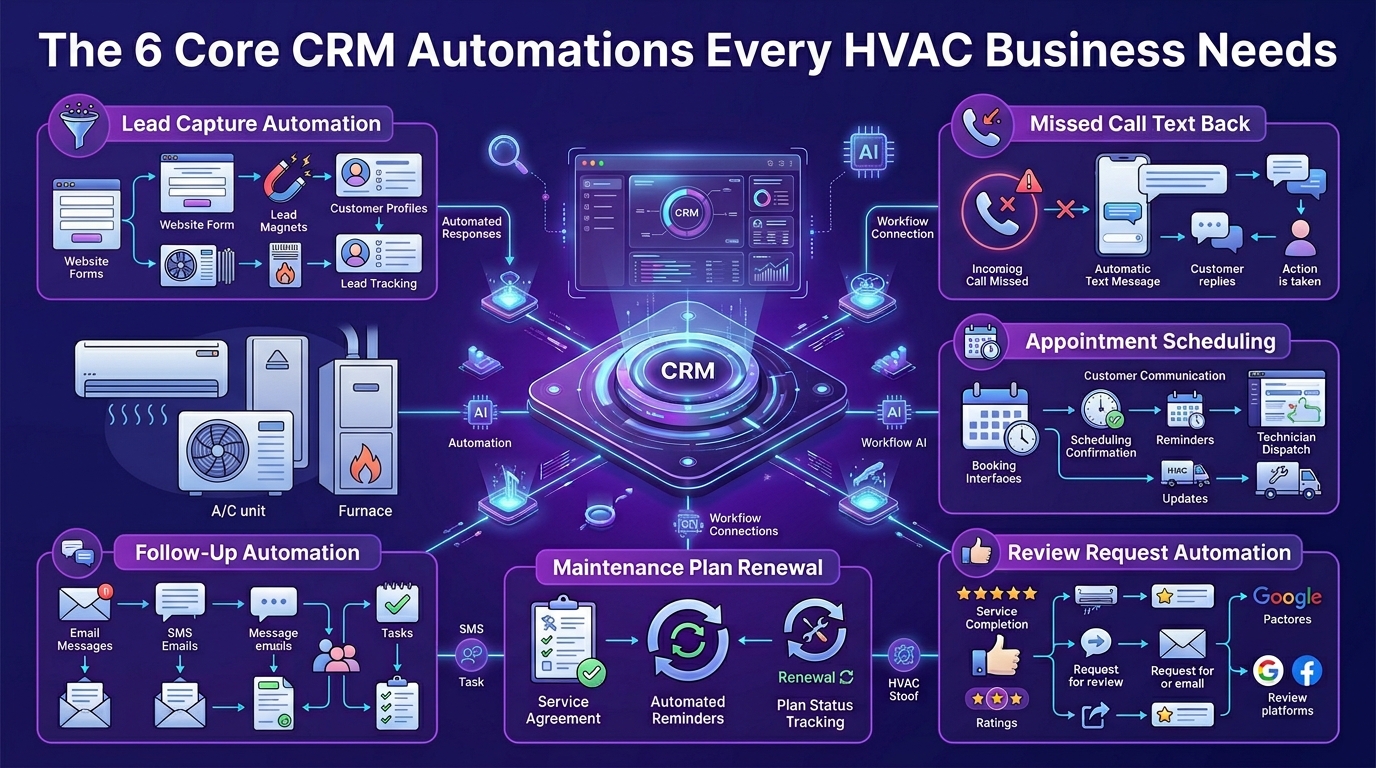
Not all automation is created equal. Some HVAC companies spend months setting up complex workflows they never fully use. The businesses seeing the strongest results start with six core automations that address the highest-impact revenue points first.
Get these six running and you'll recover more leads, convert more estimates, reduce no-shows, fill your schedule through every season, protect your recurring revenue, and build your online reputation, all without adding headcount.
Missed-Call Text-Back — Your 24/7 Lead Recovery System
This is the single most impactful automation for the average HVAC business, and also one of the simplest to set up.
When a potential customer calls your business and no one answers, the system automatically sends them a text message within seconds. Something simple and direct: "Hey, sorry we missed you! We'd love to help. What's going on with your HVAC system?"
That one message does something a voicemail never can, it opens a conversation. Most people will text back. And once they're in a text conversation with your business, your team (or a follow-up sequence) can qualify the lead, schedule the appointment, and book the job.
How Does Missed-Call Text-Back Work for HVAC Contractors?
The workflow is straightforward. When a call goes unanswered, the phone system or CRM detects the missed call and triggers an automated SMS to the caller's number. The message is personalized, conversational, and sent fast, usually within 60 seconds.
Platforms like GoHighLevel have this built in natively. When combined with a two-way SMS inbox, your dispatcher can pick up the conversation whenever they're available, with full context of what was said. It works around the clock, which matters enormously for HVAC companies that get after-hours emergency calls.
What Happens to HVAC Leads That Don't Get an Instant Response?
The data is unambiguous. A lead that doesn't hear from you in the first few minutes is a lead that's actively calling other companies. By the time you call back two hours later, they've often already booked. The missed-call text-back doesn't replace your team, it buys you the conversation so your team can do their job.
For after-hours lead capture specifically, this automation is the difference between capturing emergency service calls and losing them entirely to a competitor who has an answering service.
Automated Estimate Follow-Up — Turn Cold Quotes Into Booked Jobs
Every unsold estimate in your pipeline represents a real customer who showed enough interest to ask for a price. They didn't say no, they just went quiet. A systematic follow-up sequence reengages them at the right moments and converts a meaningful percentage of what would otherwise be dead leads.
How to Build a 5-Touch Estimate Follow-Up Sequence for HVAC
A high-converting HVAC estimate follow-up sequence typically looks like this:
Day 0 (Same Day): Estimate sent with a warm, professional message summarizing what you'll be doing and why your approach delivers value.
Day 2: A simple check-in. "Just wanted to make sure the quote came through clearly, happy to answer any questions."
Day 4: Add value. Mention something specific: energy savings, manufacturer warranty, your company's track record in the area.
Day 6: Light urgency. "We have availability in your area next week, wanted to give you first priority before our schedule fills up."
Day 10: Final follow-up. Keep it gracious. Leave the door open.
This sequence runs automatically from the moment an estimate is sent. Your team doesn't have to remember to follow up, the system handles it.
When Should You Follow Up After Sending an HVAC Estimate?
The first follow-up should happen within 48 hours. After that, every two to three days until the fifth touch. Spacing matters, too aggressive and you irritate the prospect, too spread out and they forget you entirely. The five-touch sequence hits that window correctly for most residential HVAC decisions.
For commercial HVAC proposals, where decision cycles are longer and involve multiple stakeholders, the sequence should be extended and the messaging adjusted to reflect a B2B relationship.
Appointment Reminders and Confirmation Workflows
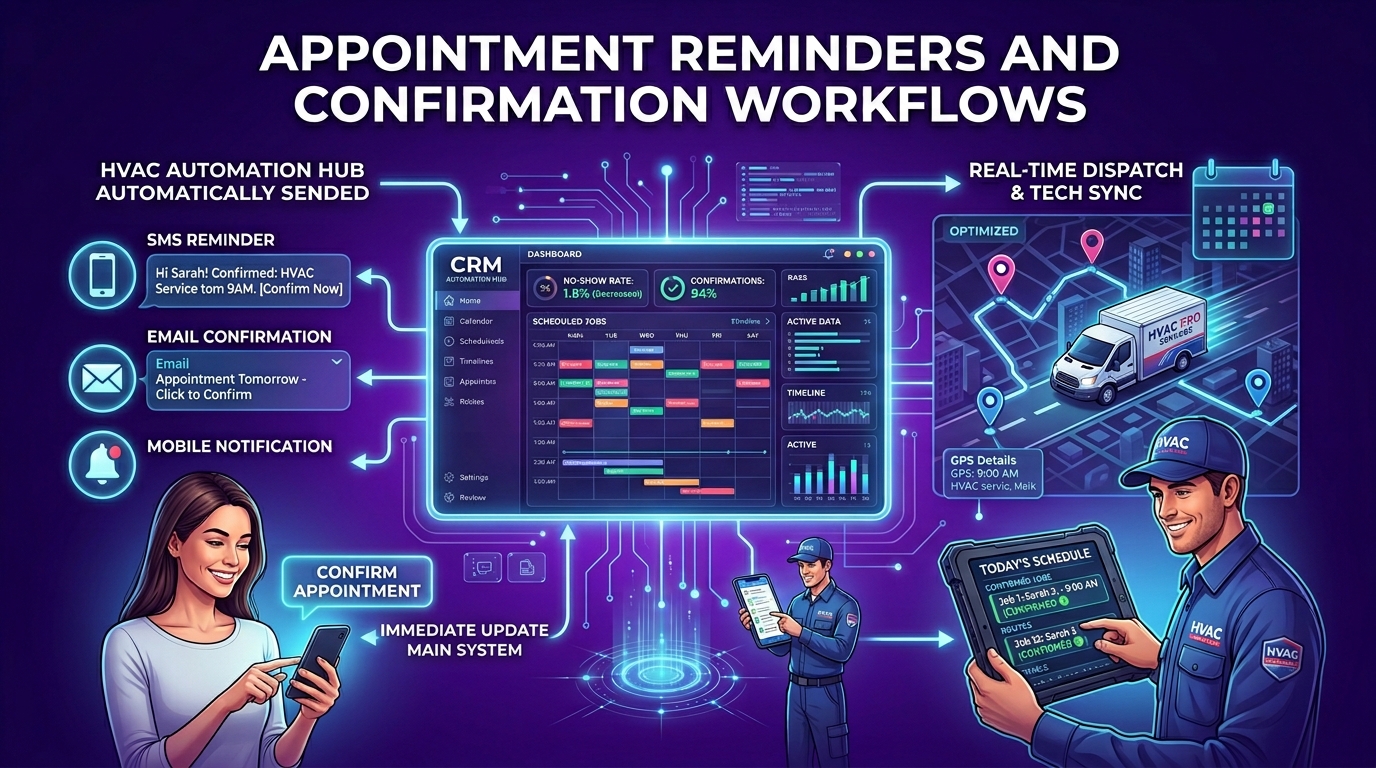
No-shows cost HVAC companies real money, in wasted drive time, blocked schedule slots, and the technician standing at a door that doesn't open. Automated appointment reminders dramatically reduce that rate.
How Automated Reminders Reduce No-Shows for HVAC Companies
An effective reminder workflow sends:
A confirmation message immediately after booking, delivered via SMS and email, with the date, time, and technician's name.
A 48-hour reminder that asks the customer to confirm or reschedule.
A 2-hour day-of reminder so the appointment is front of mind when your tech is on the way.
When customers can reschedule via a link instead of having to call the office, they're far more likely to do so rather than simply not answer the door. That keeps your technician's time productive and your schedule accurate.
This automation also functions as a customer communication touchpoint that builds trust before the tech even arrives, customers feel attended to, informed, and respected.
Seasonal Campaign Automation — Spring, Summer, Fall, Winter
An HVAC business lives and dies by seasonal demand. The companies that dominate their local market during peak season aren't necessarily spending more on ads, they're activating their existing customer database at exactly the right moments, before demand peaks and while their schedule still has room.
How to Set Up a Spring AC Tune-Up Campaign on Autopilot
In late March or early April, your CRM should automatically segment every customer who had their system serviced in the last two to three years and send them a personalized reminder about spring AC tune-ups. The message references their last service, reinforces your relationship, and makes it easy to book directly from the message.
This campaign typically runs for four to six weeks and can generate weeks of booked appointments from a customer database you've already earned, no ad spend required.
How to Handle the Summer Surge Without Hiring More Office Staff
During peak summer demand, the volume of inbound calls, booking requests, and urgent service calls can overwhelm a small office team. Automation handles the first layer of every interaction, capturing leads, confirming bookings, sending reminders, and routing urgent requests, so your team focuses only on conversations that require human judgment.
An HVAC CRM with automated booking and dispatch integration means your office can manage twice the volume without twice the staff.
How to Run a Fall Heating Check Campaign Automatically
The fall campaign mirrors the spring one but targets furnace inspections, heating system checks, and pre-winter tune-ups. Set it to launch in early September, hit your entire customer database with a personalized message, and watch your October and November schedule fill up before your competitors have even started thinking about fall.
The businesses that run these campaigns consistently never experience the revenue valleys between seasons that plague reactive HVAC companies.
Maintenance Plan Renewal Automation — Protect Your Recurring Revenue
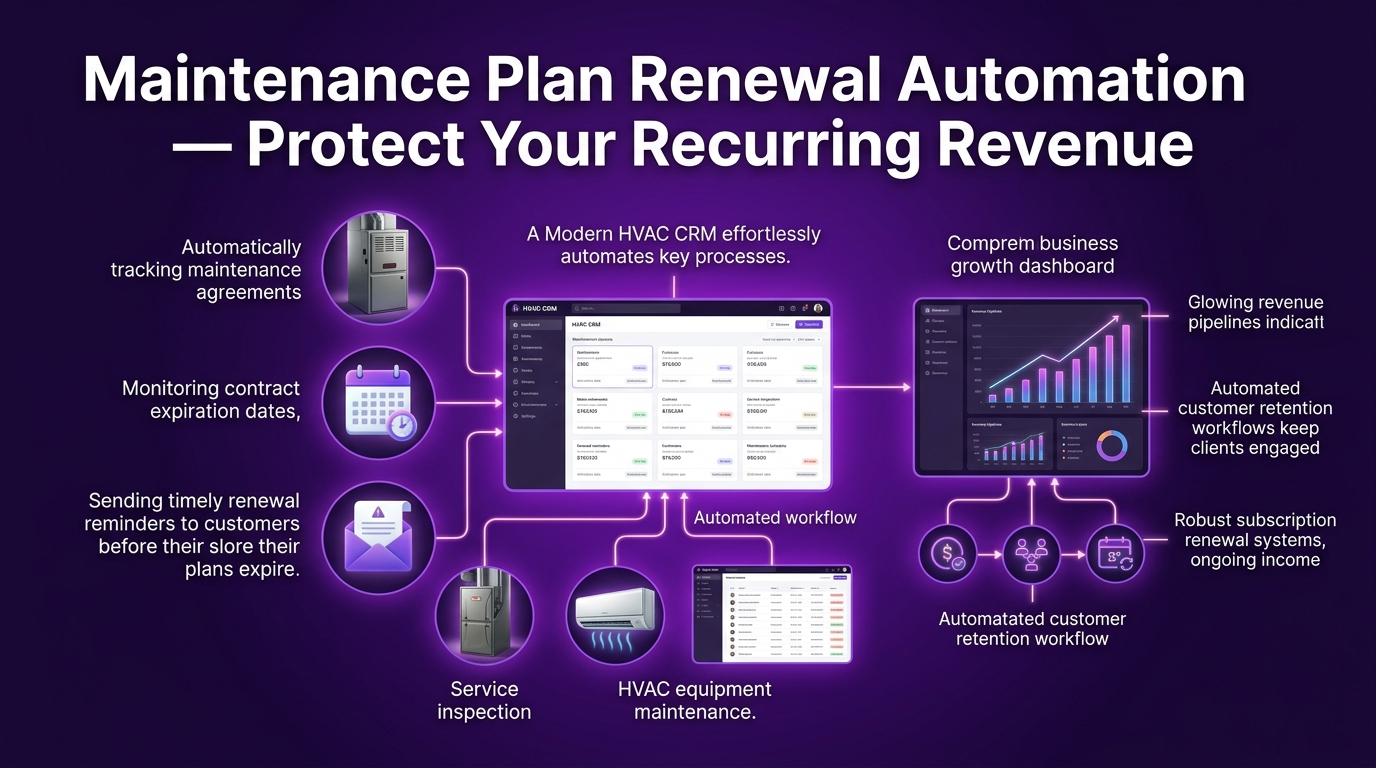
Maintenance agreements are the most reliable revenue source in any HVAC business. They create predictable income, reduce churn, and increase customer lifetime value significantly. But most HVAC companies manage renewals manually, which means renewals slip, customers lapse, and recurring revenue quietly disappears.
How to Automate HVAC Service Agreement Renewals Without Manual Follow-Up
A renewal automation sequence begins 60 days before each customer's agreement expires. The first message is a heads-up. The second, sent two weeks later, makes the renewal frictionless, a link, a phone number, a simple reply. The third, sent one week before expiration, adds a light incentive or urgency signal.
When this runs automatically across your entire maintenance customer base, renewal rates climb substantially because customers are being reminded at the right time rather than only when they happen to think about it.
What Is the Right Automation Sequence for Membership Plan Renewals?
The sequence should feel personal, not transactional. Reference the customer by name, mention the specific plan they're on, and remind them of the value they've received, number of visits, any issues caught during inspections. This approach to HVAC customer relationship management turns a renewal reminder into a trust-building interaction rather than a billing notice.
Post-Job Review Request Automation — Build Your Reputation on Autopilot
Google reviews are one of the most powerful local ranking signals your HVAC business has, and one of the most underutilized. Most HVAC companies know they should be asking for reviews. Most don't have a reliable system for doing it.
How to Automatically Request Google Reviews After Every HVAC Job
The automation is simple: when a job is marked complete in your dispatch software, the CRM triggers a follow-up message to the customer typically SMS, thanking them for their business and including a direct link to your Google Business Profile review page.
Sent while the experience is fresh, this message converts at a far higher rate than asking in person at the door or hoping customers leave reviews on their own.
Why Most HVAC Companies Fail at Getting Reviews (And How Automation Fixes It)
The failure is almost always inconsistency. A tech remembers to ask on a good day, forgets when it's been a long one. Reviews come in sporadically. Competitors with automated review request systems accumulate 30, 40, 50 reviews a year while you're sitting at 11.
Review request automation levels that playing field completely. Every completed job triggers a request. Every satisfied customer gets the opportunity to share their experience. Over 12 months, the cumulative effect on your local search visibility — and customer trust — is substantial.
CRM vs. Field Service Management Software — Which One Does Your HVAC Business Actually Need?
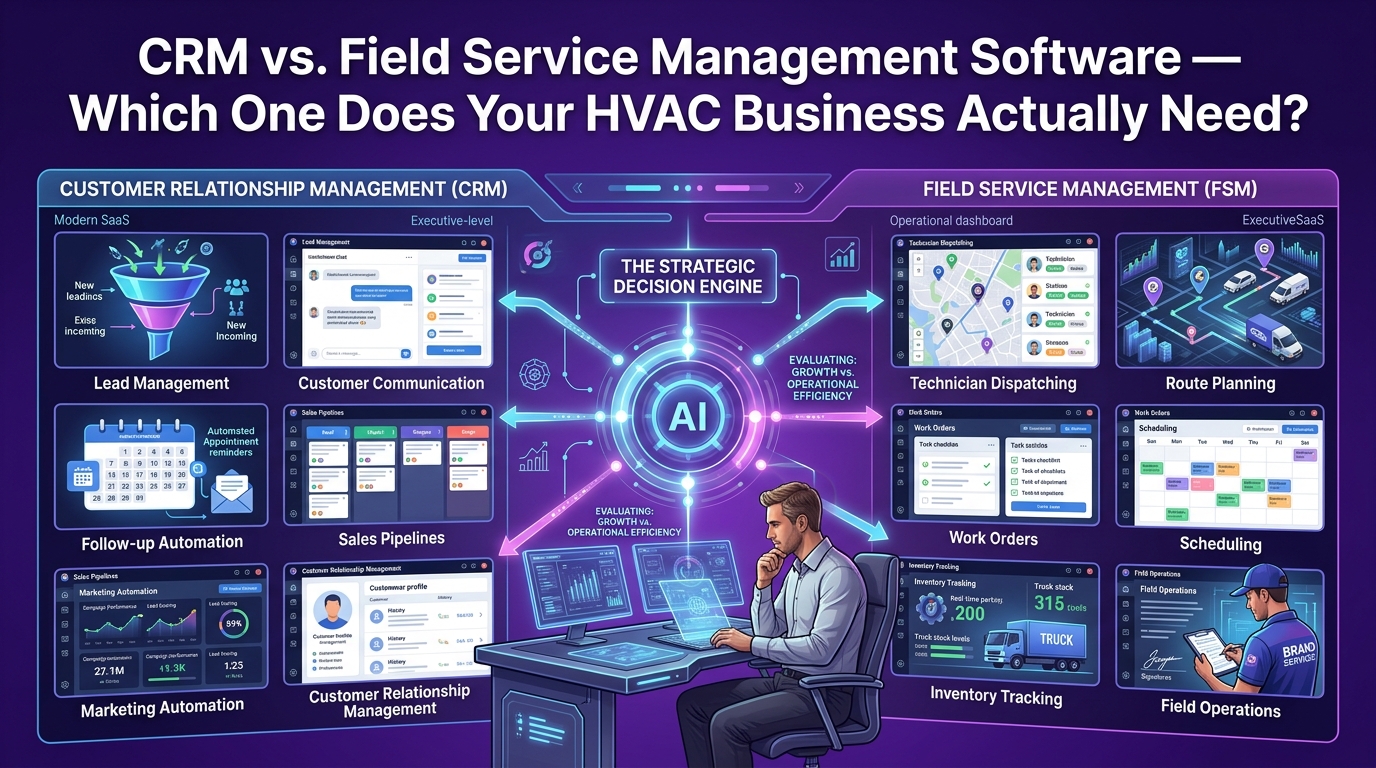
This is the question almost nobody in the HVAC software space answers clearly and the confusion leads HVAC owners to either overpay for features they don't use or miss the marketing and follow-up layer entirely.
The short answer: they do different things, and the best-run HVAC businesses use both.
What Is the Difference Between a CRM and Field Service Management Software?
Field service management (FSM) software is built to run operations. It handles scheduling, dispatch, job tracking, invoicing, technician routing, and work order management. Platforms like ServiceTitan, Housecall Pro, and Jobber are excellent at this. They keep your jobs organized, your techs informed, and your billing accurate.
CRM automation platforms are built to manage relationships and revenue at scale. They handle lead capture, follow-up sequences, marketing campaigns, reputation management, and customer communication across the entire lifecycle, before, during, and long after the job.
The gap between the two is where most HVAC companies leak revenue. Your FSM software keeps the business running. Your CRM automation keeps the pipeline full, the customers engaged, and the recurring revenue protected.
What ServiceTitan and Housecall Pro Do Well (And Where They Fall Short)
ServiceTitan is the gold standard for large HVAC operations. Its dispatch board, reporting, and CSR workflow tools are best-in-class. Housecall Pro is excellent for small and mid-size teams, intuitive, affordable, and well-suited to residential operations.
What neither platform was built to do is run a sophisticated marketing and follow-up layer. Automated multi-touch estimate sequences, seasonal email and SMS campaigns, database reactivation, reputation management workflows, these are not where FSM platforms are designed to excel. They're operational tools, not marketing automation engines.
What GoHighLevel Does That Dispatch Tools Cannot
GoHighLevel (GHL) is a marketing and CRM automation platform built specifically for the kind of relationship-based, follow-up-intensive workflows that service businesses need. For HVAC companies, it provides:
Multi-channel lead capture (web, phone, SMS, Google)
Missed-call text-back automation
Email and SMS drip campaigns
Pipeline management for leads and estimates
Reputation management and Google review automation
Seasonal campaign scheduling
Maintenance plan renewal sequences
Two-way SMS communication
AI-powered booking and response tools
When set up correctly with an HVAC-specific snapshot, GoHighLevel handles everything the FSM software doesn't, turning your customer database into an active revenue engine rather than a static list of past jobs.
Do HVAC Companies Need Both a CRM and Dispatch Software?
For most HVAC businesses, yes and the combination is more powerful than either tool alone. Your FSM software manages the job. Your CRM manages the relationship around the job. Together, they cover the full customer lifecycle without gaps.
How to Run GoHighLevel Alongside ServiceTitan or Housecall Pro
The integration is straightforward at the operational level. ServiceTitan or Housecall Pro handles all job scheduling, dispatch, invoicing, and field operations. GoHighLevel manages all inbound lead follow-up, estimate nurturing, seasonal campaigns, review requests, and maintenance renewal sequences.
Many HVAC companies connect the two via Zapier or native webhooks, so that job completion in the FSM software automatically triggers a post-job review request in GoHighLevel. The two systems complement each other cleanly, no duplication, no conflict.
What Is the Right CRM Stack for a Small HVAC Business?
The right stack depends entirely on where your business is right now and where you're trying to take it.
Best CRM Setup for HVAC Companies Under 10 Employees
For a smaller operation, one to three techs, owner-operator or small team, the priority is simplicity and immediate impact. Jobber or Housecall Pro for scheduling and dispatch, paired with GoHighLevel for lead follow-up, missed-call text-back, and review requests. This setup covers the entire customer journey without overwhelming a small team.
The GoHighLevel side can be managed with minimal daily attention once the workflows are built, which is exactly why done-for-you CRM setup services exist for this market.
Best CRM Setup for Growing HVAC Teams With a Dedicated Dispatcher
Once you have a dispatcher or office manager, the system can be expanded. ServiceTitan or a more robust FSM platform handles the operational complexity. GoHighLevel runs a full marketing automation layer, seasonal campaigns, multi-touch follow-up, database reactivation, and membership renewal sequences.
At this stage, the CRM isn't just recovering missed leads, it's actively growing revenue through every customer relationship your business has ever built.
How crmautomates.com Sets Up and Manages Your HVAC CRM Automation — Done for You
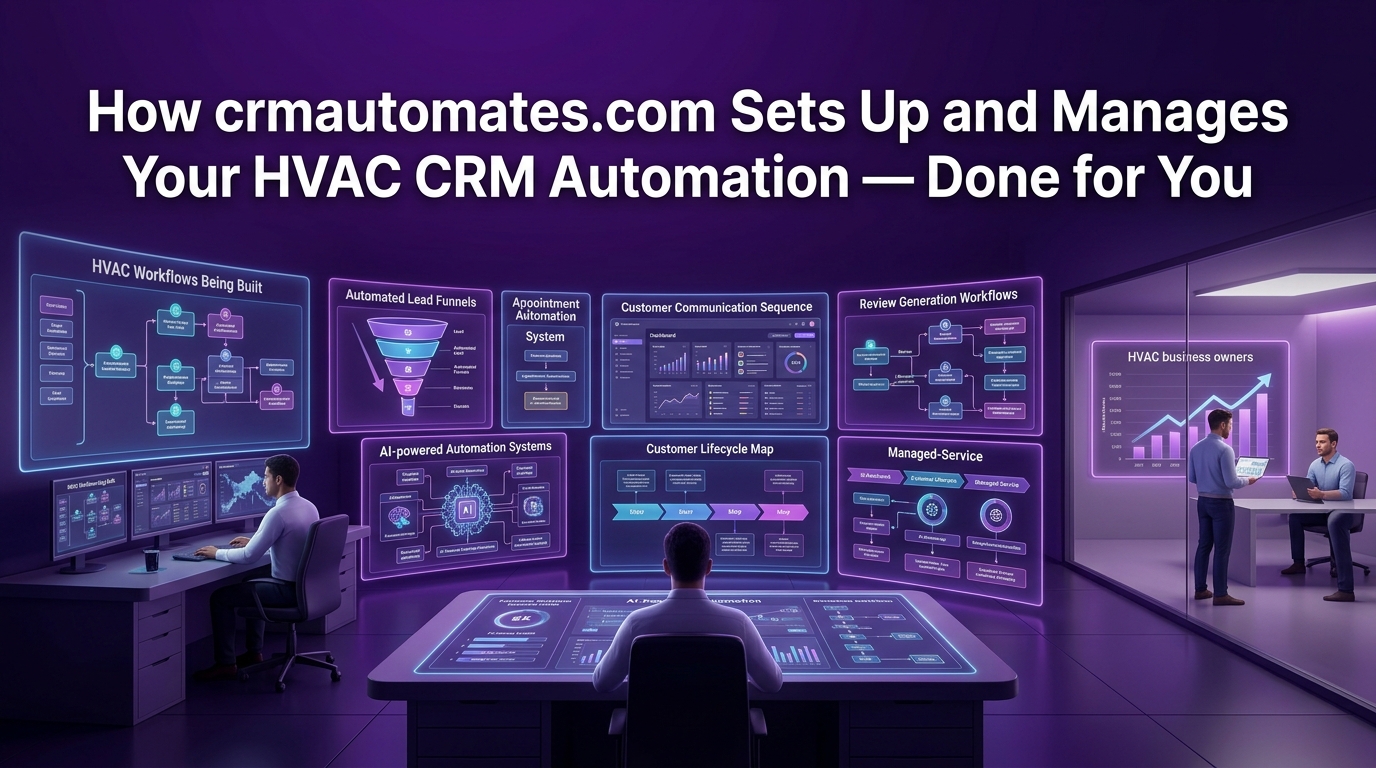
Understanding what CRM automation can do for your HVAC business is one thing. Building it, configuring it correctly, and making sure it actually runs without breaking, that's a completely different undertaking. Most HVAC owners don't have 40 hours to spend inside GoHighLevel building workflows from scratch. That's precisely what crmautomates.com exists to solve.
What Is a Done-for-You HVAC CRM Automation Service?
A done-for-you service means exactly what it sounds like. You don't learn the software. You don't watch tutorial videos. You don't spend evenings troubleshooting workflows. A team with deep experience in both HVAC business operations and GoHighLevel automation builds your entire system, configures it for your specific business, and hands you something that works.
What Does crmautomates.com Build Inside Your GoHighLevel Account?
When crmautomates.com sets up your HVAC CRM automation, the buildout includes every high-impact workflow your business needs:
Missed-call text-back: configured and tested for your specific phone setup
Multi-touch estimate follow-up sequences: written, scheduled, and connected to your pipeline
Appointment confirmation and reminder workflows: reducing no-shows from day one
Seasonal campaign calendar: spring, summer, fall, and winter campaigns ready to launch
Maintenance plan renewal sequences: protecting your recurring revenue automatically
Post-job review request automation: sending Google review requests after every completed job
Lead capture pipeline: organizing every inbound lead with full visibility
Two-way SMS inbox: so your team can manage customer conversations in one place
This is not a generic template. Everything is built around your business, your service area, your seasonal patterns, your existing customer database, and your specific offers.
How Long Does It Take to Get Your HVAC CRM Automation Running?
Most HVAC businesses are fully operational with their CRM automation within seven to fourteen days of kickoff. The process starts with a strategy call where your workflows are mapped out, then moves into the build phase, then testing, then a handover walkthrough where your team learns the basics of managing the inbox and reviewing pipeline data.
You don't need to become a GoHighLevel expert. You need to know how to check your conversations, review your pipeline, and read your results and that takes less than an hour to learn.
What Results Do HVAC Companies See After CRM Automation Is Set Up?
The results vary based on business size and starting point, but the consistent outcomes across HVAC businesses that implement proper CRM automation include more recovered leads, higher estimate conversion rates, fewer no-shows, stronger review profiles, and healthier recurring revenue from maintenance agreements.
Time Saved Per Week, Leads Recovered, and Revenue Added
HVAC businesses that implement full CRM automation typically report saving 10 to 20 hours per week in manual follow-up, phone tag, and administrative communication tasks. That time goes back to field work, customer relationships, and business development, the things that actually move the needle.
On the revenue side, even a modest improvement in estimate conversion say, converting two additional jobs per week from your existing follow-up sequence, adds up to significant annual revenue depending on your average ticket value. Add recovered missed-call leads and reactivated past customers, and the numbers become compelling very quickly.
What Is the ROI of CRM Automation for an HVAC Company?
The ROI calculation is straightforward. Take your average job value, multiply it by the number of additional bookings the automation realistically recovers in a month, subtract the cost of the service, and you have your monthly return.
For most HVAC businesses, the automation pays for itself within the first 30 to 60 days, often from a single recovered estimate or a seasonal campaign that fills a slow week in the schedule. After that, every additional booking is pure return on a system that's already running.
How Do You Get Started With crmautomates.com?
Getting started is straightforward. There's no long sales process, no complicated onboarding paperwork. You book a strategy call, walk through your current setup and goals, and the team maps out exactly what your automation system will look like before any work begins.
Book a Free HVAC CRM Strategy Call Today
If your HVAC business is losing leads to missed calls, watching estimates go cold, or running seasonal campaigns manually, or not running them at all, the strategy call is worth 30 minutes of your time. You'll leave with a clear picture of exactly where your revenue is leaking and what it would take to stop it.
Visit crmautomates.com to book your free strategy call and get your HVAC CRM automation running in two weeks or less.
Frequently Asked Questions: CRM Automation for HVAC Companies
What is CRM automation for HVAC companies?
CRM automation for HVAC companies refers to using software to automatically manage customer communications, lead follow-up, appointment reminders, seasonal marketing campaigns, maintenance plan renewals, and review requests, without requiring manual effort from your team for each interaction. Instead of a dispatcher manually calling back every missed lead or sending individual follow-up emails, the system handles these touchpoints automatically based on predefined triggers and sequences.
How does missed-call text-back work for HVAC contractors?
When a customer calls your HVAC business and no one answers, the system detects the missed call and sends an automatic text message to the caller's number within seconds. The message opens a conversation, giving the customer an immediate response and giving your team the context to follow up when they're available. This is particularly valuable for after-hours calls and peak-season overflow when office staff can't answer every call in real time.
Can I use GoHighLevel alongside ServiceTitan or Housecall Pro?
Yes, and many HVAC companies do exactly this. ServiceTitan and Housecall Pro handle job scheduling, dispatch, invoicing, and field operations. GoHighLevel handles the marketing and follow-up layer, lead capture, estimate sequences, seasonal campaigns, review requests, and maintenance renewal reminders. The two systems can be connected via Zapier or webhooks so that events in your FSM software trigger automations in GoHighLevel.
How much does HVAC CRM automation cost?
The cost depends on the platform and the level of setup and management involved. GoHighLevel itself runs approximately $97 to $297 per month depending on the plan. Done-for-you setup services from a specialist agency vary based on the scope of the build. Most HVAC businesses find that the automation pays for itself within the first month through recovered leads and improved estimate conversion alone.
How do I automate maintenance plan renewals for my HVAC business?
A renewal automation sequence is triggered based on the expiration date of each customer's maintenance agreement. The system sends a series of messages, starting 60 days before expiration, reminding the customer of their upcoming renewal, making it easy to renew, and providing a final reminder before the agreement lapses. This runs automatically across your entire maintenance customer base without any manual tracking.
Does CRM automation work for small HVAC companies with under 5 employees?
It works particularly well for small HVAC companies because the impact of a single missed call or unconverted estimate is proportionally larger in a smaller operation. A solo operator or two-tech team doesn't have the capacity to manually follow up on every lead, automation handles that layer so the owner can stay focused on the work. The setup can be kept simple and scaled as the business grows.
How long does it take to set up CRM automation for an HVAC company?
With a done-for-you service, most HVAC businesses are fully operational within seven to fourteen days. If setting up independently, expect a longer runway depending on your familiarity with the platform. Either way, the core automations, missed-call text-back, estimate follow-up, and appointment reminders, can be live and functional within the first week.
What is the ROI of CRM automation for an HVAC company?
ROI varies based on your average job value, lead volume, and current conversion rates. A conservative estimate: if your automation recovers two additional booked jobs per week from missed calls and stalled estimates, and your average job value is $400, that's $3,200 in recovered monthly revenue. Set against a typical monthly cost of $200 to $500 for the platform and management, the return is substantial. For businesses with higher ticket values or larger lead volumes, the numbers scale accordingly.
Final Thought
The HVAC companies growing fastest in their local markets aren't necessarily the ones with the best technicians or the biggest ad budgets. They're the ones that never let a lead go cold, always follow up on their estimates, keep their customers engaged between seasons, and build their reputation systematically rather than by accident.
CRM automation is the infrastructure that makes all of that possible, not by replacing the human relationships at the core of your business, but by making sure those relationships are never left to chance.
If your pipeline has gaps you know you're not filling, the fix is closer than you think.
crmautomates.com — done-for-you HVAC CRM automation, built and managed for you.
