CRM for HVAC 2026: Buyer’s Guide
CRM for HVAC: The 2026 Guide for Contractors Who Want a System That Actually Works
You picked up this trade to fix furnaces and air conditioners, not to chase paperwork and play office manager. But here you are. The phone rings, you scribble down an address, and by the time you finish the emergency call, three other leads have gone cold.
That’s not a bad day. That’s a revenue leak.
Most HVAC contractors buy a CRM expecting it to solve their problems. Then reality hits. The setup is half-finished, nobody on your team uses it, and you end up back on sticky notes within six months.
The platform isn’t the problem. The problem is who is running it.
This guide covers exactly what an HVAC-specific CRM needs to do, how to avoid the mistakes that kill implementation, and why the right setup matters more than the software you choose. Pricing and features change, so verify current details with providers. But the decision framework here will work regardless of which year you are reading this.
What an HVAC CRM Must Do That a Generic CRM Won’t
Most CRMs were built for sales teams sitting at desks. That’s useless for you. Your business lives on trucks, in crawlspaces, and on rooftops.
An HVAC CRM needs four specific capabilities that generic tools don’t offer.
Equipment tracking.You need to know what furnace, AC unit, or heat pump is in each home. The installation date, warranty expiration, and every service visit. Generic CRMs have nowhere to put that information.
Seasonal automation.Your follow-up in March should be about AC tune-ups before summer. Your follow-up in September should be about furnace inspections before winter. A generic CRM sends the same message all year.
Mobile field access.Your technicians don’t sit at desks. They need to pull up customer history, mark jobs complete, and collect payments from a phone. If the mobile experience is an afterthought, your techs won’t use it.
Maintenance agreement tracking.Recurring revenue is the backbone of a healthy HVAC business. Your CRM must track agreement start and end dates, automatically send renewal reminders, and log every completed maintenance visit.
When a generic tool fails on any of these, you end up with workarounds. Extra spreadsheets. Manual reminders. More time wasted.
The Real Cost of an HVAC CRM That Pricing Pages Don’t Show You
List prices are misleading. Here is what actually drives total cost.
Setup and configuration.Most CRMs charge nothing to sign up but expect you to build your own workflows. If you hire someone to set it up properly, budget500to500to2,500 one-time. We have seen teams spend months trying to DIY and then abandon the tool entirely.
Training time.Your office staff needs two to four hours of focused training. Your technicians need one hour max. If a provider claims you need more than that for basic usage, the product is too complex for your team.
Integration costs.Connecting your CRM to your accounting software, payment processor, or marketing tools often requires third-party services. Those add20to20to100 per month depending on usage.
Opportunity cost of the wrong fit.This is the biggest hidden expense. A CRM that doesn’t support equipment tracking or seasonal workflows will actually slow you down. You will spend more time managing the software than managing your business.
For a typical small HVAC company with two to four trucks, total first-year cost usually lands between1,200and1,200and4,800. The cheapest monthly plan is rarely the cheapest total cost after you factor in setup and missing features.
How to Match a CRM to Your Business Size
Scale changes the answer completely. What works for a one-truck operation will frustrate a ten-truck company, and vice versa.
One to two trucks, no office staff.You need a mobile-first CRM with built-in estimates, payments, and basic customer history. Housecall Pro or Jobber work well at this size. Monthly cost under $150. Setup in an afternoon.
Three to five trucks, one office person.You need dispatch board, technician tracking, and automated follow-ups. GoHighLevel with proper configuration or Housecall Pro’s higher tier. Monthly cost200to200to400. Plan on two days for setup and training.
Six to ten trucks, two office staff.You need advanced dispatching, equipment tracking, maintenance agreement automation, and reporting. ServiceTitan or FieldEdge. Monthly cost500to500to1,000. Setup takes one to two weeks.
Ten plus trucks.You need enterprise features, API access, and dedicated account management. ServiceTitan is the clear leader in this space.
We have seen contractors try to skip a tier and fail. The most common mistake is buying ServiceTitan at three trucks. The second most common is sticking with a basic CRM at seven trucks and wondering why dispatch is chaotic.
Why Most HVAC Contractors Buy a CRM and Then Abandon It
You are not alone if you have tried a CRM and given up. This happens constantly.
The pattern is predictable. Week one, you sign up and feel excited. Week two, you start importing data and realize your customer list has duplicate entries and missing phone numbers. You spend days cleaning it up.
Week three, you configure workflows and discover that one feature you assumed was included actually requires a more expensive plan. Week four, you train the team. Half of your technicians roll their eyes. One office person loves it. The other struggles.
Week six, something breaks. A text reminder does not send. A job status does not update. You call support and wait on hold.
Week eight, things start to feel normal. Your team stops complaining. You notice you are following up with leads faster.
The real curve takes two months of friction before you see efficiency gains. Any CRM that promises instant results is lying.
But here is what most contractors never admit. Even after two months, many systems are still only half-used because the initial setup was incomplete. The follow-up sequences were never fully mapped. The mobile access was never properly configured for your specific equipment tracking needs.
You did not hire the wrong tool. You hired the wrong person to set it up.
The Truth About GoHighLevel for HVAC Companies
GoHighLevel has become popular in the trades for good reason. It combines lead capture, text and email nurturing, appointment scheduling, and invoicing in one platform.
But here is what the online reviews won’t tell you.
Out of the box, GoHighLevel is a blank canvas. It has no HVAC-specific fields. No equipment tracking templates. No pre-built seasonal workflows. You have to build everything from scratch.
That is fine if you have weeks to dedicate to learning the platform and configuring it. Most HVAC owners do not.
When set up correctly by someone who understands the trade, GoHighLevel becomes one of the most powerful automation tools available for HVAC companies. The seasonal follow-ups run themselves. Dormant leads get automatically revived. Maintenance reminders go out without you touching anything.
When set up incorrectly, it becomes an expensive digital filing cabinet that nobody uses.
The platform isn’t the problem. The problem is who is running it.
Seasonal Workflows: The Automation That Pays for Itself
The single most profitable automation for an HVAC company is the seasonal maintenance reminder.
A properly configured CRM can do this. On March 1st, it texts every customer who had AC work in the last two years. “Summer is coming. Schedule your AC tune-up now. Reply YES to book.”
On September 1st, it switches. “Winter is coming. Furnace inspection time. Reply YES.”
That single automation can generate twenty to forty tune-up bookings per month for a small HVAC company. Each tune-up leads to repair opportunities. Each repair leads to replacement conversations. The entire revenue engine starts with that one text.
Most basic CRMs cannot handle this level of conditional automation. They send the same message to everyone regardless of what equipment they have or when they were last serviced.
If your CRM cannot do seasonal automation based on service history, you are leaving money on the table.
What Happens When the Most Popular Recommendation Does Not Fit
ServiceTitan gets recommended constantly. It is excellent for large operations. But for a three-person company, it creates more problems than it solves.
The setup alone can take weeks. The monthly cost often exceeds $500. And because it does so much, your team may never use half the features. We have seen small contractors pay for ServiceTitan for a full year while still using paper for dispatch because they never got comfortable with the software.
If you are a small HVAC business, do not let anyone sell you ServiceTitan. Housecall Pro, Jobber, or a properly set up GoHighLevel will serve you better and cost less than half as much.
The reverse is also true. If you have ten trucks and a growing maintenance agreement book, Housecall Pro’s limited automation will frustrate you. You will end up switching within eighteen months. Start with the right scale.
Equipment Tracking: The Feature That Makes or Breaks Your Field Efficiency
When a technician arrives at a home for a no-cooling call, they need to know what unit is installed, when it was last serviced, what repairs were done, and whether it is still under warranty. Without that information, they waste time calling the office, or worse, misdiagnose the problem.
A proper HVAC CRM stores equipment records as part of each customer’s profile. Each record includes make, model, serial number, installation date, warranty expiration, and a log of every service visit.
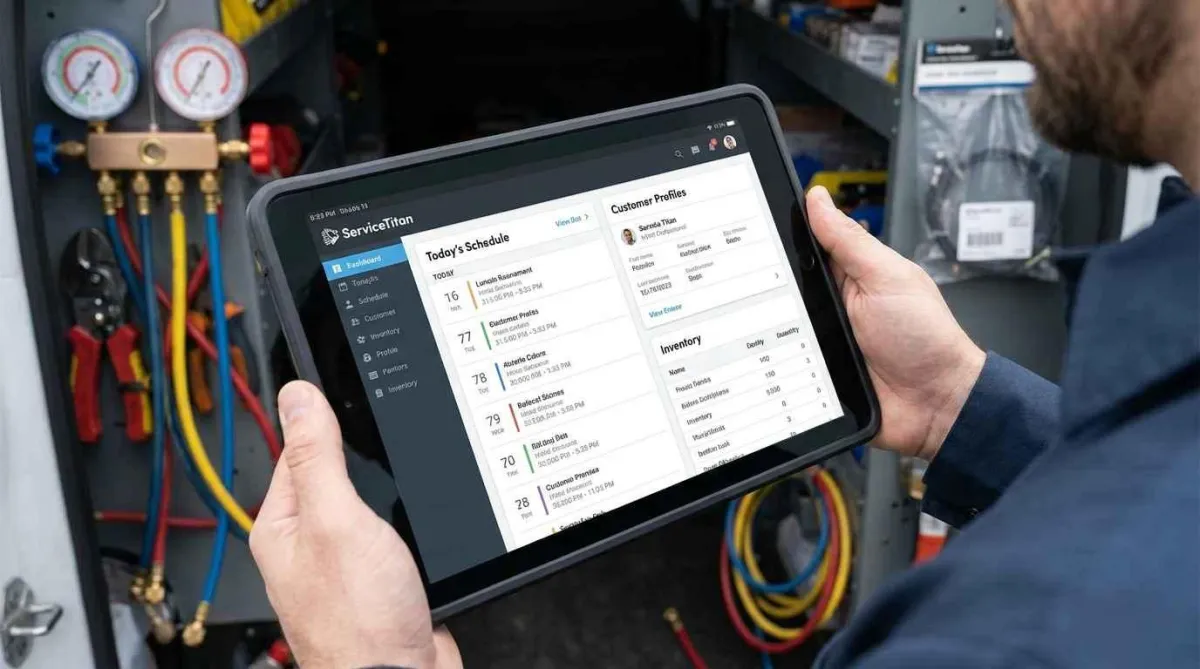
ServiceTitan stores equipment at the location level, links service history, and can automatically flag units approaching end-of-life. Housecall Pro allows you to add equipment notes but does not enforce a structured database. GoHighLevel requires custom fields to build an equipment table, which is doable but not pre-built.
For most contractors, Housecall Pro’s approach is sufficient. You can type notes about equipment in each job. For larger operations that need to analyze equipment failure rates by brand or model, ServiceTitan’s structured approach justifies the extra cost.
Do not buy a CRM without confirming how equipment tracking works. If the answer is vague or requires manual workarounds, keep looking.
Common Mistakes HVAC Contractors Make When Choosing a CRM
Skipping the trial with real data.Do not test with fake customers. Import ten real customers, schedule two real jobs, and run through the entire workflow. That is the only way to spot friction points.
Not involving the person who actually dispatches.Owners often make the decision alone. The office manager or dispatcher will use the system ten times more than you. They need to approve the choice.
Underestimating the migration effort.Moving customer history, equipment records, and open jobs from your old system takes real time. Budget at least one full day for data cleanup. Most contractors forget this and then blame the new CRM for being hard to set up.
Buying features you will never use.A CRM with lead scoring, advanced analytics, and territory management sounds impressive. If you are not going to configure those features, you are paying for bloat. Focus on what you will actually use within the first ninety days.
Ignoring the mobile app quality for technicians.The office interface can be beautiful. If the technician app is slow or missing features, your field team will revert to texting and paper. Test the app on an older phone, not just the latest iPhone.
How CRM Automates Helps HVAC Companies Get a System That Works
At CRM Automates, we do not sell software. We sell finished systems that work.
We are certified GoHighLevel specialists who only work with home service and trade businesses. We have built dozens of systems for HVAC companies. Here is what that means for you.
We do not hand you a login and wish you luck. We build the entire system from scratch. Lead capture, follow-up sequences, mobile access for your technicians, appointment reminders, invoicing, review requests, and dormant lead revival. Every automation is configured and tested before you log in.
We train your team in plain English, not tech jargon. And we stay available when something breaks or needs to change.
Our HVAC clients typically get back twenty hours a week. They double their lead follow-up without adding staff. They fill their slow seasons with automated maintenance reminders. They stop losing money to sticky notes and half-finished systems.
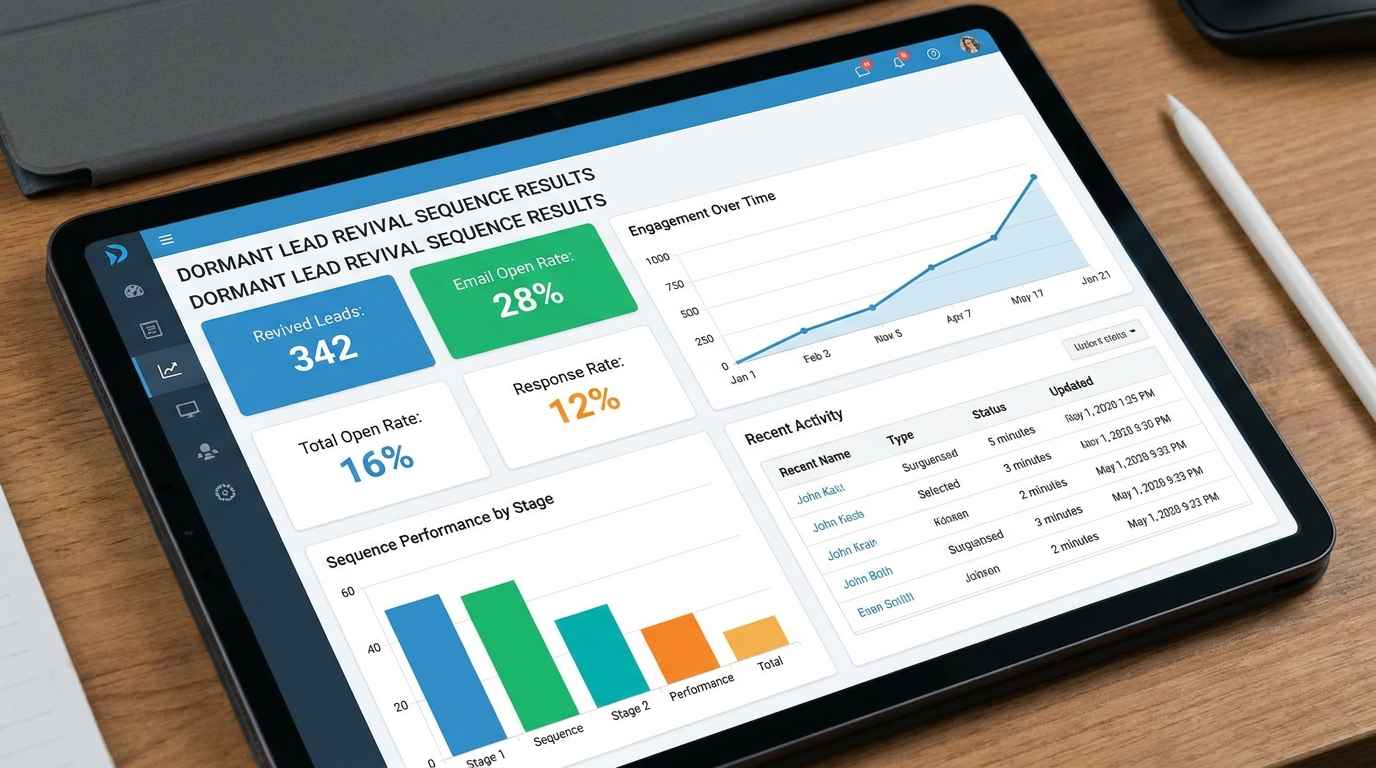
Here is what one of our clients experienced. A three-truck HVAC company had two hundred dormant leads sitting in their old system that never received proper follow-up. We built a revival sequence that texted each of those leads. Within sixty days, they booked seventeen tune-ups and four equipment replacements from that list alone. Zero ad spend. Just follow-up.
That is what happens when an expert runs your CRM instead of a freelancer who disappears after setup.
Your Next Step
You do not need another software trial. You need someone who already knows how to build a CRM for HVAC companies.
Visit CRM Automates and book a thirty minute strategy call. No obligation. No pressure. Just a conversation about what is broken in your current setup and how to fix it.
The right system does not just track your customers. It brings you more of them while you sleep.
FAQ
What is the best CRM for a small HVAC business with two trucks?
Housecall Pro or Jobber. Both offer mobile-first design, estimates, scheduling, and payment collection. Monthly cost around100 to 150. Avoid Service Titan at this size.
Does GoHighLevel work for HVAC companies?
Yes, but only if configured properly. Out of the box, it has no HVAC-specific fields. With custom setup by someone who understands the trade, it becomes one of the most powerful automation tools for seasonal follow-ups and lead nurturing.
How much should an HVAC CRM cost per month?
For small businesses,100 to 300. For mid-size,300 to 800 . For large, $800 and up. Total first-year cost including setup is typically double the monthly price.
Can I track equipment history like serial numbers and warranty dates in a CRM?
Yes. ServiceTitan and FieldEdge have native equipment tables. Housecall Pro uses custom fields. GoHighLevel requires custom setup. Do not buy a CRM without confirming this feature works the way you need.
What is the most common mistake HVAC owners make with CRM?
Buying a platform that is too complex for their size. Small shops buy ServiceTitan, get overwhelmed, and abandon it. Start with the simplest tool that meets your core needs.
How long does it take to fully implement an HVAC CRM?
Realistically, six to eight weeks from sign-up to normal daily use. Data cleanup and team training take longer than most vendors admit. Budget for this before you commit.
Why did my last CRM fail even though I paid for it?
Because you bought software, not a system. Most contractors hire a freelancer who sets up the basics and disappears. A CRM only works when it is configured for your specific business and maintained over time. That is what CRM Automates provides.