How to Automate CRM Processes in 2026 (Without the Chaos)
Without Breaking Your Sales Flow
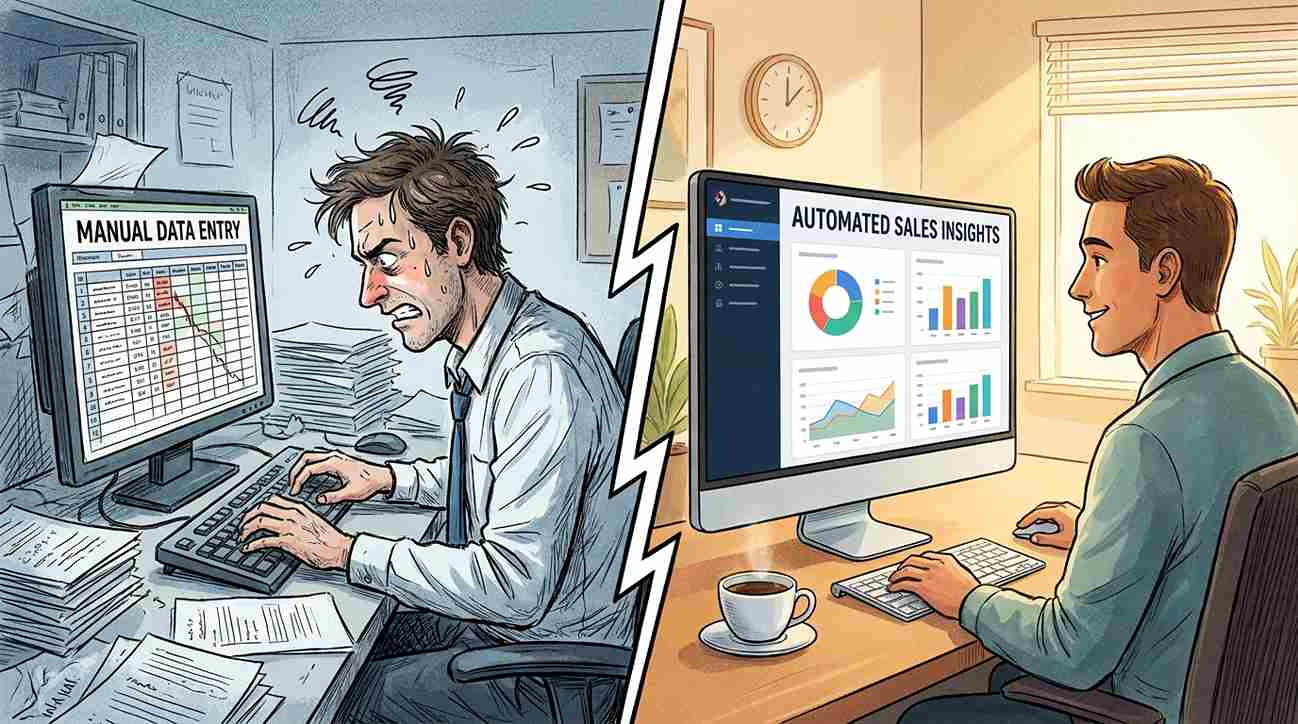
Your sales rep just forgot to follow up with a $40,000 lead. Not because they were lazy. Because they were manually logging 30 calls, updating contact records, and copying data between tools. This is the real cost of running a CRM without automation.
CRM automation is not about replacing people. It is about removing the repetitive, error-prone tasks that slow your pipeline and drain your team. Whether you are a solo consultant, a growing agency, or a mid-size business trying to scale without doubling headcount, automating your CRM processes is one of the highest-leverage decisions you can make in 2026.
This guide covers the what, the how, and the which tools, with no filler.
What CRM Automation Actually Means
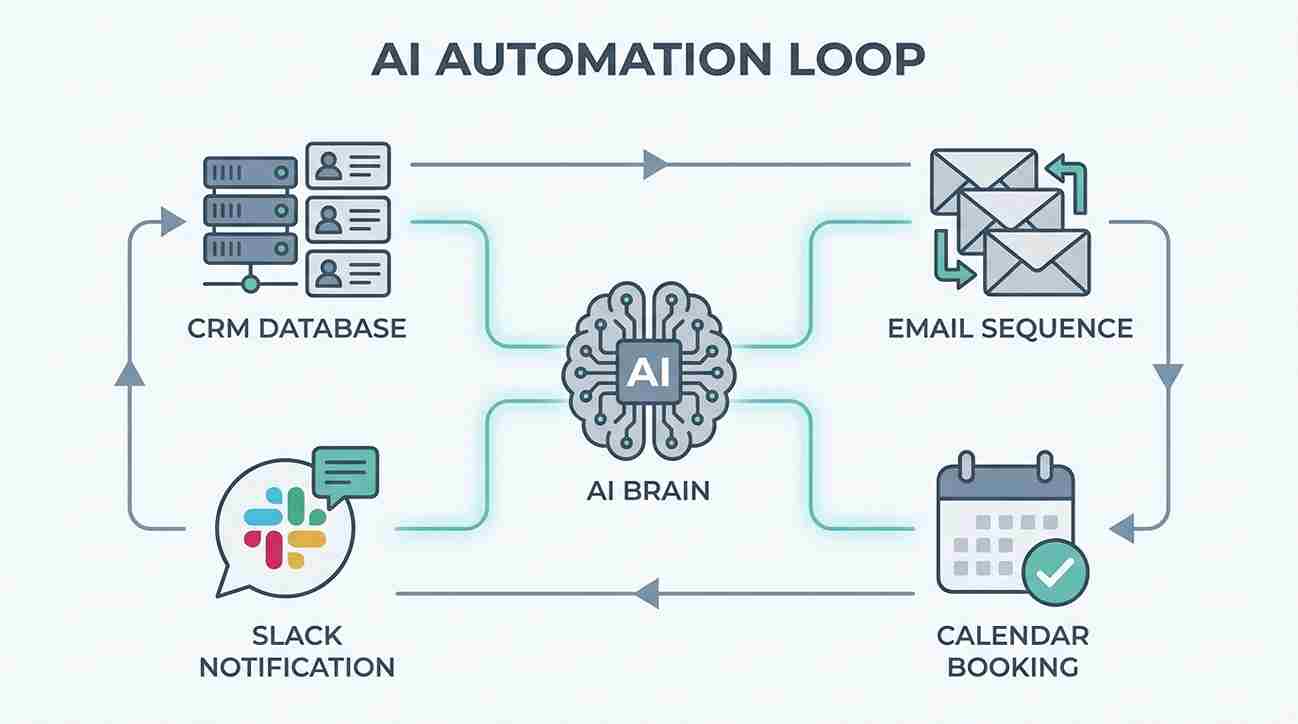
CRM automation is the use of software rules, triggers, and AI to handle customer relationship tasks without manual input. When a lead fills out a form, a sequence starts. When a deal reaches a certain stage, a task gets created. When a customer goes quiet for 14 days, a re-engagement email goes out.
The key distinction is this: automation handles the process, and your team handles the relationship. Confusing the two is where most businesses go wrong.
Common automated CRM functions include:
Lead capture and data enrichment
Contact assignment and routing
Follow-up email sequences
Deal stage updates based on activity
Task creation for reps
Reporting and pipeline summaries
None of these require a human touch to trigger. That is the point.
Why Most CRM Automation Setups Fail
Teams often set up automation and then quietly stop using it within three months. In reviews of CRM adoption patterns across small and mid-size businesses in the US and UK, a pattern shows up consistently: the automation was built around the tool, not around the actual sales workflow.
The result is a system that fires irrelevant notifications, skips key touchpoints, and creates more confusion than it solves.
The Four Most Common Mistakes
1. Automating before mapping the process If you have not written out your actual sales process on paper, you cannot automate it properly. Automation locks in your existing workflow. If the workflow is broken, the automation just breaks faster.
2. Over-automating early-stage leads Not every lead should enter the same sequence. A cold inbound from a blog post and a warm referral from a client need different handling. Treating them the same kills conversion.
3. Ignoring the human handoff moment Automation should end at the point where a human relationship needs to begin. Most systems do not define that point clearly, so leads either fall through or get bombarded past the point of interest.
4. Choosing software before choosing outcomes The tool does not matter if you have not decided what success looks like. Pick the outcome first. Then match a tool to it.
How to Automate CRM Processes: A Step-by-Step Framework
This framework works for businesses at any stage. Adjust the complexity based on your team size and tech stack.
Step 1: Audit Your Current CRM Activity
List every manual task your team performs inside or because of your CRM. Include time estimates. Look for patterns: anything that happens more than twice a week, follows a predictable trigger, or involves copying data from one place to another is a candidate for automation.
Step 2: Map Your Pipeline Stages Clearly
Each stage in your pipeline should have a clear entry trigger, a defined action, and a clear exit condition. Without this, automation has no logic to follow.
Example:
Stage: Lead Qualified
Entry trigger: Rep marks lead as qualified in CRM
Action: Auto-assign to account executive, create follow-up task in 24 hours, send intro email template for rep review
Exit condition: Meeting booked or lead marked inactive after 5 days
Step 3: Choose Your Automation Layer
There are three types of CRM automation tools in 2026. Native CRM automation, such as HubSpot Workflows or Salesforce Flow, is best for teams already working inside a single CRM platform and want to automate without adding new tools. Middleware and integration tools like Zapier and Make (formerly Integromat) are suited for businesses that need to connect multiple apps across their stack. AI-native CRM platforms such as Attio, Close, and Salesforce Einstein are the right fit for teams that need predictive actions, smart lead scoring, and intelligent workflow suggestions built in from the start.
If you are starting out, native automation inside your existing CRM is the right first move. Adding middleware too early creates technical debt without proportional value.
Step 4: Build One Workflow at a Time
Start with your highest-volume, most repetitive process. For most businesses, that is lead follow-up. Build it, test it with real leads for two weeks, and refine it before adding another.
Trying to automate five workflows at once is how you end up with a CRM that nobody trusts.
Step 5: Define What Stays Manual
Write this down: which actions require a human response every single time? A pricing conversation, a contract renewal, a complaint. These should never be automated. Protecting these moments is as important as automating everything else.
Best CRM Automation Software in 2026
These are the most used platforms across the US, UK, Canada, and Australia markets, matched to specific use cases.
HubSpot CRM is best for SMBs and agencies. It offers a free tier and paid plans from $20 per user per month. Its standout automation features include the workflow builder, email sequences, and lead scoring. Salesforce suits enterprise and scaling teams, starting from $25 per user per month on the Essentials plan, with Einstein AI, Flow automation, and the AppExchange ecosystem as its core strengths. Pipedrive is built for sales-focused small teams at $14 per user per month, offering smart contact data and an automations add-on. Zoho CRM targets budget-conscious businesses at the same $14 per user starting price, with the Zia AI assistant and Blueprint workflows included. Attio fits startups and modern teams from $34 per user per month, with relationship intelligence and highly customizable automations. Close CRM is designed for inside sales teams from $49 per user per month, with built-in calling, email sequences, and a power dialer all in one place.
Prices listed are indicative as of early 2026. Always verify current pricing on the official website before purchasing, as plans and features change frequently.
HubSpot is the most commonly recommended starting point for small businesses because its free tier includes enough automation to run a basic pipeline without additional cost. However, in side-by-side evaluations, teams with high-volume outbound sales consistently get more out of Close or Pipedrive due to tighter native communication tools.
CRM Automation for Small Businesses vs. Enterprise
The right setup at 5 employees is usually the wrong setup at 50. Scale changes everything.
Small business (1 to 15 users): Focus on lead capture, follow-up sequences, and basic pipeline stage automation. A free or low-cost tier CRM with native automation covers most needs. HubSpot's free plan or Zoho's starter tier both handle this without added complexity.
Mid-market (15 to 100 users): Introduce lead scoring, territory routing, and multi-touch attribution. At this size, middleware tools like Zapier or Make become useful for connecting your CRM to accounting, support, and marketing platforms.
Enterprise (100+ users): Salesforce or Microsoft Dynamics with custom-built automation flows. AI-assisted forecasting, role-based automation triggers, and compliance-controlled workflows become important. The cost of setup is significant, often $20,000 to $100,000+ when implementation partners are factored in.
This is one of the most consistently ignored distinctions in CRM content. What works for a 3-person agency will fail at a 200-person sales team, and recommending the same tool to both is not helpful advice.
AI in CRM Automation: What Is Actually Useful in 2026
AI in CRM is no longer a premium add-on. As of 2026, it is a standard feature in most mid-tier platforms.
The genuinely useful AI features, based on current platform capabilities, are:
Lead scoring: AI ranks leads by likelihood to close based on engagement behavior. HubSpot and Salesforce Einstein both offer this natively.
Email response suggestions: Drafts follow-up emails based on conversation history. Available in HubSpot, Salesforce, and Zoho.
Churn prediction: Flags accounts showing disengagement patterns. Primarily a Salesforce and enterprise-tier feature.
Meeting transcription and CRM sync: Tools like Gong, Fireflies.ai, and Fathom record calls and push summaries directly into CRM records, eliminating manual note-taking.
According to Salesforce's State of CRM report (2026), 67% of sales teams using AI-assisted tools reported shorter sales cycles compared to those using standard CRM automation only.
The features that sound impressive but rarely deliver in practice: AI-generated cold outreach (response rates are low), fully automated deal closing (legal and trust barriers make this impractical), and natural language CRM commands (still inconsistent across platforms).
How to Choose the Right CRM Automation Tool for Your Business
Before you pick a platform, answer these five questions:
How many users will need access?
Does the CRM need to connect to your existing email, billing, or support tools?
Is your sales process inbound, outbound, or both?
Do you need phone/SMS automation or just email?
What is your realistic monthly budget per user, including add-ons?
Your answers will narrow the field quickly. A business running entirely on inbound leads with a simple pipeline does not need Salesforce. A team running 500 outbound calls a week needs more than HubSpot's free tier.
If you are evaluating tools now, most platforms offer a 14 to 30-day free trial. Run your actual pipeline through the trial, not a test scenario. The tool should handle your real data and real workflow without workarounds.
Common CRM Automation Workflows Worth Setting Up First
If you are unsure where to start, these are the workflows that deliver the fastest visible results:
New lead auto-assignment - When a lead is created, it is routed to the right rep based on territory, source, or deal size.
Follow-up reminder sequence - After first contact, a 3-step email sequence is triggered automatically with 2-day gaps.
Deal stage update notification - When a deal moves to "Proposal Sent," the rep's manager gets a Slack or email alert.
Inactive lead re-engagement - Any lead with no activity after 21 days enters a re-engagement sequence with two touches before being archived.
Meeting booked confirmation - When a meeting is scheduled, the lead receives a confirmation, a reminder 24 hours before, and a post-meeting follow-up the next day.
These five workflows cover the majority of lost-lead scenarios in B2B sales pipelines.
Conclusion
CRM automation works when it is built around a clearly defined process, not just plugged into a tool and left to run. Start with one workflow, test it against real data, and expand from there.
For small businesses and agencies, HubSpot or Zoho offer the most accessible entry point. For sales-heavy teams, Close or Pipedrive fit tighter. For enterprise scale, Salesforce with proper implementation support is still the dominant choice in the US, UK, Canada, and Australia markets.
The teams that get the most from CRM automation are not the ones with the most complex setups. They are the ones that protected the human moments and automated everything around them. Start there.
FAQ SECTION
What is CRM automation? CRM automation is the use of software triggers and rules to complete customer relationship tasks without manual effort. It handles data entry, follow-up emails, task creation, and lead routing automatically so your team can focus on closing.
How much does CRM automation software cost? Costs range from free (HubSpot's basic tier) to $100+ per user per month for enterprise platforms. Most small businesses spend between $20 and $50 per user per month. Always check the official website for current pricing, as plans change regularly.
What CRM processes should be automated first? Start with lead follow-up sequences, deal stage notifications, and contact assignment. These are high-volume, repetitive tasks that produce immediate time savings and reduce lead leakage.
Is AI CRM automation worth it for small businesses? For most small businesses, native workflow automation is more valuable than AI features. AI tools like lead scoring become useful once you have enough data volume to make predictions reliable, typically at 500+ leads per month.
What is the best CRM automation software in the USA? HubSpot is the most widely used among SMBs in the US. Salesforce leads in enterprise. For sales-focused teams, Close CRM and Pipedrive are strong alternatives. The best choice depends on team size, sales model, and budget.
Can CRM automation replace salespeople? No. CRM automation handles process tasks. Relationship-building, negotiation, and trust-based conversations still require people. Automation improves what salespeople do, but does not replace the human side of sales.
How long does it take to set up CRM automation? Basic workflows can be set up in a day. A full automation system covering lead capture, nurture, pipeline management, and reporting typically takes two to four weeks, including testing. Enterprise implementations with custom development take longer.
What is the difference between CRM automation and marketing automation? CRM automation manages the sales pipeline and customer data. Marketing automation handles campaigns, nurture emails, and lead generation. Many platforms combine both, but they serve different stages of the customer journey.
How do I know if my CRM automation is working? Track lead response time, follow-up completion rate, pipeline stage velocity, and deal conversion rate before and after implementation. Improvements in any of these metrics signal the automation is doing its job.
What happens if CRM automation is set up incorrectly? Incorrectly configured automation sends irrelevant messages, creates duplicate records, assigns leads to wrong reps, and erodes trust in the system. Regular audits every 60 to 90 days help catch issues before they compound.