CRM Automation for Coaches & Consultants: The Complete Guide to Building a Client Pipeline That Runs Itself
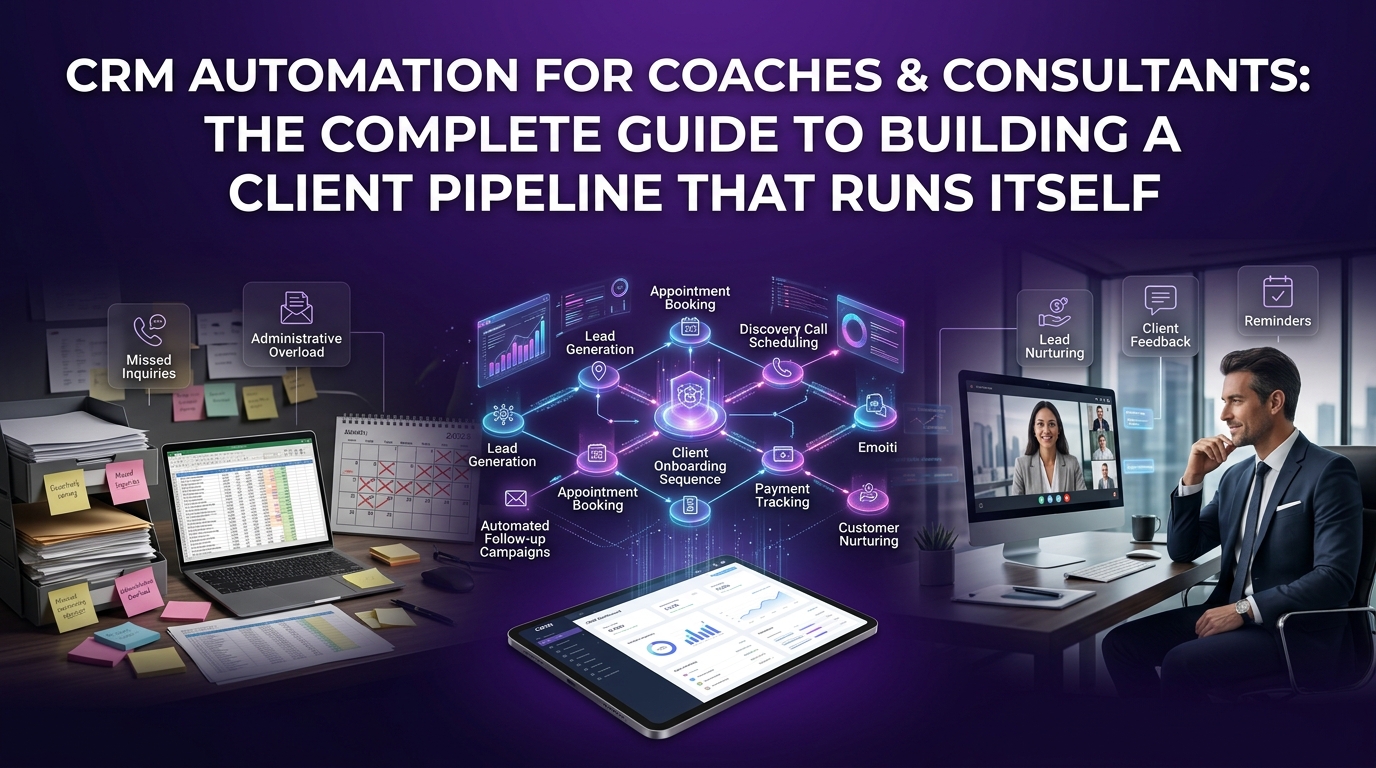
You built your coaching or consulting practice to create transformation, not to spend your evenings manually sending follow-up emails, chasing unpaid invoices, or copying client details from one spreadsheet to another.
Yet here you are. Doing exactly that.
The gap between a coaching business that feels overwhelming and one that feels effortless almost always comes down to one thing: systems. Specifically, whether your client management process runs on scattered manual effort or a connected, automated engine that works even when you're in a session or off the clock entirely.
CRM automation for coaches and consultants is that engine. And this guide will show you exactly how it works, which tools are worth your money, and how to set it up without losing weeks in the process.
What Is CRM Automation for Coaches & Consultants (And Why Your Coaching Business Needs It Now)
Most coaches hear "CRM" and picture a corporate sales tool built for enterprise teams. That's a fair assumption but it's the wrong one. Modern CRM platforms, when configured correctly for a service-based coaching or consulting model, become something far more personal and far more powerful.
A CRM automation system for coaches is a connected workflow platform that manages your leads, books your discovery calls, onboards your new clients, follows up between sessions, tracks client progress, and flags retention risks, without you manually initiating any of it.
It's the difference between running your business and your business running you.
How CRM Automation Actually Works for Service-Based Coaching Businesses
CRM automation works by linking triggers to actions inside your client management system. A trigger is any meaningful event, a prospect fills out your discovery call application, a new client signs their contract, a coaching session is completed, or a client hasn't engaged with your portal in two weeks.
When that trigger fires, your CRM automatically executes a pre-built action: sending a personalized email, creating a task for your team, moving a lead to the next pipeline stage, or initiating an onboarding sequence.
For coaches and consultants, this means your business keeps nurturing relationships and moving clients forward, even during your busiest delivery weeks.
The Difference Between a Generic CRM and One Built for Coaches and Consultants
A standard CRM is designed around product sales, linear funnels, quota tracking, and volume-based outreach. Coaching and consulting businesses operate on an entirely different model.
Your "sales cycle" is a trust-building conversation. Your "product" is an ongoing relationship. Your "customer success" is measured in client breakthroughs, not ticket resolution times.
A CRM configured for coaching needs to handle:
Discovery call booking and pre-call questionnaires sent automatically when a lead qualifies
Coaching program onboarding sequences triggered the moment a client pays
Session scheduling and reminder automation that syncs with your calendar
Client milestone tracking so you always know where each client is in their journey
Retention and re-engagement workflows that catch disengaged clients before they quietly cancel
Payment follow-up automation for recurring coaching retainers or installment plans
Key Automation Triggers Every Coach and Consultant Should Have Running
The triggers that deliver the most value for coaching businesses are:
Form submission: a prospect applies for coaching, triggering an instant response and qualification sequence
Payment confirmation: a new client pays, triggering the onboarding workflow automatically
Session completion: a coaching call ends, triggering a follow-up summary or homework email
Inactivity trigger: a client hasn't logged in or engaged in X days, flagging them for a personal check-in
Time-based trigger: a client's program end date is approaching, triggering a renewal conversation
Email engagement trigger: a prospect opens your emails multiple times, signaling buying intent and prompting a direct outreach task
Why Coaches and Consultants Across the USA Are Moving to Automated CRM Systems
The coaching industry in the USA has grown significantly over the past several years. More coaches, more competition, more client expectations. Prospects now compare your onboarding experience to that of polished online course platforms and high-production coaching brands.
Manual processes simply cannot keep up with that standard, not without burning out the person running them.
The Hidden Cost of Manual Client Management in a Coaching Business
Let's look at what manual management actually costs. If you spend 30 minutes a day on follow-up emails, scheduling back-and-forth, invoice reminders, and CRM updates, that's 2.5 hours a week. Over a year, that's roughly 130 hours.
130 hours you could have spent on client delivery, content creation, or simply not working. For a coach billing $200/hour, that's $26,000 in lost productivity annually, from admin alone.
That number gets worse as your client roster grows.
How CRM Automation Solves the #1 Growth Bottleneck for Solo Coaches and Consulting Firms
The growth bottleneck for most solo coaches isn't lead generation, it's capacity. You can only take on so many clients before the admin weight of managing them exceeds your available hours.
CRM automation expands your effective capacity without expanding your hours. When your onboarding runs itself, your follow-ups send themselves, and your retention workflows monitor client engagement automatically, you can serve more clients at a higher level without hiring a virtual assistant to keep things from falling apart.
Core CRM Automation Features That Transform How Coaches Manage Clients
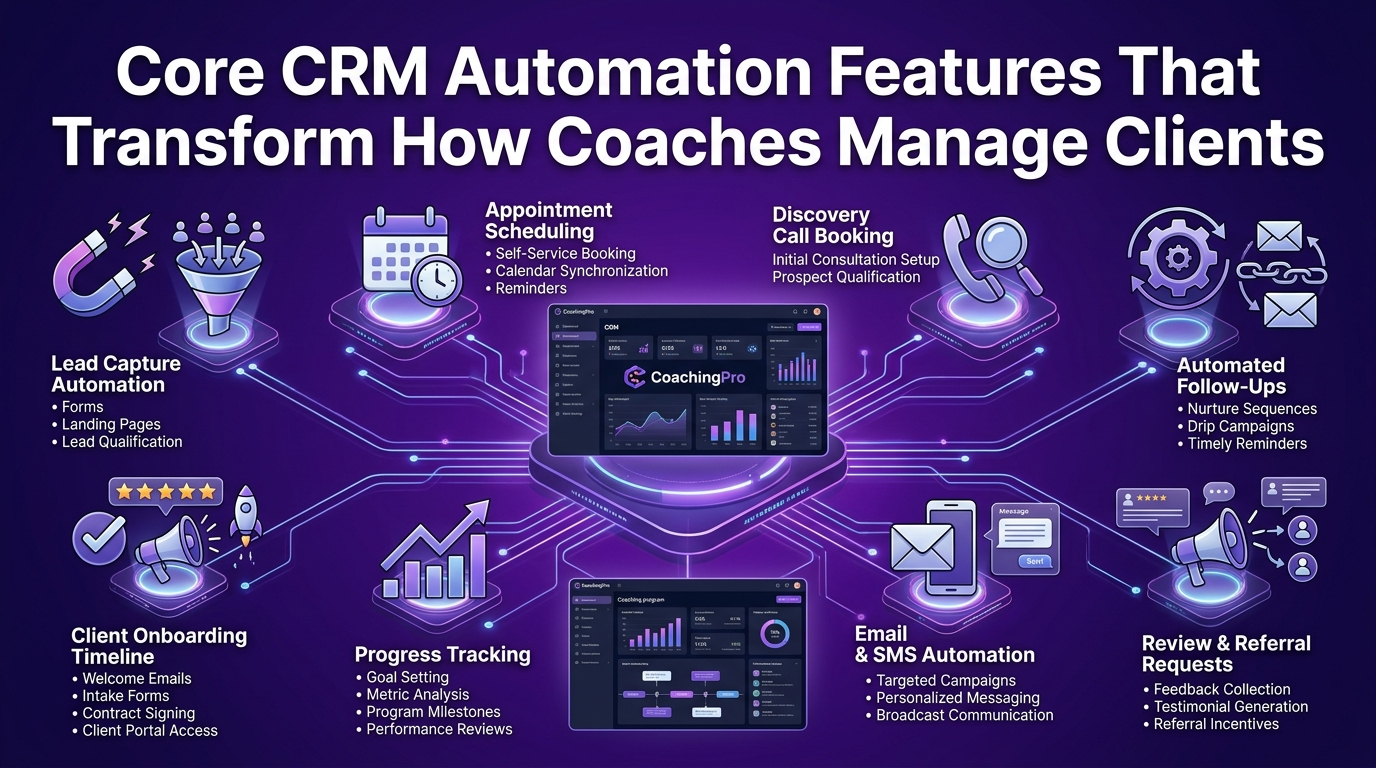
Not every CRM feature deserves your attention. The ones below are the capabilities that genuinely change how a coaching or consulting business operates, not just the ones that look impressive on a vendor's feature page.
Coaching Funnel Automation — Turn Cold Leads Into Booked Discovery Calls Automatically
Your coaching funnel is the journey a stranger takes from first hearing about you to booking a discovery call and eventually becoming a paying client. Without automation, that journey is full of gaps where leads fall out simply because no one followed up fast enough or consistently enough.
Coaching funnel automation closes those gaps. When someone downloads your lead magnet, watches your webinar, or submits a contact form, your CRM immediately begins a structured sequence designed to educate, build trust, and move that prospect toward booking a call, without you lifting a finger.
How to Build an Automated Coaching Funnel Inside Your CRM
A well-built coaching funnel inside your CRM typically follows this flow:
Lead capture: prospect submits a form, opt-in page, or social ad
Instant response: CRM sends an immediate welcome email with relevant resources
Nurture sequence: a 5–7 email series delivers value, addresses objections, and builds credibility
Booking prompt: a direct invitation to book a discovery call with your scheduling link
Pre-call preparation: an automated questionnaire is sent once the call is booked
Post-call follow-up: proposal or next steps sent automatically within hours of the call
Each stage transition is handled by the CRM. You show up to the call prepared. The prospect shows up pre-sold.
Funnel Automation Workflow Examples for High-Ticket Coaches and Group Programs
For a high-ticket one-on-one coaching program (typically $3,000–$25,000+), your funnel automation should include an application step with qualifying questions before the discovery call is even offered. This filters out poor-fit prospects and signals premium positioning.
For a group coaching program launch, your funnel automation handles waitlist management, early-bird offer sequencing, cart abandonment follow-ups, and payment plan confirmation, all triggered by prospect behavior rather than calendar reminders you have to manually send.
Client Onboarding Automation — Deliver a 5-Star Experience From the Moment Someone Signs
First impressions in a coaching relationship are everything. A disorganized onboarding experience, where the client isn't sure what happens next, waits days for their login, or has to ask basic questions, undermines the confidence they just placed in you.
Client onboarding automation delivers a consistent, professional, and warm experience every single time, regardless of how many other clients you're currently serving.
Step-by-Step: How to Automate Client Onboarding for Your Coaching Business
When a client's payment is confirmed, here is what a fully automated onboarding sequence looks like:
Welcome email fires immediately with a personal message, program overview, and what to expect in week one
Contract and intake form delivered automatically for completion before the first session
Portal access granted via automated invitation to your coaching platform or membership site
Kickoff call booking link sent with a clear deadline to schedule within the first 48 hours
Pre-coaching questionnaire delivered to gather goals, challenges, and background before session one
Team notification created internally so your account manager or support team knows a new client has joined
First-week check-in scheduled automatically for day 5 to ensure the client feels supported and settled
None of this requires you to remember to send it. It runs the moment the payment clears.
Onboarding Workflow Templates for Life Coaches, Business Coaches & Executive Consultants
Different coaching niches have different onboarding priorities:
Life coaches should prioritize emotional safety and clarity in onboarding, a warm welcome video link, values alignment questionnaire, and a personal note from the coach go a long way.
Business coaches and consultants should include a business audit form, goal-setting worksheet, and immediate access to relevant frameworks or tools so the client feels they've already started receiving value.
Executive consultants working with corporate clients need onboarding that includes stakeholder mapping, confidentiality acknowledgments, and a clear scope-of-engagement document, all of which can be delivered and collected automatically through a properly configured CRM.
Session Scheduling & Appointment Automation — End the Back-and-Forth Forever
Scheduling is one of the most time-consuming friction points in any coaching business. The back-and-forth of finding a mutually available time, sending calendar invites, managing reschedules, and sending reminders is genuinely exhausting at scale.
CRM integration with scheduling tools eliminates this entirely.
How to Integrate Scheduling Tools With Your CRM for Seamless Appointment Booking
When your scheduling tool — Calendly, Acuity, or your CRM's native scheduler, is connected to your CRM, every booked appointment automatically:
Creates or updates the contact record in your CRM
Moves the prospect or client to the correct pipeline stage
Triggers any follow-up workflows tied to that appointment type
Logs the session in the client's record for complete visibility
This means you never have to manually update your CRM after a call. The system handles it.
Automated Session Reminders and Follow-Ups That Reduce No-Shows
No-shows are expensive for coaches, both in lost revenue and in session preparation time wasted. Automated reminder sequences dramatically reduce no-show rates.
A proven reminder workflow looks like this:
48 hours before: Email reminder with session details and a reschedule link
24 hours before: SMS or email reminder reconfirming the session
1 hour before: Final reminder with the video call link or location details
Post-session: Automated follow-up email with session notes template, homework, or next steps
Client Retention Workflows — Keep Clients Longer Without Chasing Them
Acquiring a new coaching client costs significantly more in time and energy than retaining an existing one. Yet most coaches put all their systems around acquisition and leave retention largely to memory and good intentions.
Client retention workflows inside your CRM monitor engagement, celebrate milestones, and flag at-risk clients, systematically and automatically.
Behavior-Based Triggers That Flag At-Risk Clients Before They Quietly Leave
Your CRM can detect disengagement signals before a client consciously decides to leave. These signals include:
Missed sessions without rescheduling within 48 hours
No portal login for more than 10 days in an active program
Unopened email sequences that a normally engaged client suddenly stops interacting with
Incomplete homework or assessments that suggest the client is falling behind or losing momentum
When these triggers fire, your CRM creates a personal outreach task for you, not a generic automated email, but a prompt for a genuine human check-in. The system flags it; you deliver the care.
Re-Engagement Automation Sequences Built for Coaching Membership Programs
For coaches running membership communities or group programs with monthly billing, re-engagement sequences are essential for reducing churn.
A re-engagement sequence for a disengaged member might look like:
Day 1: "We noticed you haven't joined us this week", a warm, personal-sounding email highlighting what's coming up
Day 4: A specific piece of content or resource relevant to where they were in the program
Day 8: A direct personal outreach from you or your team offering a 15-minute check-in call
Day 14: A final retention offer, a bonus session, a program pause option, or an upgrade opportunity
This sequence runs automatically when inactivity is detected, but every touchpoint feels deliberate and personal.
Best CRM Automation Tools for Coaches & Consultants — Honest Comparison for 2026
The CRM market for coaches has expanded considerably. You now have purpose-built coaching platforms, general-purpose CRMs that coaches have adapted, and all-in-one business systems that try to do everything. Here is an honest breakdown of what actually works.
How We Evaluated These CRM Platforms for Coaching and Consulting Businesses
Every platform below was assessed specifically against the needs of coaches and consultants, not enterprise sales teams or e-commerce brands.
Our Scoring Criteria: What Actually Matters for Coaches Running Client-Based Services
We evaluated each platform across five dimensions:
Automation depth: how flexible and powerful are the workflow builders for coaching-specific sequences?
Client experience quality: what does the onboarding and portal experience feel like from the client's perspective?
Scheduling integration: how cleanly does it connect to calendar and booking tools?
Ease of use for solopreneurs: can a solo coach configure and maintain this without a tech team?
Value for investment: does the pricing make sense for a coaching business at different growth stages?
Top CRM Automation Tools Compared for Coaches and Consultants
GoHighLevel — Best All-in-One CRM Automation for High-Ticket Coaches
GoHighLevel has become one of the most talked-about platforms in the coaching and consulting space and for good reason. It combines CRM pipeline management, email and SMS automation, landing page building, appointment scheduling, and membership site functionality into a single platform.
Best for: High-ticket coaches, coaching agencies, and consultants who want everything under one roof
Standout features: Visual workflow builder, SMS and email automation sequences, pipeline stage automation, reputation management, white-label capability for coaching agencies, built-in calendar integration
Pricing: From $97/month (Starter) to $297/month (Agency Unlimited), strong value given the breadth of features
Trade-off: The platform has a steeper learning curve than simpler tools. New coaches may find it overwhelming without proper onboarding support or implementation guidance.
HubSpot — Best for Consultants Who Need Full-Funnel Visibility
HubSpot remains one of the most complete CRM platforms available, and its free tier makes it accessible to coaches just getting started with client management systems. For consultants managing complex, multi-stakeholder client relationships, HubSpot's reporting and pipeline visibility are difficult to beat.
Best for: Business consultants, executive coaches, and consulting firms managing multiple client accounts simultaneously
Standout features: Contact lifecycle tracking, deal pipeline automation, email sequence builder, meeting scheduler, detailed reporting dashboards, extensive integration library
Pricing: Free CRM available; paid plans from $20/month (Starter) to $1,300+/month (Enterprise)
Trade-off: Costs escalate quickly as your contact list grows and you add marketing features. The free tier is genuinely useful but limited in automation capability.
Dubsado — Best CRM for Solopreneur Coaches Managing Contracts and Workflows
Dubsado was built specifically for service-based solopreneurs, and it shows. Its strength lies in client-facing workflows, proposals, contracts, invoices, questionnaires, and onboarding forms, all connected in a single automated sequence that runs from inquiry to signed contract.
Best for: Solo life coaches, wellness coaches, and independent consultants who need polished client-facing workflows without complexity
Standout features: Smart forms and questionnaires, automated workflow builder, contract and e-signature integration, invoice and payment automation, client portal
Pricing: From $20/month (Starter) to $40/month (Premier), one of the most affordable options for what it delivers
Trade-off: Less robust on the sales pipeline and lead management side. Works best for coaches who already have consistent lead flow and need better client management rather than more lead generation automation.
HoneyBook — Best for Independent Coaches Who Want Simplicity With Automation
HoneyBook strikes a balance between simplicity and capability that many solo coaches appreciate. It handles the core workflow of inquiry to payment with a clean, intuitive interface that doesn't require hours of configuration to get running.
Best for: New and growing coaches who want professional client management without a technical setup process
Standout features: Automated inquiry responses, proposal and contract templates, payment scheduling, client communication timeline, project pipeline view
Pricing: From $19/month (Starter) to $79/month (Premium)
Trade-off: Automation capabilities are more limited compared to GoHighLevel or HubSpot. It handles the basics very well but may feel restrictive as your coaching business scales.
Kajabi — Best for Online Coaches Selling Courses and Memberships Alongside Coaching
Kajabi sits in a unique position, it's primarily a course and membership platform that has added CRM and pipeline functionality. For coaches who combine one-on-one or group coaching with digital courses, it creates a unified ecosystem for both delivery and client management.
Best for: Online coaches with course or membership products who want their CRM and delivery platform in one place
Standout features: Pipeline builder, email automation, course and membership delivery, community features, coaching session scheduling (via integration), landing pages and checkout
Pricing: From $89/month (Kickstarter) to $399/month (Pro)
Trade-off: Kajabi's CRM and pipeline features are less sophisticated than dedicated CRM platforms. If your primary need is deep client management automation rather than course delivery, a dedicated CRM will serve you better.
GoHighLevel vs HubSpot for Coaches — Which One Actually Wins?
This is one of the most common questions coaches ask when evaluating CRM platforms and the honest answer is that it depends entirely on your coaching model.
Side-by-Side Feature Comparison: GoHighLevel vs HubSpot for Coaching Businesses
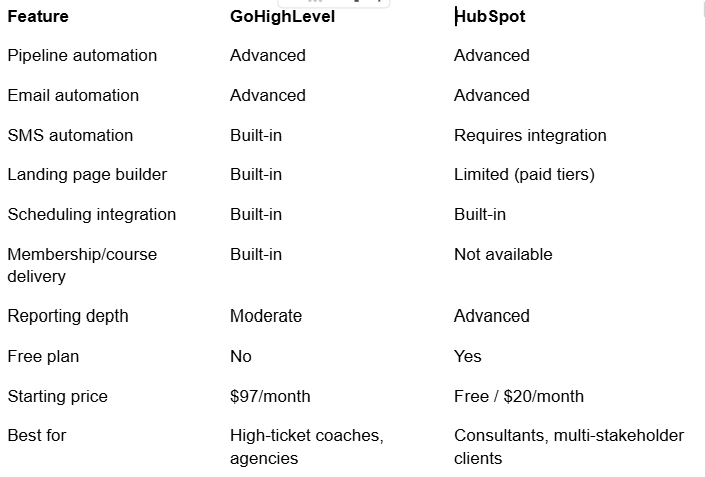
Bottom line: GoHighLevel wins on breadth of features per dollar for coaches who want everything in one platform. HubSpot wins on reporting sophistication and CRM depth for consultants managing complex client relationships.
Kajabi vs GoHighLevel — Which Platform Fits Online Coaches Better?
Kajabi is a course and content delivery platform with CRM features added. GoHighLevel is a CRM and automation platform with course features added. That distinction determines which one fits better.
If your primary revenue comes from selling and delivering digital courses or memberships, Kajabi's ecosystem is more natural and purpose-built for that model.
If your primary revenue comes from coaching services and client relationships, with courses as a secondary offer, GoHighLevel gives you far more automation and pipeline control.
Which CRM Automation Tool Fits Your Coaching Business Size?
Choosing the right platform now saves you from a painful migration later. Here is how to match the tool to your current stage.
Solo Coach or New Consultant (Just Starting Out): Where to Begin
At this stage, you need something that gets your client management organized and professional quickly, without a six-week setup project.
Best fit: HoneyBook or Dubsado
Priority features: Inquiry response automation, contract and invoice workflows, basic scheduling integration, simple client portal
What to skip for now: Complex multi-stage pipeline automation, advanced lead scoring, enterprise reporting, these add complexity before you have the volume to justify them.
Growing Coaching Practice (5–50 Clients): What Automation to Prioritize
At this stage, inconsistency becomes the enemy. You have enough clients that manual management is creating gaps, onboarding varies, follow-ups slip, retention feels reactive.
Best fit: GoHighLevel or HubSpot
Priority features: Full onboarding automation, session reminder sequences, pipeline stage management, client engagement tracking, referral workflow automation
Scaling High-Ticket or Group Coaching Business: When to Go Enterprise
At scale, you need a platform that can handle multiple program types, team collaboration, advanced segmentation, and revenue forecasting, all from a single dashboard.
Best fit: GoHighLevel (Agency plan) or HubSpot (Professional/Enterprise)
Priority features: Multi-pipeline management, team task automation, advanced behavioral triggers, revenue reporting, white-label client portals, API integrations with specialized tools
How to Set Up CRM Automation for Your Coaching or Consulting Business Step by Step
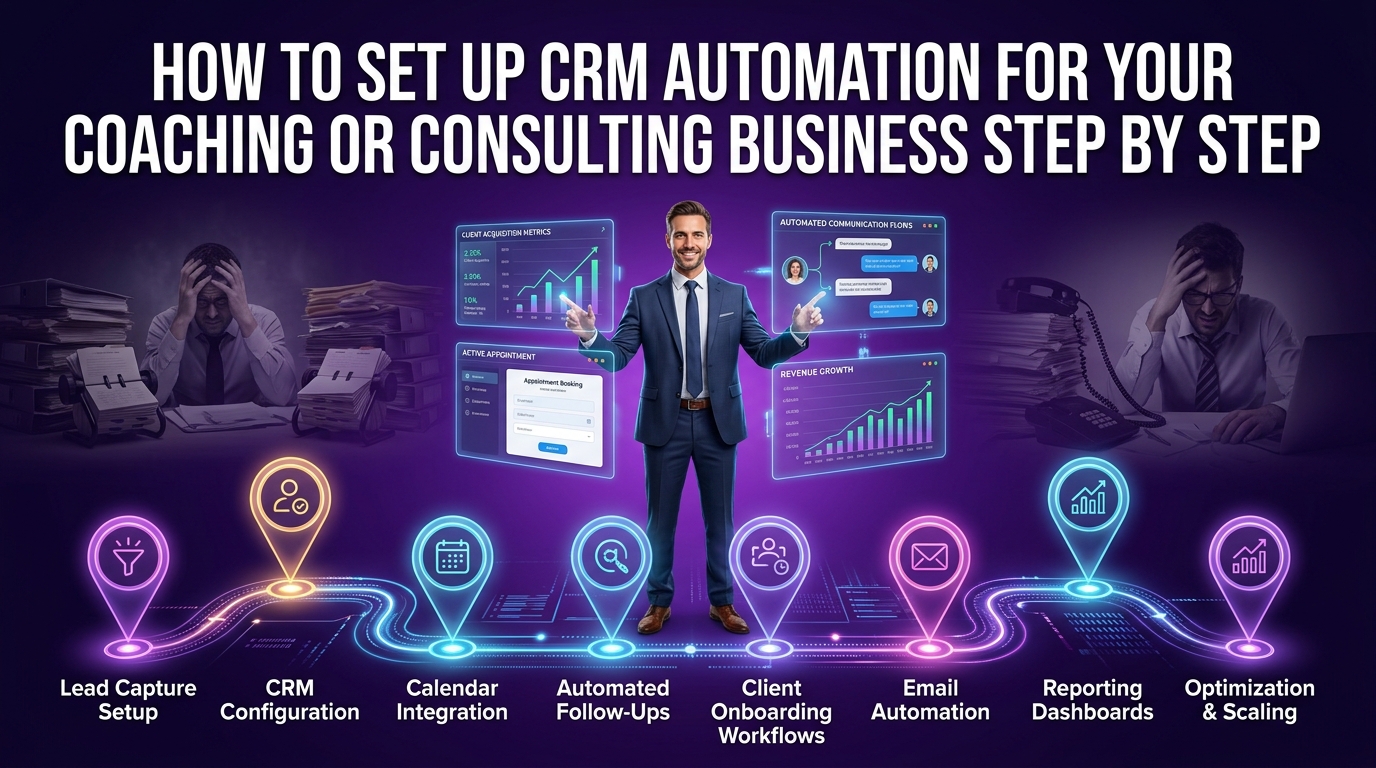
The biggest mistake coaches make when implementing a CRM is trying to build everything at once. They configure 15 automations in week one, confuse themselves, and abandon the system entirely by week three.
Start lean. Prove the value fast. Expand deliberately.
Step-by-Step CRM Automation Setup Guide for Coaches and Consultants
Step 1 — Map Your Current Client Journey Before Touching Any Software
Before logging into a single platform, sit down and document your client journey as it exists today:
How do leads currently find you and what happens in the first 24 hours?
What does your discovery call process look like from booking to follow-up?
What happens between a prospect saying yes and their first session?
How do you currently communicate between sessions?
What signals tell you a client is struggling or disengaging?
This map becomes the blueprint for every automation you build. You're automating your actual process — not an imaginary ideal one.
Step 2 — Choose and Configure Your CRM Platform for Coaching Workflows
Using the comparison section above, select the platform that best matches your coaching model, client volume, and technical comfort level. Once selected:
Build your pipeline stages to mirror your actual client journey
Set up your intake and onboarding forms
Connect your calendar and scheduling tool
Configure your email sending domain for professional deliverability
Set up your payment integration if the CRM supports it
Resist the urge to configure everything before going live. Get your core pipeline and one automation running first.
Step 3 — Build Your First Automated Lead Nurturing Sequence
Your first automation should target the highest-impact gap in your current process. For most coaches, that's what happens after someone expresses interest but hasn't booked a call yet.
Build this sequence first:
Day 0: Lead submits inquiry → instant response email sent with your story, social proof, and a booking link
Day 2: If no call booked → follow-up email with a client success story or case study
Day 5: If still no booking → email addressing the most common objection you hear
Day 8: If no engagement → final invitation with a clear deadline and a direct personal ask
This single sequence will convert leads that currently go cold and disappear.
Step 4 — Connect Your Scheduling, Payment & Email Tools to Your CRM
Your CRM becomes exponentially more powerful when it's connected to the tools already running your business. Priority integrations for coaches:
Calendly or Acuity Scheduling: sync booked calls to your CRM and trigger workflow steps automatically
Stripe or PayPal: confirm payments and trigger onboarding sequences without manual checking
Zoom or Google Meet: log session details against client records automatically
Your email marketing platform: keep CRM contact data and email list data in sync
Your coaching portal or course platform: connect enrollment data to client records
How to Automate Your Coaching Business With CRM and Zapier Integration
Not every tool you use will have a native CRM integration. This is where Zapier becomes invaluable. Zapier acts as a bridge between your CRM and virtually any other platform, passing data between systems when a trigger fires.
Common Zapier automations for coaches include:
New Typeform submission → Create contact in GoHighLevel + send welcome email
Stripe payment confirmed → Tag client in HubSpot + trigger onboarding workflow
Calendly appointment booked → Update pipeline stage in Dubsado + create prep task
Completed coaching session logged → Send follow-up email + create homework task in project management tool
Zapier's free tier handles basic connections. As your automation stack grows, their paid tiers offer the multi-step workflows that more complex coaching systems require.
Common CRM Automation Mistakes Coaches and Consultants Make
Even motivated, tech-comfortable coaches fall into these traps. Knowing them in advance saves you weeks of frustration.
Choosing the Wrong Platform for Your Coaching Model
A course-heavy online coach choosing a pure sales CRM will find themselves fighting the platform constantly. A high-touch one-on-one coach choosing a course-first platform like Kajabi for their CRM needs will quickly outgrow its client management capabilities.
Match the platform architecture to your primary revenue model, not the platform with the most impressive marketing or the most features on the pricing page.
Automating Before Your Client Journey Is Clearly Defined
Automation amplifies what's already there. If your client journey is unclear, if you're not sure what should happen between step three and step four, automating it will just create a faster path to a confused client experience.
Define the journey manually and deliver it consistently for at least 4–6 weeks before automating it. That process of manual delivery will surface the gaps, the timing issues, and the messaging that needs refinement. Then automate the version that's actually working.
Frequently Asked Questions About CRM Automation for Coaches & Consultants
What Is the Best CRM for a Life Coaching Business?
For life coaches, the best CRM balances warmth and professionalism in the client experience with practical automation for scheduling, onboarding, and follow-up. HoneyBook and Dubsado are consistently strong choices for solo life coaches because they handle the full client workflow, inquiry to contract to payment, with minimal setup complexity.
For life coaches running group programs or building a larger practice, GoHighLevel offers the automation depth and multi-pipeline capability to support that growth.
How Much Does CRM Automation Software Cost for Coaches?
Pricing across the major platforms breaks down roughly as follows:
Entry-level: $19–$40/month (HoneyBook Starter, Dubsado Starter), suitable for solo coaches with straightforward workflows
Mid-range: $89–$297/month (Kajabi, GoHighLevel), best for coaches who need broader feature sets and automation depth
Growth tier: $300–$800+/month (HubSpot Professional), for consulting firms and coaching businesses with larger teams and more complex reporting needs
Most platforms offer annual billing at a 15–20% discount. Always test with a free trial before committing to an annual plan.
Can CRM Automation Work for a Solopreneur Consultant With a Small Client List?
Absolutely, and it often delivers the highest impact for solopreneurs. When you're operating alone, every hour spent on admin is an hour not spent on client delivery or business development. Even a basic automation setup that handles inquiry responses, onboarding sequences, and session reminders can reclaim 5–8 hours per week for a solo operator.
Start simple. One pipeline. One onboarding sequence. One follow-up workflow. The compounding effect of even basic automation is significant when you're running everything yourself.
What CRM Automation Workflows Should a Coach Set Up First?
In order of impact, set these up first:
Lead inquiry response and nurture sequence: no lead should wait more than five minutes for an initial response
Discovery call booking and pre-call preparation automation: make the path from interest to booked call frictionless
Client onboarding workflow: triggered automatically when payment is confirmed
Session reminder and post-session follow-up: reduces no-shows and reinforces session value
Client retention and re-engagement triggers: catch disengagement before it becomes cancellation
Is GoHighLevel Worth It for Coaches Compared to HubSpot or Kajabi?
For most coaches, particularly those running high-ticket programs, building funnels, or managing their own marketing, GoHighLevel delivers more usable value per dollar than either HubSpot or Kajabi at comparable price points.
HubSpot surpasses it on CRM depth and reporting for consulting firms managing complex multi-stakeholder relationships. Kajabi surpasses it on course and community delivery experience.
But for a coach who wants one platform that handles their pipeline, automation, scheduling, funnels, and email marketing without stitching together five separate tools, GoHighLevel is hard to beat at $97–$297/month.
The Bottom Line
Your coaching or consulting business deserves infrastructure that matches the quality of the transformation you deliver.
CRM automation for coaches and consultants isn't about removing the human element from your practice, it's about protecting it. When the admin runs itself, you show up to every session fully present, every client feels professionally cared for between sessions, and your pipeline keeps filling without you manually managing every step.
The coaches and consultants growing with confidence in 2026 aren't necessarily the most talented or the most visible. They're the ones with the tightest systems underneath everything they do.
Whether you're a solo life coach in the early stages of building your practice or a seasoned business consultant scaling toward multiple six or seven figures, the right CRM automation setup gives you the foundation to grow without grinding.
Ready to build a coaching business that runs with precision and scales without chaos? Visit crmautomates.com to discover how the right CRM automation strategy can transform your client experience, reclaim your time, and help your practice grow on your terms.
