CRM Automation for SaaS Companies: The Complete Playbook
CRM Automation for SaaS Companies: The Complete Growth Playbook
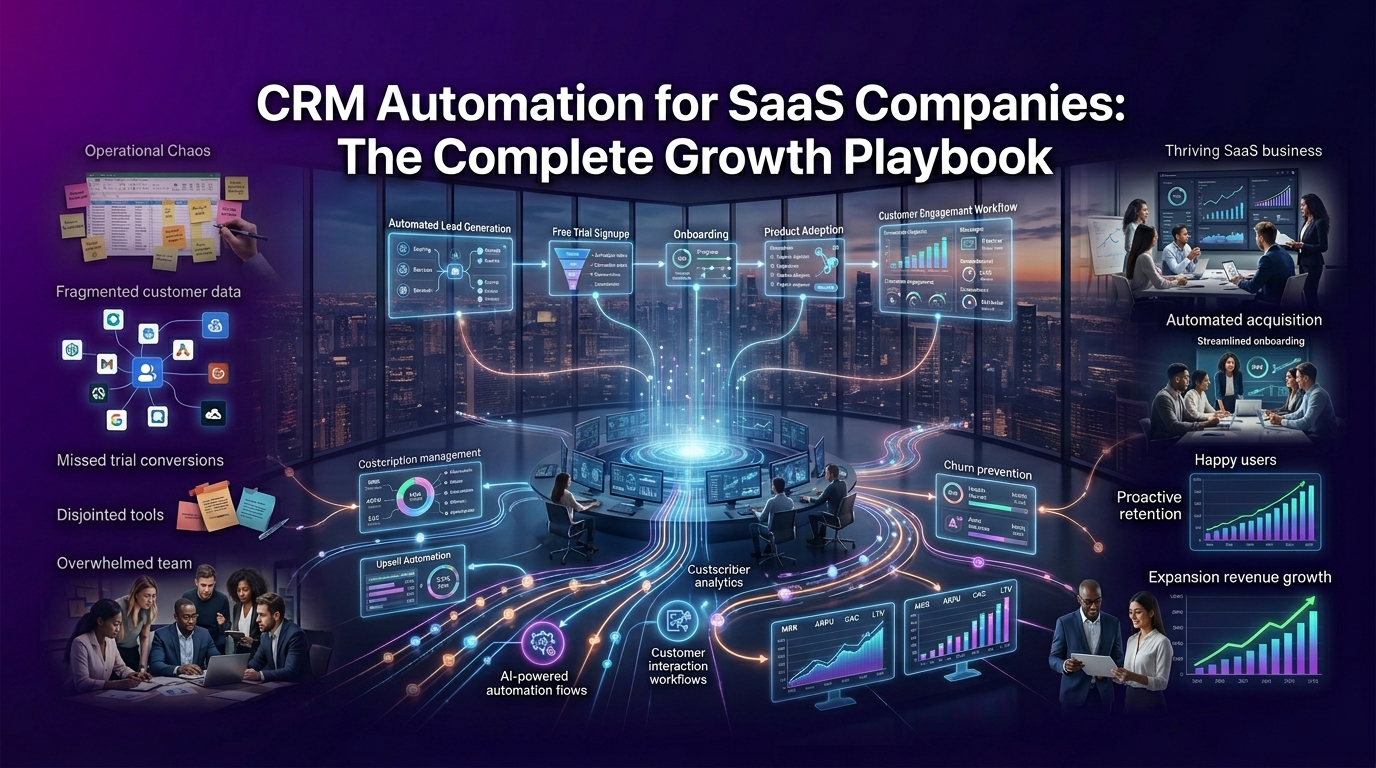
If your SaaS business is still relying on manual follow-ups, scattered spreadsheets, and gut-feel pipeline management, you're not just losing time. You're losing revenue.
The average SaaS company touches a customer dozens of times before conversion, and dozens more to keep them from churning. Doing that manually at scale is not a strategy. It's a bottleneck.
CRM automation for SaaS companies changes that equation entirely. It turns your customer relationship management system into a revenue engine, one that works around the clock, responds to real behavior, and keeps your team focused on decisions, not data entry.
This guide breaks down exactly what CRM automation looks like in a SaaS context, which workflows deliver the highest ROI, how to pick the right platform, and why crmautomates.com is the go-to implementation partner for SaaS teams across the USA.
What Is CRM Automation for SaaS Companies — And Why Does It Matter?
CRM automation is the process of using software logic, triggers, rules, sequences, and behavioral data, to handle repetitive customer-facing and internal sales tasks without manual intervention.
For SaaS companies specifically, this means automating the entire customer lifecycle: from the moment a user signs up for a free trial, through onboarding, conversion, upsell, renewal, and beyond.
But here's what most generic CRM guides miss: SaaS businesses have fundamentally different needs than traditional businesses. A one-time product sale is simple. A subscription-based revenue model is a living, breathing relationship and it demands a smarter approach.
How CRM Automation Is Different for SaaS vs. Traditional Businesses
Traditional businesses close a deal and move on. SaaS businesses close a deal and the real work begins.
Your revenue depends on what happens after the sale, onboarding completion rates, feature adoption, monthly active usage, support ticket trends, and renewal behavior. None of that fits neatly into a standard CRM workflow built for one-time transactions.
A SaaS-specific CRM automation strategy accounts for:
Recurring revenue cycles: monthly and annual renewals that need proactive management, not reactive outreach
Product usage signals: behavioral data from in-app activity that tells you who's engaged and who's at risk
Trial-to-paid conversion windows: time-sensitive nurture sequences triggered by what a user does (or doesn't do) inside your product
Expansion revenue opportunities: upsell and cross-sell triggers based on account health, feature usage, and seat count
This is why platforms like HubSpot, Salesforce, Pipedrive, and Attio need to be configured differently for SaaS, out-of-the-box setups rarely match the complexity of a SaaS sales funnel or customer lifecycle.
Why Subscription-Based Revenue Models Demand Smarter Automation
In a subscription model, customer lifetime value (LTV) is everything. A customer who churns after month two is not just a lost renewal, they represent lost expansion revenue, lost referrals, and a dent in your net revenue retention (NRR) metrics.
The math is unforgiving. If your average contract value is $500/month and a customer churns at month three instead of renewing for year two, you've lost thousands of dollars in projected revenue — per account. Multiply that across hundreds of accounts and the impact becomes existential.
CRM automation directly protects that revenue by:
Triggering health score alerts before churn signals become churn events
Automating re-engagement sequences when feature usage drops
Routing at-risk accounts to customer success managers in real time
Scheduling renewal outreach 60, 30, and 14 days before contract end dates
This is not a nice-to-have. For any SaaS company serious about monthly recurring revenue (MRR) and annual recurring revenue (ARR), automated CRM workflows are a core business infrastructure.
The Real Cost of Manual CRM Management for SaaS Teams
Here is a number worth sitting with: sales reps spend, on average, only 34% of their time actually selling. The rest goes to data entry, follow-up scheduling, reporting, and administrative tasks that software can handle in seconds.
For a SaaS startup with a lean team, that cost compounds fast. A five-person sales team losing 66% of their productive capacity to manual CRM work is the equivalent of operating with fewer than two full-time sellers.
Beyond lost productivity, manual CRM management introduces:
Inconsistent follow-up timing: leads go cold because no one triggered the next touch
Missed expansion signals: account managers don't see upsell opportunities because usage data lives in a separate tool
Poor onboarding completion: new users drop off because there's no automated sequence guiding them to their first value moment
Inaccurate pipeline forecasting: deals stuck in wrong stages skew revenue projections
The solution is not hiring more people. The solution is building smarter systems and that starts with properly configured SaaS CRM automation workflows.
How Does CRM Automation Help SaaS Businesses Grow Faster?
CRM automation compresses your entire go-to-market engine. It shortens the time between a lead's first interaction and their conversion to a paying customer. It reduces the gap between a customer's onboarding and their first meaningful product adoption milestone. And it accelerates the path from a satisfied customer to an expanded account.
Here is what that looks like across the full SaaS customer journey:
Acquisition: Automated lead scoring surfaces your highest-intent prospects so sales reps focus their energy where it counts
Conversion: Behavioral triggers launch personalized nurture sequences the moment a trial user takes or skips, a key product action
Onboarding: Automated onboarding workflows deliver the right guidance at the right time based on where each user is in the setup process
Retention: Health score monitoring flags at-risk accounts before they submit a cancellation request
Expansion: Usage-based triggers identify accounts ready for an upgrade and route them to account managers with full context
When every stage of the funnel runs on intelligent automation, your team stops firefighting and starts scaling.
From Trial Sign-Up to Paid Conversion — Automating Every Touchpoint
The trial period is the highest-stakes window in your entire SaaS sales funnel. Research consistently shows that users who reach their "aha moment" the point where they experience your product's core value, within the first few days are significantly more likely to convert to paid plans.
CRM automation ensures no trial user falls through the cracks. A well-built trial conversion automation sequence typically looks like this:
Day 0 — Sign-up trigger: Welcome email fires instantly. CRM creates a contact record, tags the user as a trial user, and enrolls them in a nurture sequence.
Day 1 — Onboarding prompt: If the user hasn't completed the setup checklist, an automated nudge goes out with a direct link to the next step.
Day 3 — Engagement check: Behavioral data from tools like Segment, PostHog, or Customer.io feeds into the CRM. Users who have engaged with core features get a different message than users who have gone quiet.
Day 7 — Sales trigger: Low-engagement trial users get routed to a sales rep via lead routing automation for a personal outreach. High-engagement users receive a conversion-focused email highlighting plan benefits.
Day 12 — Urgency sequence: Two days before trial expiry, an automated sequence highlights what the user will lose access to and offers a direct upgrade path.
This kind of workflow, impossible to execute manually at scale — is standard operating procedure when your CRM is properly automated.
Must-Have CRM Automation Workflows Every SaaS Company Needs
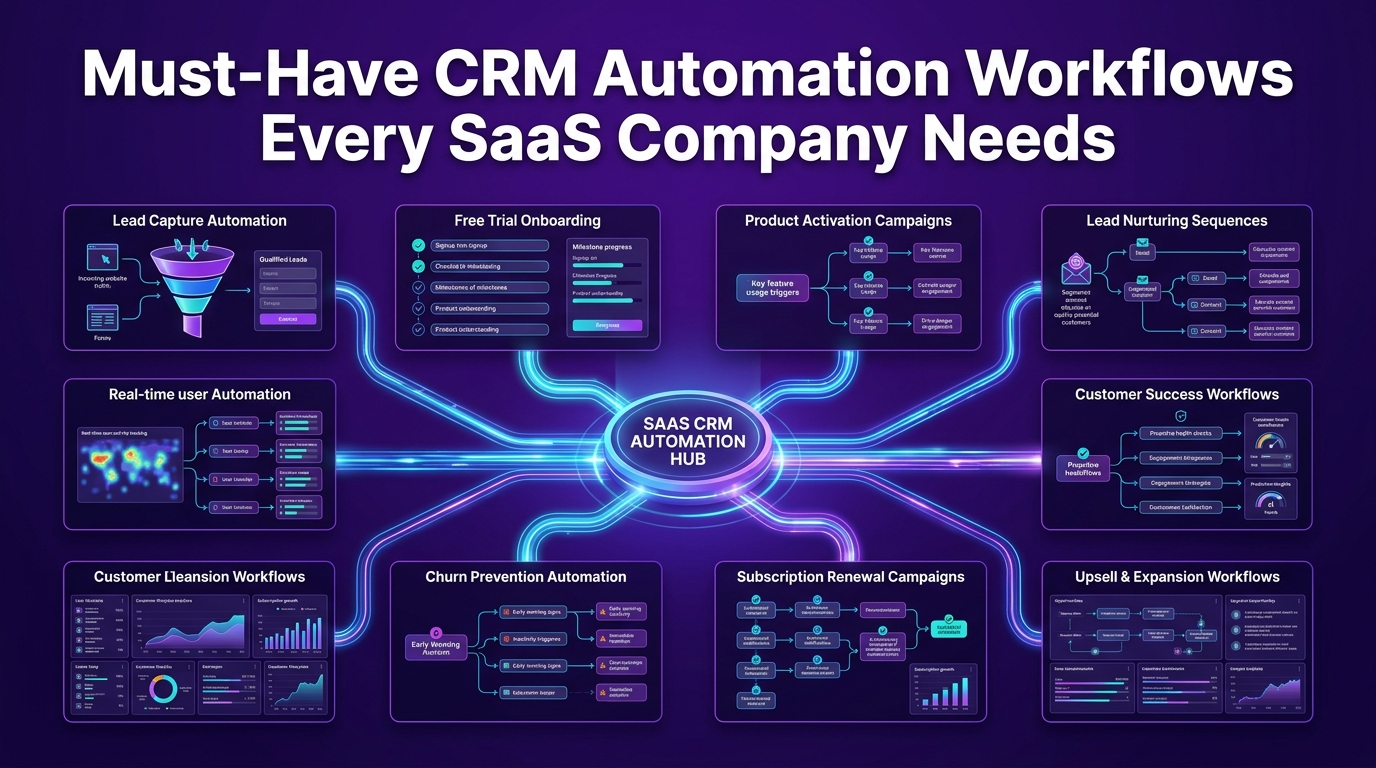
Not all CRM workflows are created equal. For SaaS businesses, certain automation sequences deliver disproportionate returns because they directly protect revenue, accelerate growth, and reduce the operational load on your team.
Below are the three workflow categories that every SaaS company, from early-stage startups to scaling B2B SaaS teams, should have running before anything else.
How Do You Automate Customer Onboarding in SaaS?
Customer onboarding is where SaaS revenue is won or lost. A user who completes onboarding and adopts your product's core features is five times more likely to remain a paying customer than one who doesn't. Yet most SaaS companies still treat onboarding as a manual, inconsistent process.
Automating customer onboarding in your CRM means building a structured, behavior-responsive sequence that guides each new user from sign-up to activation, without requiring your team to manually manage each interaction.
Step-by-Step Onboarding Automation Workflow for SaaS Startups
A high-performing SaaS onboarding automation workflow is built on three principles: timeliness, personalization, and behavioral responsiveness. Here's how to build it:
Step 1: Define your activation milestone Before automating anything, identify the single action that predicts long-term retention in your product. For a project management SaaS, it might be creating the first project. For a communication tool, it might be inviting a teammate. This is your north star for the entire onboarding sequence.
Step 2: Segment users at sign-up Use your CRM to tag users based on their role, company size, use case, or acquisition source. A startup founder using your product solo needs different guidance than an enterprise IT manager onboarding a 50-person team.
Step 3: Build trigger-based email sequences Map your onboarding emails to specific product actions, not just time delays. If a user completes step one of setup, the next email triggers immediately. If they stall, a help-focused message goes out automatically.
Step 4: Integrate your product data Connect tools like Segment, PostHog, or Twilio to your CRM so behavioral signals from inside the product feed into your automation logic in real time.
Step 5: Add a human escalation trigger If a user hasn't reached your activation milestone within a defined window, automatically create a task for a customer success manager and surface the account with full context, no manual monitoring required.
Step 6: Measure and iterate Track activation rate, time-to-activation, and onboarding email engagement. Use this data to refine your workflow continuously.
This is SaaS onboarding automation done right, not a generic drip campaign, but a responsive system that mirrors how real customers actually behave.
How Can SaaS Companies Reduce Churn with CRM Automation?
Churn is the single biggest threat to SaaS growth. And the frustrating truth is that by the time a customer tells you they're leaving, the decision has usually already been made, weeks earlier, when engagement dropped and nobody noticed.
CRM automation gives you visibility into those early warning signs before they become cancellations.
Behavioral Triggers and Health Score Alerts That Retain Customers
Customer health scores are composite metrics that combine product usage data, support ticket frequency, billing history, NPS scores, and engagement signals into a single indicator of account health. When your CRM is configured to calculate and monitor health scores automatically, your team gets actionable intelligence, not raw data noise.
Here is how a behavioral trigger and health score system works in practice:
Usage drop trigger: A customer who logged in daily for three weeks suddenly goes dark for seven days. The CRM automatically flags the account, drops the health score, and triggers a re-engagement email or creates a task for their CSM.
Support spike trigger: An account opens three support tickets in five days. The CRM identifies this as a friction signal and escalates it to a customer success manager with a pre-populated outreach template.
Feature non-adoption trigger: A customer has been on a paid plan for 30 days but hasn't used a key feature included in their tier. An automated sequence triggers in-app prompts and an educational email series to drive adoption before dissatisfaction sets in.
Billing risk trigger: A payment fails or a credit card approaches expiry. The CRM instantly sends a billing notification sequence and flags the account for follow-up, reducing involuntary churn that most SaaS companies never even track properly.
The platforms that handle this best are Salesforce with its Einstein health scoring, HubSpot with custom property workflows, and specialized tools like Attio built specifically for SaaS revenue operations.
When crmautomates.com configures these workflows for SaaS clients across the USA, we consistently see churn reduction of 20–40% within the first two quarters, not from aggressive sales tactics, but from catching at-risk accounts early enough to actually help them.
How Do SaaS Companies Automate Renewals and Expansion Revenue?
Renewal management is one of the most underautomated areas in SaaS. Many companies treat it as a calendar reminder for their account managers. That approach works when you have 20 customers. It breaks completely at 200.
Expansion revenue, the additional MRR generated from upsells, cross-sells, and seat expansions within your existing customer base, is the growth lever that separates high-NRR SaaS businesses from those stuck fighting churn every quarter.
Both renewals and expansion need systematic automation behind them.
Renewal Workflow Automation — Timing, Triggers, and Templates
A best-in-class renewal automation workflow runs on a predictable cadence anchored to contract end dates, with behavioral context layered on top:
60 days out: Account review trigger The CRM automatically generates a renewal health report for the account manager: usage trends, support history, feature adoption rate, and expansion opportunities. No manual research required.
45 days out: Proactive outreach sequence A personalized email from the account manager (sent automatically via CRM) opens the renewal conversation, highlights value delivered, and invites a call.
30 days out: Decision support If no response to the 45-day email, a follow-up triggers automatically. The CRM also checks for upsell signals, accounts using 80%+ of their current plan limits get flagged for an upgrade conversation.
14 days out: Urgency and incentive Final automated outreach with clear renewal instructions, optional incentive (annual commitment discount), and a direct link to complete the renewal.
Post-renewal: Expansion trigger Accounts that renew at a higher tier automatically enter an expansion onboarding sequence, introducing the new features they've unlocked.
This workflow runs entirely within your CRM, no spreadsheet tracking, no missed renewals, no last-minute scrambles. Tools like HubSpot, Salesforce, Pipedrive, and ActiveCampaign all support this level of renewal automation when configured by experienced SaaS CRM specialists.
How to Choose the Best CRM Automation Software for Your SaaS Business
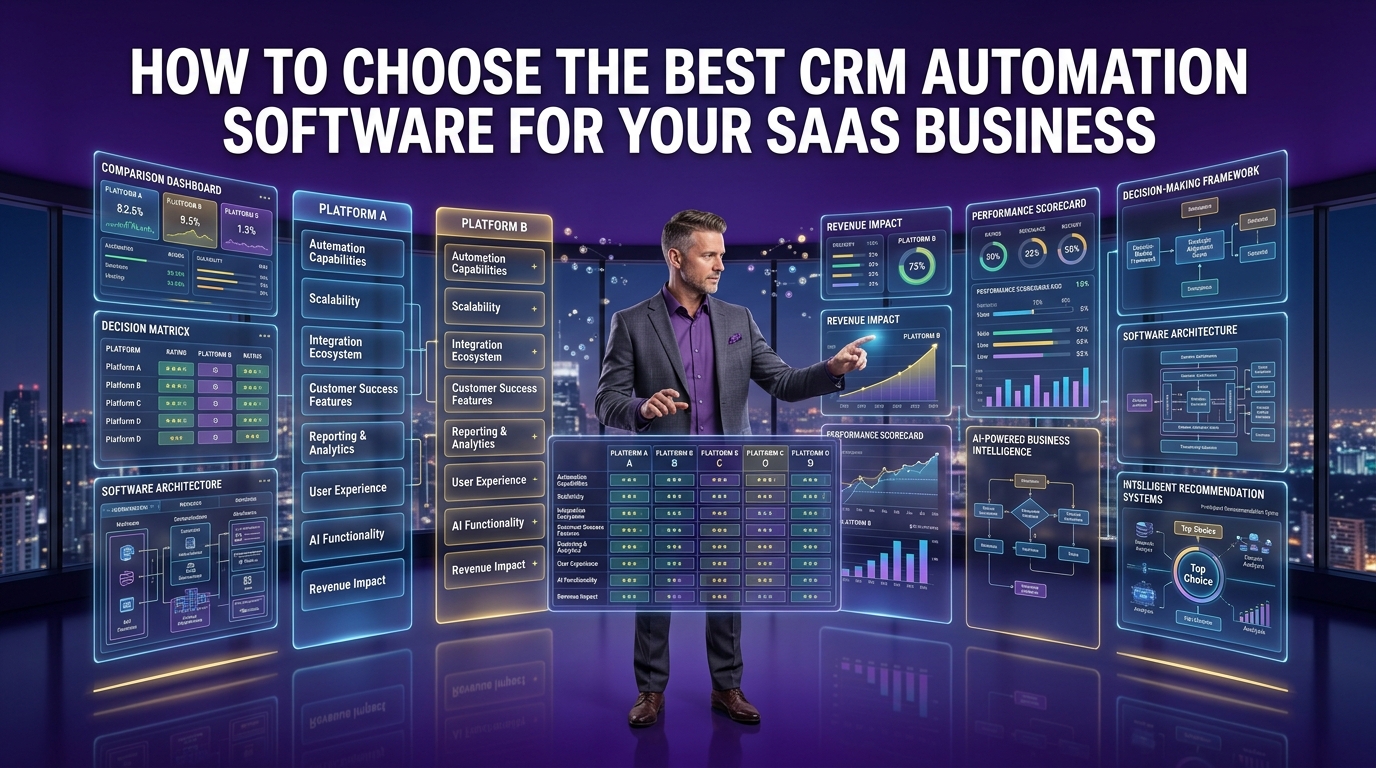
The CRM market is crowded. There are dozens of platforms claiming to be the best CRM for SaaS companies and many of them are genuinely capable tools. The challenge is not finding a good CRM. The challenge is finding the right CRM for your specific stage, team size, GTM motion, and technical infrastructure.
Getting this decision wrong is expensive. CRM migrations are painful, time-consuming, and disruptive to your sales process. Choosing the right platform upfront and configuring it correctly from day one, is the smarter path.
Which CRM Is Best for SaaS Startups vs. Scaling B2B SaaS Teams?
The honest answer: it depends on where you are and where you're going.
Here is a practical breakdown by SaaS stage:
Early-stage SaaS startups (0–50 customers) At this stage, simplicity and speed matter more than sophistication. You need a CRM that your team will actually use, that integrates with your existing stack, and that doesn't require a full-time admin to maintain. Pipedrive and HubSpot's free tier are strong starting points. Attio is gaining significant traction among modern SaaS startups for its flexibility and native data model.
Growth-stage SaaS companies (50–500 customers) This is where the complexity kicks in. You need proper lead scoring, lifecycle stage automation, customer success workflows, and integration with your billing system (typically Stripe) and product analytics tools. HubSpot's Professional tier or Salesforce with a SaaS-configured setup becomes the right conversation here.
Scaling B2B SaaS teams (500+ customers) At this stage, you're running a full Revenue Operations (RevOps) function. You need a CRM that supports complex territory management, multi-touch attribution, predictive analytics, and deep integration with your entire GTM stack. Salesforce remains the market leader here, though properly configured HubSpot Enterprise handles a significant portion of scaling SaaS businesses effectively.
Key Features to Look for in a SaaS CRM Automation Platform
Before signing any contract, evaluate every CRM candidate against these non-negotiable criteria for SaaS businesses:
Behavioral trigger support: Can the CRM respond to in-app product events, not just email opens and form submissions?
Native integrations: Does it connect natively with your billing system (Stripe), communication tools (Slack, Gmail, Google Workspace, Microsoft Teams), and product analytics (Segment, PostHog)?
Custom lifecycle stages: Can you define your own SaaS funnel stages beyond generic "lead/opportunity/closed"?
Lead scoring and routing: Does the platform support rule-based and predictive lead scoring with automated routing to the right rep?
Workflow automation depth: How many conditions, branches, and actions can a single automated workflow support?
Reporting and revenue forecasting: Can you track MRR, ARR, churn rate, and expansion revenue directly within the CRM or through native integrations?
SOC 2 compliance: For B2B SaaS selling into enterprise, your CRM must meet SOC 2 Type 2 security standards
Scalability: Will this platform grow with you from 50 customers to 5,000 without requiring a full rebuild?
HubSpot vs. Salesforce vs. Pipedrive — Which Fits Your SaaS Stage?
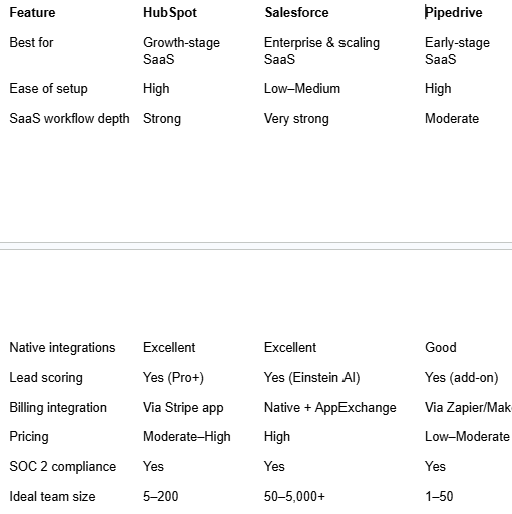
No single platform wins across every category. The right choice depends on your current ARR, team structure, technical resources, and 18-month growth plan.
What CRM Workflows Should SaaS Companies Prioritize First?
This is the most practical question any SaaS founder or RevOps leader asks when starting their CRM automation journey and the answer is more specific than most guides admit.
Prioritize in this order:
1. Trial-to-paid conversion workflow: This directly impacts your most immediate revenue metric. Build it first.
2. Onboarding automation: Protects the revenue you just converted and drives activation.
3. Churn prevention triggers: Health score monitoring and re-engagement sequences that protect MRR.
4. Renewal automation: Systematic outreach that removes revenue risk from your forecast.
5. Lead scoring and routing: Ensures inbound leads reach the right rep at the right time.
6. Expansion revenue triggers: Usage-based signals that drive upsell conversations.
Lead Scoring, Lead Routing, and Pipeline Automation — Where to Start
Lead scoring in a SaaS context is not just about firmographic data (company size, industry, location). The most predictive lead scores combine:
Demographic fit: Does this company match your ideal customer profile?
Behavioral signals: What have they done on your website, in your product, and in your email sequences?
Intent data: Are they actively researching solutions like yours?
Engagement recency: When did they last interact, and how?
Once a lead crosses a defined score threshold, lead routing automation ensures they reach the right sales rep immediately, based on territory, industry expertise, account size, or current workload, without any manual triage.
Pipeline automation then takes over: deal stages update automatically based on actions taken, follow-up tasks generate without manual input, and stale deals trigger re-engagement sequences before they go completely cold.
Together, these three workflows, scoring, routing, and pipeline automation, form the foundation of a high-performing SaaS sales automation system.
Why CRM Automates Is the Smarter CRM Automation Partner for SaaS Companies in the USA
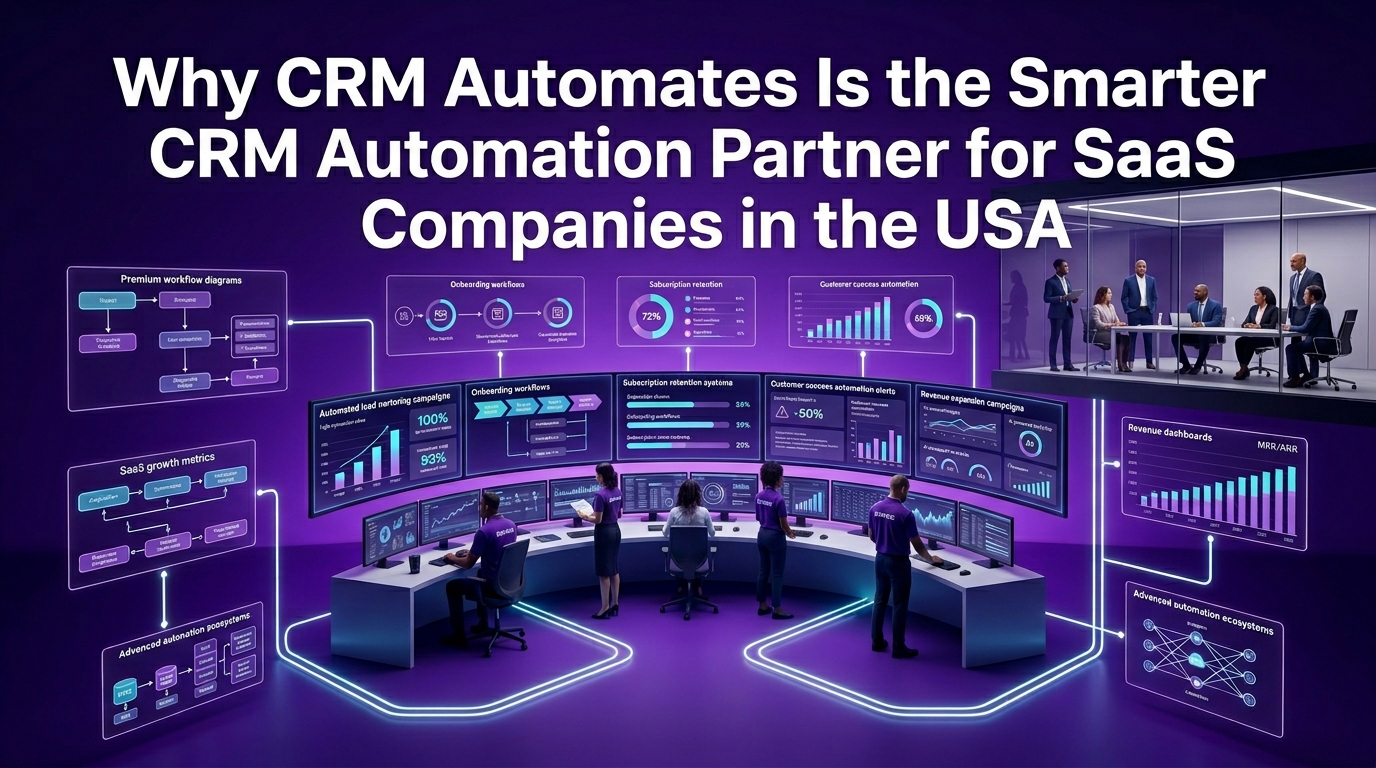
There is a meaningful difference between buying CRM software and building a CRM automation system that actually drives revenue.
Most SaaS companies buy the software. They get through the initial setup. They use maybe 20% of the platform's capabilities. And then they wonder why their pipeline is still messy, their churn is still unpredictable, and their team is still spending hours on tasks the CRM was supposed to handle.
The gap is not the software. The gap is the strategy and implementation behind it.
That is exactly what crmautomates.com exists to solve.
How CRM Automates Helps SaaS Companies Build Revenue-Driven Automation
We work exclusively with SaaS companies, from early-stage startups to scaling B2B SaaS teams across the USA, to design, build, and deploy CRM automation systems that directly impact revenue metrics.
Our work is not generic CRM consulting. Every engagement starts with a deep understanding of your specific GTM motion, your customer lifecycle, your current tech stack, and your revenue goals.
We build automation systems that handle:
Full customer lifecycle automation: from first touch to renewal and expansion
SaaS-specific lead scoring models: combining behavioral, demographic, and intent signals
Churn prediction workflows: health score monitoring connected to your product data
Trial conversion sequences: behavior-triggered nurture campaigns that move users to paid
Renewal and expansion automation: systematic workflows that protect and grow MRR
RevOps reporting infrastructure: real-time dashboards tracking MRR, ARR, churn rate, NRR, and CAC
We are platform-agnostic. Whether your team uses HubSpot, Salesforce, Pipedrive, ActiveCampaign, Keap, or Attio, we configure it to perform at the level your SaaS business demands.
Our CRM Automation Implementation Process — From Audit to Full Deployment
We follow a structured, proven process for every SaaS client:
Phase 1: Revenue Audit We map your current customer lifecycle, identify automation gaps, and benchmark your CRM usage against best practices for your SaaS stage.
Phase 2: Strategy & Workflow Design We design your complete automation architecture, every workflow, trigger, sequence, and integration, before writing a single line of logic in your CRM.
Phase 3: Build & Integration We build your workflows, configure your integrations (Stripe, Segment, Slack, Gmail, Zapier, Make, and more), and connect your product data to your CRM in real time.
Phase 4: Testing & QA Every workflow is stress-tested across real customer scenarios before going live. No surprises in production.
Phase 5: Training & Handover Your team gets full documentation and live training so they can manage, iterate, and scale the system independently.
Phase 6: Ongoing Optimization For clients who want continued support, we provide ongoing RevOps consulting, monitoring performance, refining workflows, and building new automation as your business grows.
What Makes CRM Automates Different from Generic CRM Consultants?
Most CRM consultants know the software. We know SaaS.
That distinction matters more than it sounds. A consultant who understands product-led growth (PLG), revenue operations, customer success automation, and SaaS sales pipeline management builds fundamentally different systems than one who simply knows how to set up a pipeline in HubSpot.
Here is what sets our approach apart:
SaaS-only focus: We do not work across industries. Our entire methodology is built around subscription revenue models, SaaS customer lifecycles, and B2B SaaS go-to-market motions.
Revenue-first design: Every automation we build is tied to a measurable revenue outcome: conversion rate, churn rate, ARR, NRR, or customer acquisition cost (CAC).
Full-stack integration expertise: We connect your CRM to your entire tech stack — billing, product analytics, communication tools, and marketing automation — so your data flows seamlessly and your workflows run on real signals.
SOC 2 compliance awareness: For SaaS companies selling into enterprise, we ensure your CRM configuration and data handling practices align with SOC 2 Type 2 requirements.
Transparent process: No black boxes, no scope creep, no surprise invoices. You know exactly what we're building, why we're building it, and what it's designed to achieve.
Proven Results: SaaS Companies That Scaled with Our Automation Workflows
The metrics our SaaS clients consistently report after implementing crmautomates.com's automation systems:
Trial-to-paid conversion rates improve by 25–45%: driven by behavior-triggered nurture sequences and proper lead scoring
Onboarding completion rates increase by 30–60%: because automated, personalized guidance replaces generic drip emails
Churn rates drop by 20–40%: through proactive health score monitoring and early intervention workflows
Sales team productivity increases by 35–50%: because reps spend time selling, not doing data entry
Renewal rates exceed 90%: when systematic 60/30/14-day renewal workflows replace manual account manager reminders
These are not theoretical benchmarks. They are outcomes from real SaaS companies, at various stages of growth, who invested in building the right automation infrastructure from the ground up.
Frequently Asked Questions
What is CRM automation for SaaS companies? CRM automation for SaaS companies refers to the use of trigger-based workflows, behavioral signals, and integrated software logic to manage customer relationships automatically across the entire subscription lifecycle, from trial sign-up through onboarding, retention, renewal, and expansion, without requiring manual intervention at every step.
Which CRM is best for SaaS startups? For early-stage SaaS startups, Pipedrive and HubSpot offer the best balance of usability, integration depth, and pricing. Attio is an increasingly popular choice for modern SaaS teams that need a flexible, data-first CRM. The right choice depends on your team size, GTM motion, and technical resources.
How does CRM automation help SaaS businesses reduce churn? CRM automation reduces churn by monitoring customer health scores in real time, triggering re-engagement sequences when usage drops, routing at-risk accounts to customer success managers automatically, and addressing billing issues before they become cancellations, all without waiting for a customer to signal dissatisfaction directly.
How do SaaS companies automate renewals? SaaS companies automate renewals by building time-based and behavior-based workflows anchored to contract end dates. These workflows trigger account reviews, personalized outreach sequences, escalation tasks, and renewal confirmation processes, typically starting 60 days before expiry, so no renewal is ever missed or managed manually.
What CRM workflows should a SaaS company build first? Start with trial-to-paid conversion workflows, then onboarding automation, then churn prevention triggers. These three directly protect and grow your MRR and deliver the fastest measurable ROI. Renewal automation, lead scoring, and expansion workflows follow as your process matures.
How can AI improve CRM automation for SaaS? Predictive analytics and intelligent scoring models within modern CRM platforms analyze historical behavior patterns to forecast churn probability, identify expansion-ready accounts, and prioritize leads with the highest conversion likelihood — allowing your team to act on intelligence rather than instinct.
What integrations does a SaaS CRM need? A SaaS CRM needs native or near-native integration with your billing platform (Stripe), product analytics tools (Segment, PostHog), communication tools (Slack, Gmail, Google Workspace, Microsoft Teams), marketing automation (Mailchimp, Customer.io, ActiveCampaign), and workflow automation platforms (Zapier, Make) to operate effectively.
Final Thoughts
CRM automation is not a feature you turn on. It is a system you build, deliberately, strategically, and in direct alignment with how your SaaS customers actually behave.
The companies winning in SaaS right now are not necessarily the ones with the most aggressive sales teams or the highest marketing budgets. They are the ones who have built operational infrastructure that converts more trials, retains more customers, closes renewals before they become risks, and expands accounts without requiring heroic effort from their team.
That infrastructure starts with the right CRM automation strategy.
If you are ready to stop managing your customer relationships manually and start building the revenue operations engine your SaaS business deserves, crmautomates.com is ready to build it with you.
