HighLevel Hosted Numbers: Use Your Number for SMS
Your business number is on your website, your Google profile, your invoices and probably the side of a van. When you move into GoHighLevel, that number has always been the awkward part: either buy a new LC Phone number your customers do not recognise, or port the number across and move your voice service with it. HighLevel's new Hosted Numbers feature offers a third option.
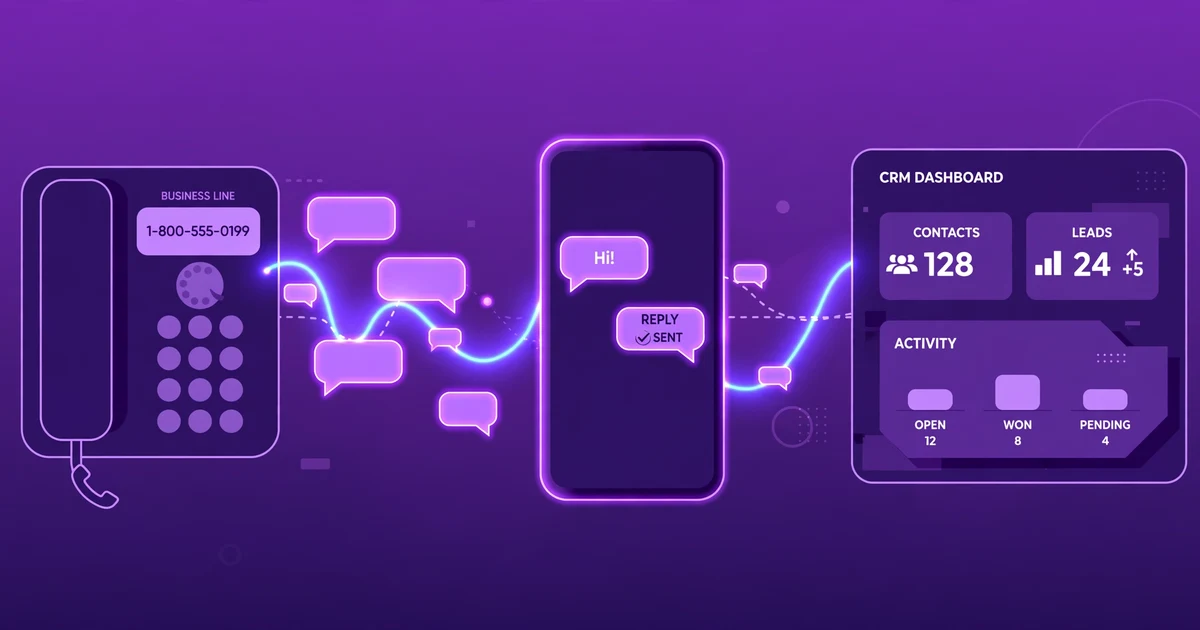
HighLevel Hosted Numbers lets a business send and receive SMS from the phone number customers already know, without porting it. Voice calls stay with the current carrier; only text messaging routes through HighLevel's LC Phone. It is in Labs for eligible US numbers, and only an Agency Owner or Admin can start a hosting request. HighLevel posted the feature to its official changelog on 30 October 2026, during LevelUp week.
This guide explains what Hosted Numbers is, how it differs from porting, which numbers qualify, and the exact steps to set it up.
What is Hosted Numbers in GoHighLevel?
Hosted Numbers is a GoHighLevel Labs feature that routes SMS for a phone number you already own through LC Phone, while the number itself stays owned and voice-enabled by its current carrier. The number is not transferred, the carrier does not change, and your existing phone service keeps working exactly as it does today. Only the text-message traffic moves.
That distinction matters because the number is often the business's most recognisable asset. A customer who has saved your number, or who sees it on your website and texts it, expects a reply from that number. Until now, the practical choices inside GoHighLevel were to buy a fresh number in your area code, connect your own Twilio account, or port the number in. Hosting keeps the number where it is and adds SMS capability to it.
Once a hosted number is active, it behaves like any other SMS number inside HighLevel: messages land in Conversations, replies go out from the same number, and workflows can send SMS from it, including missed-call text-back and follow-up sequences.
How is hosting different from porting a number?
Hosting and porting both let you keep using an existing number, but they change different parts of the service. The right choice depends on whether you want your voice service to move.
| Number hosting | Porting | |
|---|---|---|
| Number ownership | Remains with the current carrier | Transfers to the destination carrier |
| Voice service | Remains with the current carrier | Moves with the number to the new provider |
| SMS | Hosted through LC Phone after approval | Handled by the destination carrier after the port |
| Carrier transfer | No | Yes |
| Best used when | You want to keep your existing carrier for voice but use HighLevel for messaging | You want one provider to manage the entire phone number |
| Verdict | Best for businesses happy with their voice provider who only need SMS in HighLevel. | Best when you are consolidating voice and messaging with one provider. |
If your voice setup works and the only gap is texting, hosting is the smaller change. Porting is the bigger move, and it means your voice service moves too.
Which numbers can you host?
Eligibility depends on the setup method, and the limits are tighter in the Labs self-service release than in the Support-assisted route.
| Number type / scenario | Eligible? | Guidance |
|---|---|---|
| US local landline | Generally yes | Most eligible landlines can be hosted after verification and approval |
| US toll-free number | Generally yes | Toll-Free Verification applies before messaging to US and Canadian recipients |
| Number with no existing SMS service | Yes, if otherwise eligible | Must meet all other hosting requirements |
| Number already using SMS with another provider | No, as currently configured | Do not change the existing messaging setup until Support confirms the right next step |
| Mobile / cellular number | No | Mobile numbers cannot be hosted through this workflow |
| Twilio voice number in another Twilio account | No | A number already owned by a Twilio account for voice cannot be hosted on a different Twilio account |
| Number outside the US/Canada | No | The Labs self-service release supports US numbers only; Support-assisted guidance also covers eligible Canadian numbers |
Two limits are easy to miss. First, the Labs self-service release covers SMS only; MMS is available through the Support-assisted route, not the self-service flow. Second, the Labs flow accepts one number per request. If you need several numbers hosted, the Support-assisted route lets you list multiple eligible numbers for Support to process.
How to set up Hosted Numbers in six steps
The self-service flow is guided, and HighLevel's own documentation describes the steps. Only an Agency Owner or Admin can start and manage a hosting request; sub-account users can view requests for their location and complete identity or A2P actions they already have permission for, but they cannot initiate hosting.
Step 1: Enable the feature in Labs. Log in as an Agency Owner or Admin, go to Settings, then Labs, and enable Hosted Numbers where it is available to your account.
Step 2: Start a request. Go to Settings, then Phone System, then Manage Numbers. Select Add Number, then Host a Number, enter the US number and select Next to check eligibility.
Step 3: Verify ownership. HighLevel displays a verification code. Answer the automated verification call on the existing number, enter the code using the phone keypad, then select Verify in HighLevel. The authorised number owner or representative must be available to complete this step.
Step 4: Add a service address. Select a saved US service address or add a new physical US address for the number.
Step 5: Authorise hosting. Enter the authorised signer's details and send the authorisation letter (Letter of Authorisation) for electronic signature. Complete agency identity verification if prompted.
Step 6: Track the request. Open the Hosted Numbers tab and monitor progress through verification, authorisation, processing and final checks. Hosted and in-progress numbers are visible from both the Hosted Numbers tab and Phone Numbers. Do not start production messaging until the number shows SMS Ready, which is a separate status covered below.
If a request is delayed or fails, HighLevel's guidance is to review the action shown, cancel and restart the request where supported, or contact Support with the Request ID.
What does "Hosted" mean, and why is it not the same as "SMS Ready"?
This is the part most likely to catch people out. A number marked Hosted has completed the hosting process, but it is only SMS Ready once all the applicable messaging requirements are complete: location identity verification where required, location-level A2P 10DLC registration, and messaging sender setup. For toll-free numbers, Toll-Free Verification is required as well.
The good news is that HighLevel reuses an applicable approved A2P registration at the location level, so if the location already has one, you do not need to repeat registration or select a campaign for every hosted number. But hosting approval on its own is not approval to send unrestricted SMS. Applicable 10DLC numbers must be associated with an approved Brand and Campaign before messaging, consent and opt-out rules still apply, and outbound messages must identify the business. HighLevel's own help guide states plainly: do not begin production messaging solely because the hosting request shows approved.
Before relying on the number, run the checks HighLevel recommends: confirm the hosted number is active in the intended sub-account, send an outbound test SMS to a separate phone number, reply to it and confirm the inbound message appears in Conversations, verify voice calling still works through the original carrier, and confirm the A2P 10DLC or Toll-Free Verification status. Then review the workflows that will use the number before enabling production traffic.
If you are new to GoHighLevel and weighing whether to start with it, try GoHighLevel with a 14-day free trial here (affiliate link) — and if the real question is not which plan but who will build and run the setup, that is what CRM Automates does: a GoHighLevel certified company with 150+ team members, trusted by 300+ businesses, with 24/7 live expert support and a 94% client retention rate. Our pay-as-you-go GoHighLevel services cover phone and A2P setup as one-off tasks, with no retainer.
How long does hosting take, and what does it cost?
HighLevel has not announced pricing for Hosted Numbers, and no separate charge is listed in the changelog or the help guide as of writing. The cost question to check before quoting a client is the underlying messaging cost: hosted numbers still send through LC Phone, so the usual per-message and plan costs apply. See our GoHighLevel pricing guide for 2026 for the current plan structure.
On timing, the existing Support-assisted guidance estimates approximately 3 to 10 business days. No fixed completion timeframe has been confirmed for the Labs self-service workflow; carrier processing, authorisation and verification can all affect how long it takes. Promptly completing the ownership verification and the authorisation letter helps avoid delays, and HighLevel notes that additional carrier confirmation can extend the normal review period.
What to watch out for before you host a number
Hosted Numbers is a Labs feature, which means it is still early and still changing. A few practical points from HighLevel's own documentation are worth building into any client rollout.
Check eligibility before promising a date. Mobile numbers are not eligible, numbers already using SMS with another provider are not eligible as currently configured, and the Labs flow is US-only. Confirm the number qualifies before telling a client their existing number will work.
Keep the number owner available. Ownership verification happens by an automated call to the number, and the authorisation letter needs an electronic signature from the authorised signer. For agency clients, that means the client (or their authorised representative) has to be reachable during setup, not just at kick-off.
Do not assume MMS. The Labs self-service release is SMS only. If a client needs MMS on the same number, that goes through the Support-assisted route, and you should confirm the specific number and messaging capabilities before proceeding.
Voice should not change, but verify it. Hosting is designed to change messaging routing only. If voice calling changes unexpectedly during activation, HighLevel's guidance is to verify the configuration with the original voice carrier and contact HighLevel Support if the issue began during hosting.
Compliance is separate from hosting. A2P 10DLC registration, Toll-Free Verification, consent, sender identification and opt-out handling all still apply. A hosted number that is not SMS Ready will not send, and a hosted number used without consent will still get flagged. If your follow-up workflows are already fragile, fix them first; our guide to why GoHighLevel workflows break at scale covers the failure modes.
How CRM Automates helps
Setting up SMS is usually the first technical job in a GoHighLevel onboarding, and it is the one clients notice first when it goes wrong. CRM Automates handles the phone and messaging setup as part of GoHighLevel implementation: enabling Hosted Numbers where it is available, completing the A2P 10DLC and Toll-Free Verification steps, wiring the number into Conversations and workflows, and testing it end to end before it carries real traffic. The team also runs the ongoing maintenance SMS setups need, from registration renewals to workflow fixes when a message does not land.
If your clients keep asking to text from the number their customers already know, Hosted Numbers finally gives you a clean answer. Start your 14-day free trial of GoHighLevel here (affiliate link), or book a free call with the CRM Automates team to get your numbers, A2P registration and workflows set up properly.
Frequently asked questions
Can I use my existing business number for SMS in GoHighLevel?
Yes, if it is eligible. HighLevel Hosted Numbers lets you host an eligible US local or toll-free number for SMS without porting it. Voice stays with your current carrier and only text messaging routes through LC Phone. Mobile numbers are not eligible, and numbers already using SMS with another provider are not eligible as currently configured, so check eligibility first.
Does hosting a number move my voice service to HighLevel?
No. Number hosting changes only how supported text-message traffic is routed. Ownership and voice service remain with the original carrier, which is the key difference from porting, where the number itself transfers to the destination provider. Verify voice still works through your original carrier after activation, and contact HighLevel Support if anything changes unexpectedly.
Can I host a mobile or cell phone number?
No. Mobile and cellular numbers cannot be hosted through this workflow, and neither can a Twilio voice number held in another Twilio account. The Labs self-service release supports eligible US local and toll-free numbers for SMS only. If the number your business relies on is a mobile, you will need a different messaging route, such as a dedicated LC Phone number.
How long does Hosted Numbers take to activate?
The Support-assisted route estimates approximately 3 to 10 business days. No fixed timeframe has been confirmed for the Labs self-service workflow, because carrier review, ownership verification and authorisation can all affect completion. Completing the verification call and signing the authorisation letter promptly helps avoid delays, and you can track progress in the Hosted Numbers tab.
Why does my number show Hosted but not SMS Ready?
Hosted means the hosting process is complete. SMS Ready is a separate status that requires location identity verification where applicable, location-level A2P 10DLC registration, and messaging sender setup, plus Toll-Free Verification for toll-free numbers. If the location already has an applicable approved A2P registration, HighLevel reuses it. Complete the outstanding requirements before sending production messages.
Does Hosted Numbers cost extra?
HighLevel has not announced pricing for Hosted Numbers, and no separate charge is listed in the changelog or help guide as of writing. Hosted numbers still send through LC Phone, so the usual per-message and plan costs apply. Check the current pricing inside your HighLevel account before quoting costs to a client.