How CRM Integration Eliminates Manual Data Entry for Sales Teams
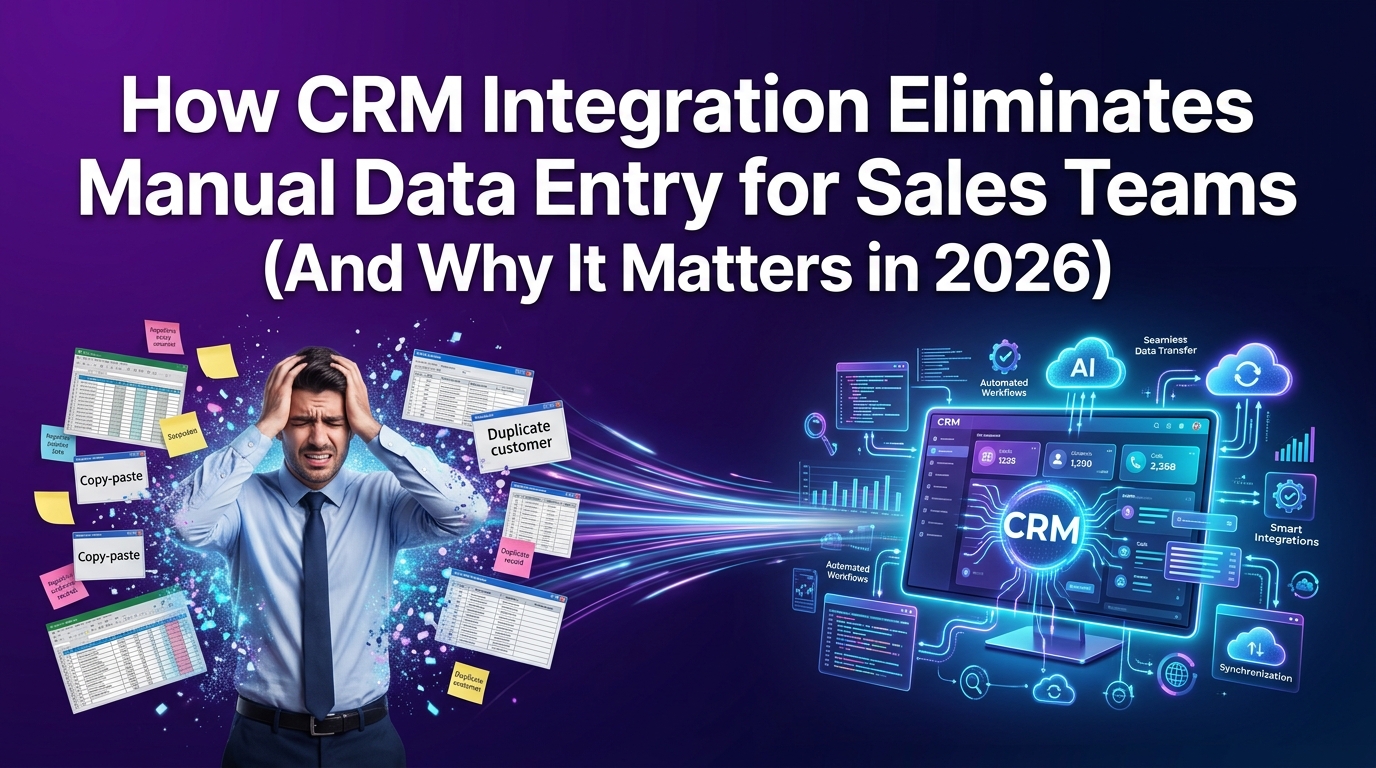
Your sales reps didn't sign up to be data entry clerks. Yet on any given workday, a significant portion of their hours disappears into copy-pasting call notes, manually logging contact details, and updating deal stages that should have updated themselves. That's not a productivity problem, it's a systems problem. And in 2026, it's one that CRM integration solves completely.
This guide breaks down exactly how CRM integration eliminates manual data entry for sales teams, why the problem is more expensive than most sales managers realize, and what the right integration setup actually looks like, whether you're running a high-volume dealership, a growing agency, or a multi-rep sales team that's tired of watching pipeline data go stale.
What Manual Data Entry Is Actually Costing Your Sales Team
Most sales leaders look at manual data entry as an inconvenience. The reality is far more costly. When your reps spend time entering data instead of selling, you're not just losing productivity, you're losing revenue that's nearly impossible to trace back to its root cause.
Research consistently shows that sales representatives spend between 17% and 25% of their working hours on administrative tasks, with CRM data entry ranking as one of the top time consumers. For a five-person sales team, that's the equivalent of losing one full-time rep to non-selling activity every single week.
But the cost isn't just measured in hours. Manually entered data is inaccurate data. When reps log calls from memory hours after the conversation happened, details get fuzzy. Follow-up context gets lost. Deals that should have moved forward stall because no one recorded the next step. That's pipeline leakage and it happens silently.
How Many Hours Per Week Do Sales Reps Waste on CRM Data Entry?
The numbers here are worth sitting with for a moment.
A typical sales rep working a full week might handle 30–50 prospect interactions calls, emails, demos, and follow-ups. If each one requires even four minutes of manual CRM logging, that's over three hours per week, per rep, just on data entry. Multiply that across a team of eight reps over a full year and you're looking at thousands of hours of lost selling time.
The problem compounds when you factor in the quality of that data. Reps under quota pressure tend to rush data entry or skip it entirely. Sales managers then make pipeline forecasts based on incomplete records. Leadership makes headcount and budget decisions based on those forecasts. The entire revenue operation sits on a foundation of guesswork.
Here's what that typically looks like in practice:
Call logs entered hours after the fact: key details missing, sentiment lost, next steps vague
Contact records created inconsistently: some reps use first name only, others use full name plus title, creating duplicate records that pollute segmentation
Deal stages updated manually: often lagging by days, making live pipeline views unreliable
Lead source data missing: because reps forget to tag it when they're in a rush to call the next prospect
The fix isn't training your reps harder. The fix is removing the manual step entirely.
Why Disconnected Phone Systems and DMS Tools Make It Worse
For dealerships and phone-heavy sales teams, the manual data entry problem doesn't just live in the CRM, it starts the moment a call ends.
When your phone system and your CRM operate as separate tools with no integration between them, every single call becomes a manual task. The rep finishes a conversation, switches tabs, opens the CRM, searches for the contact, and types out what they can remember. That's assuming they do it at all.
Dealerships face this problem at an even greater scale because of their reliance on Dealer Management Systems (DMS) platforms like CDK Global, Reynolds & Reynolds, or DealerSocket that hold all vehicle inventory, customer transaction history, and service records. When a DMS isn't connected to your CRM, your sales and service teams are running two separate records of the same customer. Data gets duplicated, conflicts arise, and no one has a complete picture.
The Hidden Revenue Leak: Missed Follow-Ups Caused by Incomplete CRM Records
Here's the scenario no one talks about enough: a prospect calls in, has a solid first conversation, and the rep means to follow up in 48 hours. But the call wasn't logged. No task was created. The contact record exists but it's missing the context that would tell the next rep or even the same rep, what was discussed.
Three days pass. The prospect, who was genuinely interested, hasn't heard back. They call a competitor. You lose a deal you didn't even know you were losing.
Incomplete CRM records don't just slow down your team, they actively hand opportunities to competitors. This isn't a hypothetical. For dealerships, where the average vehicle sale requires 5–7 touchpoints before closing, missing even one follow-up due to poor data logging can mean losing a $35,000–$65,000 transaction.
The same pattern plays out in any sales environment where the buying cycle spans multiple conversations. When your CRM data is incomplete, your sales reps are flying blind on every re-engagement. That's the real cost of manual entry, not just the hours spent doing it, but the revenue lost when it doesn't get done.
How CRM Integration Works to Eliminate Manual Data Entry Across Sales Workflows
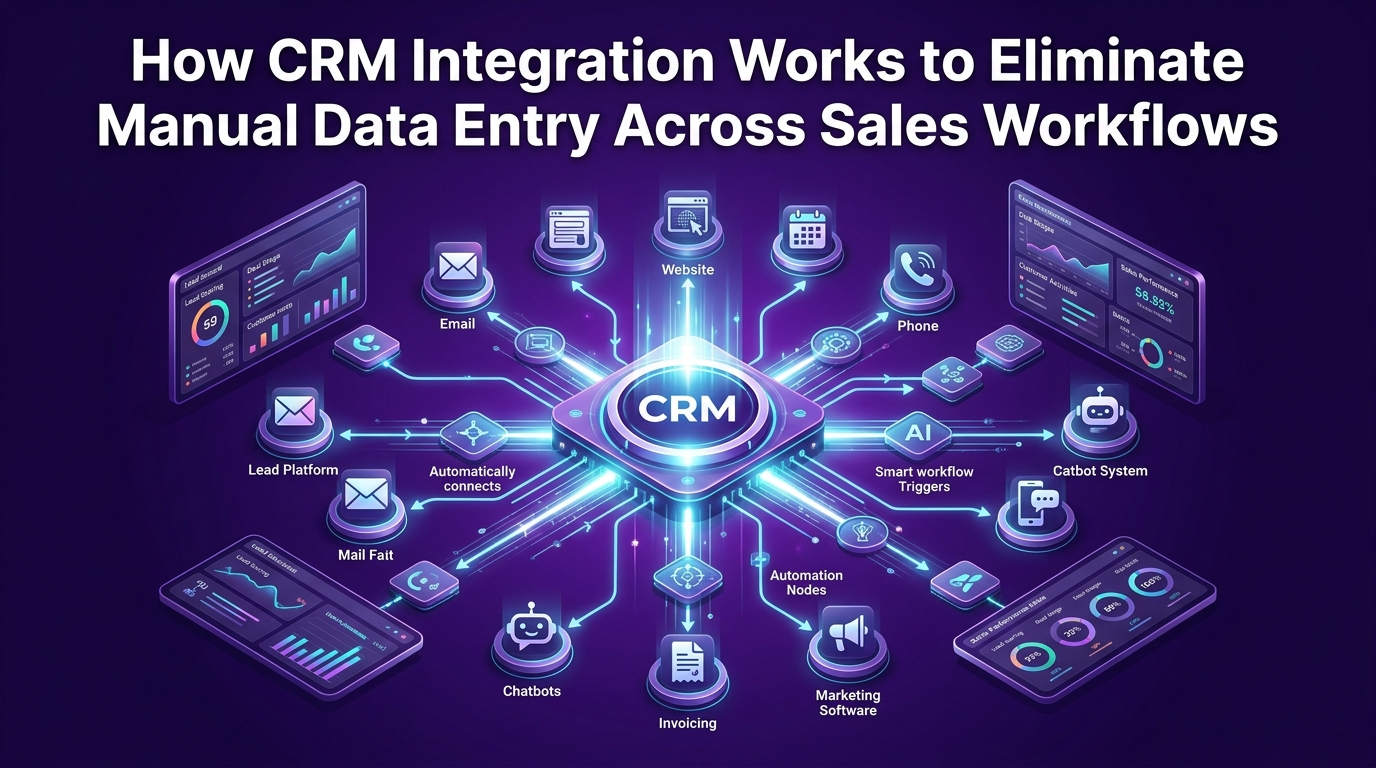
CRM integration is the process of connecting your CRM platform to every other tool your sales team uses, phone systems, email platforms, DMS software, scheduling tools, and more, so that data flows between them automatically, without anyone having to copy, paste, or manually update anything.
When done properly, integration means that when a rep ends a call, the call is logged. When a lead fills out a form, a contact is created. When a deal advances, the stage updates. Your CRM becomes a living, accurate record of every interaction, maintained by the integrations themselves, not by your team's memory or willpower.
The best CRM integrations for sales teams operate across three key layers:
1. Data capture: automatically pulling information from phone calls, emails, forms, and third-party platforms into the CRM at the moment it's generated.
2. Field synchronization: mapping data from external tools to the correct CRM fields so records stay clean, consistent, and searchable.
3. Workflow triggering: using incoming data to fire off the next action automatically, whether that's assigning a task, sending a follow-up sequence, or moving a deal to the next stage.
Each layer removes a specific type of manual work. Together, they create a sales environment where your reps spend their time on conversations, not administration.
Using Conversation Intelligence to Auto-Fill CRM Fields After Every Call
Conversation intelligence is one of the most powerful and most underused, tools for eliminating manual CRM data entry in sales teams. These platforms record, transcribe, and analyze sales calls in real time, then push structured data directly into your CRM without any input from the rep.
Here's what that looks like in practice: a rep finishes a 20-minute discovery call. The conversation intelligence platform has already identified the prospect's key pain points, the products discussed, the next step agreed upon, and the follow-up date mentioned. All of that gets written into the CRM contact and deal record automatically, often before the rep has even switched tabs.
Tools like Gong, Chorus (now part of ZoomInfo), and Salesloft's conversation features integrate directly with CRMs including GoHighLevel, Salesforce, and HubSpot to enable this kind of hands-free data capture.
The specific benefits for sales teams are significant:
Call summaries logged automatically: with speaker identification, key topics, and next steps extracted from the transcript
Objection tracking at scale: common objections get logged across all calls, giving sales managers visibility into where deals are stalling
Coaching triggers: when a rep uses competitor names or loses talk-time ratio, managers are alerted without having to listen to every call
Zero rep effort: the rep focuses entirely on the conversation, knowing the CRM will handle the rest
For teams using GoHighLevel specifically, the integration between conversation intelligence tools and GHL's contact and pipeline management creates a closed loop where every call advances the record, not just the conversation.
At CRM Automates, this is one of the first integrations we configure for sales-heavy clients, because the ROI is immediate and measurable. Reps reclaim hours. Managers get accurate data. Pipelines start reflecting reality.
How DMS Integrations Help Dealerships Stop Manually Entering Customer Data
For automotive dealerships, the manual data entry problem has a specific shape. Your DMS is the operational backbone of your business, it holds your inventory, your deals, your RO history, your customer purchase records. Your CRM is where your sales and BDC teams manage relationships, follow-ups, and marketing. The problem is that for most dealerships, these two systems have never been properly connected.
The consequences are predictable:
A customer who bought a vehicle three years ago calls in. The CRM rep sees a basic contact record. The full purchase history, service visits, and trade-in timeline is locked in the DMS, invisible to the rep trying to have a relevant conversation.
A BDC agent manually enters a new up's information into both systems. Two records exist. Neither is complete. The sales manager pulls a report and sees inflated lead counts.
Service-to-sales handoffs fail because the service advisor can't trigger a CRM follow-up from the DMS when a customer's lease is approaching end-of-term.
DMS-to-CRM integration solves all three of these problems. Platforms like GoHighLevel, when properly configured by a certified integration partner, can connect to major DMS providers to create bidirectional data flow. When a customer record is created or updated in the DMS, it reflects immediately in the CRM. When a BDC rep updates contact information in the CRM, it syncs back.
Key capabilities unlocked by proper DMS integration include:
Unified customer profiles: one record per customer, visible across sales, service, and BDC teams
Automated service-to-sales triggers: when a vehicle reaches a mileage milestone or lease end date in the DMS, the CRM automatically schedules an outreach task
Duplicate record elimination: integration logic matches incoming records against existing contacts before creating new ones
Inventory-aware CRM updates: when a vehicle a prospect was interested in sells, the CRM flags the related deal for immediate follow-up on alternatives
The dealerships that get this right don't just reduce manual work, they create a competitive advantage in customer experience. A rep who knows a customer's full history before answering the phone closes at a fundamentally different rate than one who's working from a half-empty CRM record.
What Data Gets Captured Automatically vs. What Still Needs Human Review
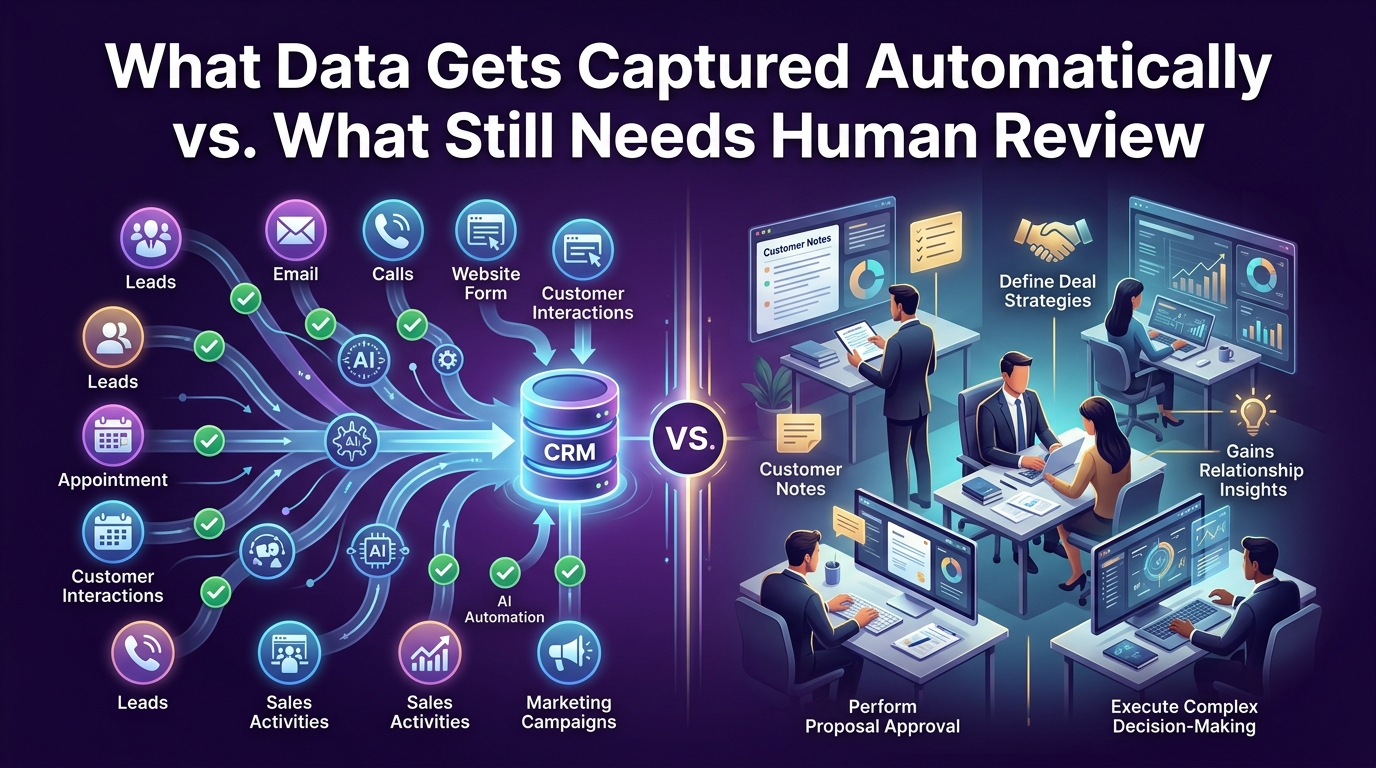
It's worth being direct here: CRM integration eliminates the vast majority of manual data entry, but it doesn't eliminate human judgment. Understanding what gets captured automatically versus what still benefits from a human touch helps set the right expectations when evaluating integration solutions.
What integration handles automatically:
Inbound call logs: timestamp, duration, recording link, caller ID matched to existing contact
Form submission data: name, email, phone, inquiry type pushed directly to CRM pipeline
Email open and click tracking: engagement data synced to contact activity timeline
Call transcription summaries: key topics, next steps, and action items extracted and logged
Deal stage movement: triggered automatically when qualifying criteria are met
Task creation: follow-up tasks generated based on conversation outcomes or inactivity triggers
DMS record updates: vehicle interest, purchase history, and service records synced bidirectionally
What still benefits from human input:
Relationship nuance: the tone of a conversation, a prospect's hesitation, or a buying signal that doesn't appear in the transcript
Complex deal context: unusual negotiations, multi-stakeholder dynamics, or highly specific product configurations
Edge case records: contacts that don't match cleanly to existing records and need manual review before merging
Strategic notes: qualitative observations a rep wants to capture for their own reference or to brief a manager
The goal of integration isn't to replace sales professionals, it's to remove the administrative overhead that prevents them from doing the work only humans can do. When your CRM handles data capture automatically, your reps spend their time on the conversations, relationships, and decisions that actually move deals forward.
Choosing the Right CRM Integration to Remove Manual Entry From Your Sales Process
Not all CRM integrations are created equal. The difference between a well-architected integration setup and a collection of fragile, half-working connections is enormous, and it shows up directly in your team's daily experience and your data quality over time.
Before evaluating specific tools or providers, it helps to understand what "good" integration actually looks like at the operational level. A well-built integration setup does three things consistently:
It captures data at the source. Data enters the CRM the moment it's generated, not an hour later, not when a rep gets around to it.
It stays clean under pressure. As your team scales, lead volume increases, and your tool stack evolves, the integration handles new data without creating duplicates, missing fields, or broken workflows.
It connects the right systems. The specific tools in your stack, your phone system, your DMS, your scheduling platform, your email provider, are all properly mapped to your CRM, not just connected in theory.
The most common failure mode businesses encounter is connecting tools without properly mapping the data fields between them. You might have a Zapier connection between your form builder and your CRM, but if the fields aren't mapped correctly, contact records come in incomplete, pipelines don't trigger, and your team spends time cleaning data instead of using it.
What to Look for in a CRM Integration Partner for Sales Teams in 2026
Choosing an integration partner is ultimately about choosing someone who understands both the technical architecture and the sales workflow you're trying to support. The two don't always come together in the same provider.
Here are the criteria that consistently separate strong integration partners from ones who leave you with a fragile setup:
Certified platform expertise. If your CRM is GoHighLevel, your integration partner should be a certified GHL expert, not someone who picked it up recently or handles it as one of twenty platforms they support. Platform depth matters because integrations break at the edges, and you need someone who knows the platform well enough to fix problems before they affect your team.
Sales process understanding. A good integration partner asks about your pipeline stages, your handoff process, and your follow-up workflows before touching a single API connection. The goal isn't just moving data, it's moving the right data in the right direction at the right time.
Scalable architecture. The integration setup that works for a five-rep team will fall apart at 25 reps if it wasn't designed with scale in mind. Look for partners who document their integrations, build in redundancy, and have a clear process for handling changes to your tech stack.
Ongoing support and monitoring. Integrations require maintenance. Tools update their APIs, data schemas change, and edge cases emerge over time. A partner who builds and walks away is a liability. Look for ongoing managed support.
Proven results across your industry. An integration partner who has worked with dealerships understands DMS complexity. One who has worked with high-volume sales teams understands phone system integration. Industry-specific experience shortens the implementation timeline and reduces the risk of missed requirements.
At CRM Automates, we've built and maintained CRM integration systems for 300+ businesses — from automotive dealerships managing DMS-to-GHL data flow to sales agencies eliminating manual entry through conversation intelligence. Our team of 250+ certified GoHighLevel experts operates with 99.3% automation uptime and 24/7 live support because we know that a broken integration at 9 PM on a Tuesday has real consequences for your team the next morning.
If your sales team is still manually entering data into your CRM, you're not just losing hours, you're losing revenue, forecast accuracy, and competitive ground. The right integration setup changes all of that.
Frequently Asked Questions
What is CRM integration and how does it eliminate manual data entry?
CRM integration connects your CRM platform to the other tools in your sales stack, phone systems, email platforms, DMS software, form builders, and more, so data transfers automatically between them. Instead of a rep manually logging a call or entering a new contact, the integration handles it the moment the triggering event occurs. The result is a CRM that stays current and accurate without relying on your team to update it.
How long does it take to set up a CRM integration that removes manual data entry?
The timeline depends on the complexity of your tool stack. A straightforward integration, connecting a phone system and a form builder to GoHighLevel, for example, can be live in a matter of days when handled by a certified expert. A full-stack setup involving DMS integration, conversation intelligence, and multi-tool synchronization typically takes two to four weeks to architect, test, and deploy properly.
Can small sales teams benefit from CRM integration, or is it only for enterprise?
CRM integration is arguably more impactful for small teams than for large ones because the per-rep cost of manual entry is proportionally higher. A five-person team where every rep saves three hours per week gains the equivalent of adding half a new rep in selling capacity, without hiring anyone. Platforms like GoHighLevel make enterprise-grade integration accessible at a price point that works for growing teams.
What's the difference between native integrations and custom integrations for CRM?
Native integrations are pre-built connections between two platforms, maintained by the vendors themselves. They're easy to activate but often limited in what data they move and how it's mapped. Custom integrations are built specifically for your workflow, allowing precise control over data fields, trigger logic, and sync frequency. For sales teams with specific pipeline requirements or dealerships with complex DMS structures, custom integration typically delivers more reliable, complete data flow.
How do DMS integrations specifically help dealerships reduce manual CRM data entry?
DMS integrations create a bidirectional data connection between your Dealer Management System and your CRM. This means customer records, vehicle purchase history, service visit data, and lease end dates automatically sync to your CRM, eliminating the need for BDC agents or sales reps to manually enter or cross-reference data from two separate systems. The result is a single, complete customer record visible to every team member, enabling more relevant outreach and faster follow-up.
Ready to Remove Manual Entry From Your Sales Process?

If your team is still copying and pasting data between tools, logging calls from memory, or managing disconnected systems that never quite talk to each other, that's not a workflow problem. It's an integration problem. And it has a clear solution.
CRM Automates helps sales teams, dealerships, and agencies build CRM integration systems that eliminate manual data entry completely — using certified GoHighLevel expertise, proven integration architecture, and ongoing managed support that keeps everything running after the initial setup.
We've done this for 300+ businesses. We know the failure points, the shortcuts that break under pressure, and the configurations that actually hold up as your team scales.
Book your free 30-minute strategy call at crmautomates.com/book-now. In one conversation, we'll map exactly where your team is losing time to manual entry, which integrations will make the biggest immediate impact, and what a connected CRM system looks like for your specific workflow.
No obligation. No generic pitch. Just a clear picture of what's fixable, and exactly how to fix it.
