Best Sales Automation Software in 2026 (Honest Picks)
How to Pick Sales Automation Software Your Team Will Actually Use
Your reps spend two hours a day updating records. They chase cold leads by hand. They send follow-ups from their personal inbox.
You've watched three sales automation software demos this month. Each one promised to fix everything. None told you what happens in month two, when adoption stalls and the enthusiasm dies.
That's where most teams lose.
This guide breaks down what the category actually does in 2026, which tools fit which kind of business, what the real cost looks like after setup and integrations, and where the popular picks quietly fail.

What Sales Automation Software Actually Does
Sales automation software removes repetitive manual work from the sales process. Data entry, follow-up sequences, lead routing, pipeline updates, reporting — all the tasks that eat rep time without closing deals.
It sits on top of or inside your CRM. The good ones become the operating layer your team works from daily.
The category gets confused with three others:
CRM platformslike Salesforce, HubSpot, and Pipedrive store the data.
Sales engagement toolslike Outreach, Salesloft, and Apollo run outbound sequences.
Revenue operations platformslike Clari and Gong analyze what's working.
Modern sales automation software usually covers pieces of all three. That overlap is why buying decisions get messy.
Who Actually Needs It
Teams with 3 or more reps, a repeatable sales motion, and at least 50 active opportunities a month get real returns.
Below that threshold, automation often creates more overhead than it saves.
A solo founder closing 10 deals a month doesn't need it. A light CRM is enough.
An agency with 2 or 3 AEs should start with sequences, not a full stack.
SMBs with 5 to 15 reps hit the highest ROI bracket. This is where automation pays back fastest.
Mid-market teams of 20 to 100 reps need it with a RevOps owner. Enterprise teams above 100 reps need a multi-tool stack. Trying to consolidate at that size usually breaks.
A coach running one-on-one sales calls doesn't need the same tools as a SaaS team making 500 outbound touches a day. The buying mistake is treating the category like one-size-fits-all.
What CRM Automation Should Handle in 2026
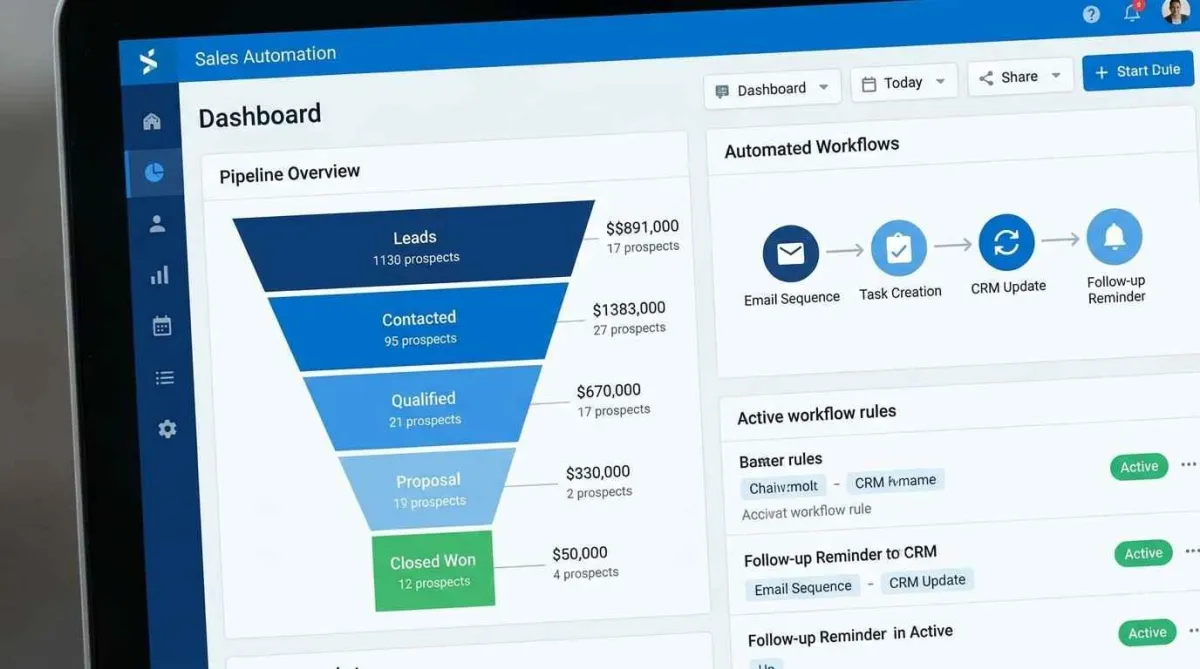
CRM automation means workflows inside your CRM that fire based on triggers. A new lead comes in. A deal stage changes. An email gets opened. The system acts.
The bar has shifted. What counted as advanced in 2022 is now baseline.
The automations every team should be running
Lead capture and routing from web, LinkedIn, and chat within 5 minutes
Sequence enrollment by lead source, persona, or behavior
Data enrichment pulling firmographic and contact info automatically
Pipeline hygiene flagging stalled deals and missing fields
Follow-up reminders tied to engagement signals, not arbitrary dates
Meeting scheduling with round-robin routing
Deal alerts to managers when deals slip stage
Dashboard refresh without manual input
What's new and worth adopting
AI-assisted deal summaries and call analysis went mainstream through 2024 and 2025. HubSpot's Breeze, Salesforce's Agentforce, and Pipedrive's AI Sales Assistant now handle tasks that once needed a RevOps analyst.
Gartner's 2025 forecast projects that by 2026, more than 60 percent of B2B sales interactions will involve AI-driven engagement tools.
That shift matters. "AI-ready" is no longer a differentiator. Native AI depth and clean data are.
The Real Cost of Sales Automation Software
Sticker price is the smallest part of total cost. The real number includes setup, integrations, training, and the workflow rebuilding that follows.
Verify current pricing directly on each vendor's site before committing.
Typical per-seat pricing in 2026:
HubSpot Sales Hub Professional: roughly $90 to $100 per user per month
Salesforce Sales Cloud with automation: roughly $165 to $330 per user per month
Pipedrive Advanced with add-ons: roughly $34 to $64 per user per month
Close CRM: roughly $99 to $139 per user per month
HighLevel (agency-focused, flat pricing): roughly $297 to $497 per account per month
Apollo.io: roughly $49 to $149 per user per month
For a 10-rep team, year-one total cost usually lands between $6,000 and $70,000 once you add onboarding and integrations.
The hidden costs catch most buyers off guard.
Implementation partners charge $5,000 to $50,000 depending on complexity. Data migration from a legacy CRM usually runs $2,000 to $15,000. Integrations for tools outside the native library add fees. Training takes 20 to 40 hours per rep in the first quarter.
Switching costs are the worst one. Picking the wrong tool means 3 to 6 months of lost momentum during a mid-year migration.
A cheap tool that takes 6 months to configure costs more than an expensive tool that works in 6 weeks. That math surprises buyers every quarter.
Quick check: if your current stack costs more than 3 percent of your sales team's fully loaded payroll and you can't name three automations it runs reliably, audit it before buying anything new.
Which Tool Fits Your Business Type
No single tool wins every category. The right pick depends on sales motion, team size, and technical capacity.
For agencies and coaches: HighLevel. Flat-rate pricing, white-label options, built-in funnels, SMS, and email. Not the best CRM by engineering standards, but the economics for small service teams under 20 users are hard to beat.
For SMB SaaS and B2B services: HubSpot Sales Hub or Pipedrive. HubSpot wins if you also need marketing in the same stack. Pipedrive wins on pure pipeline simplicity and lower cost.
For mid-market with defined RevOps: Salesforce Sales Cloud with a Salesloft or Outreach layer. Expensive, but the flexibility matches the complexity. Under 20 reps, Salesforce usually isn't worth the setup tax.
For outbound-heavy teams: Apollo.io or Close CRM. Apollo wins on data and prospecting depth. Close wins on built-in dialer and pipeline velocity.
For enterprise: A multi-tool stack. CRM (Salesforce), engagement (Outreach), conversation intelligence (Gong), forecasting (Clari). Collapsing this into one platform usually fails above 100 reps.
Where the Popular Picks Fail
Every tool has a failure mode. Knowing them before you sign protects you from the contract you'll regret in month four.
HubSpot slows down once your database crosses 100,000 contacts. Custom reporting gets limited without the Enterprise tier. Teams with complex forecasting needs outgrow it.
Salesforce becomes an admin burden for teams without a dedicated operator. The license cost looks reasonable until you add the consultant you now need.
Pipedrive is clean and fast but thin on native AI and weaker in marketing automation. Content-driven teams outgrow it.
HighLevel is built for agencies first. Product companies and B2B SaaS teams often find the data model limiting.
Apollo is prospecting-led. If your team isn't running high-volume outbound, you're paying for capability you don't use.
Consolidated Stack or Best-of-Breed?
A consolidated stack (one platform) gives you lower per-seat cost, a single source of truth, less integration work, and faster onboarding. The downside is weaker depth in specific functions and vendor lock-in.
A best-of-breed stack (specialized tools) gives you top-tier capability in each function and flexibility to swap pieces. The downside is integration maintenance, higher total cost, and more tools reps have to learn.
Small and early-stage teams should consolidate.
Scaled teams with RevOps capacity should go best-of-breed.
The middle is where most expensive mistakes happen.
The Pre-Purchase Checklist
Run through this before signing any contract:
Mapped your current sales process with actual stage definitions
Identified the top 5 automations that would save measurable hours
Listed every tool that needs to integrate
Assigned an internal owner for setup and ongoing admin
Budgeted for an implementation partner or internal time
Defined 90-day success metrics
Confirmed data migration scope
Kept contract length short — avoid multi-year on the first buy
Tested the tool with 2 or 3 reps before full rollout
Planned a 30-day post-launch review
If three or more of these are unresolved, you're not ready to buy. You're ready to plan.
What Changes as You Scale
The right answer shifts as you grow.
Under 10 reps: one tool, heavy use of native automations, minimal custom builds.
Ten to 50 reps: two or three tools, a part-time RevOps owner, structured onboarding.
Fifty to 200 reps: full stack, a full-time RevOps team, a governance model for data and workflows.
Over 200 reps: custom integrations, enterprise contracts, a dedicated enablement function.
Upgrading before you hit the threshold wastes money. Delaying past it costs revenue.
The signal that it's time to move up is usually the same. Your best reps start building their own workarounds.
CONCLUSION
The right sales automation software isn't the one with the longest feature list. It's the one your team uses every day to move deals faster.
Match the tool to your sales motion, team size, and operational capacity. Start with the automations that save measurable hours, not the ones that look impressive in demos.
If you're evaluating options right now, use the checklist above before your next vendor call. Shortlist two tools, not five. Verify current pricing and features on each vendor's official site before signing anything.
The best automation strategy is the one that still works in month four.
FAQ SECTION
1. What's the difference between a CRM and sales automation software?
A CRM stores customer and deal data. Sales automation software runs the workflows on top of it — sequences, lead routing, follow-ups, and reporting. Platforms like HubSpot and Salesforce combine both. Tools like Outreach and Apollo sit alongside a CRM. Most teams need both layers, whether bundled into one product or split across two.
2. How much does sales automation software cost in 2026?
Per-seat pricing ranges from about $34 to $330 per user per month. Flat-rate agency tools like HighLevel are priced by account. Year-one total cost for a 10-rep team typically lands between $6,000 and $70,000 once onboarding, data migration, and integrations are included. Verify current pricing on each vendor's official site before budgeting.
3. Can small businesses benefit from sales automation?
Yes, once you have at least 3 reps and around 50 active opportunities a month. Below that, a simple CRM with a few Zapier workflows usually covers the need. Small teams get the biggest return from lead routing, automated follow-ups, and meeting scheduling rather than full enterprise-style automation stacks.
4. Which sales automation software is best for agencies?
HighLevel is the practical pick for most agencies under 20 users. Flat account pricing, white-label options, and built-in funnels, SMS, and email. HubSpot is stronger if content and inbound marketing are core to the agency's offer. The right choice depends on whether you resell the platform or just use it internally.
5. Does sales automation replace salespeople?
No. Automation removes repetitive tasks so reps focus on conversations and deal strategy. Gartner projects that by 2026, over 60 percent of B2B sales interactions will involve AI tools at some stage. But closing complex deals still depends on human judgment, relationships, and negotiation. The tools amplify good reps. They don't replace them.
6. How long does implementation usually take?
Simple tools like Pipedrive or HighLevel can go live in 2 to 4 weeks. HubSpot takes 4 to 8 weeks for real automation setup. Salesforce usually runs 8 to 16 weeks with a partner. Data migration, integrations, and training extend these timelines. Plan for a full 90-day ramp before judging ROI.
7. What are the most common automation mistakes?
Automating before mapping the sales process, skipping adoption training, buying features your team won't use, and ignoring data hygiene. Teams often rush to configure sequences while their CRM data is a mess. Fix the underlying process and data quality first. Then automate the parts that consistently waste rep time.
8. Should I pick one platform or build a stack?
Under 20 reps, consolidate into one platform. Between 20 and 100 reps with a RevOps owner, a two or three tool stack usually wins. Above 100 reps, best-of-breed is standard. CRM, sales engagement, conversation intelligence, and forecasting as separate tools integrated through your data layer.
9. Do I need AI features in 2026?
Native AI is now standard in most major platforms, so you're getting it whether you prioritize it or not. Useful AI features include call summaries, deal risk scoring, email drafting, and pipeline forecasting. The differentiator isn't whether AI exists but how well it uses your actual data. Test it with your own records, not vendor samples.
10. What's the easiest sales automation tool to start with?
Pipedrive is the easiest entry point for small sales teams that want pipeline clarity without a learning curve. HubSpot's free CRM with a paid Sales Hub Starter tier is close behind and scales better. HighLevel is easiest for agencies. Match the complexity to your sales motion, not the other way around.