Best CRM for Home Service Businesses 2026 (Real Buyer's Guide)
You're a roofing company owner in Houston, or an HVAC operator running four trucks across the Greater Toronto Area. A lead calls, you're on a job. Nobody answers. By the time someone calls back, that lead booked with the competitor who texted them in 90 seconds.
That's not a lead generation problem. It's a systems problem.
The best CRM for home service businesses in 2026 isn't whichever tool has the most five-star reviews on Capterra. It's the one that responds to leads while you're working, follows up automatically while you're billing, and collects reviews without you lifting a finger. This guide cuts through the noise, names real trade-offs, and tells you exactly which setup works for which type of operation.
Why Most "Best CRM" Lists for Home Services Get It Wrong
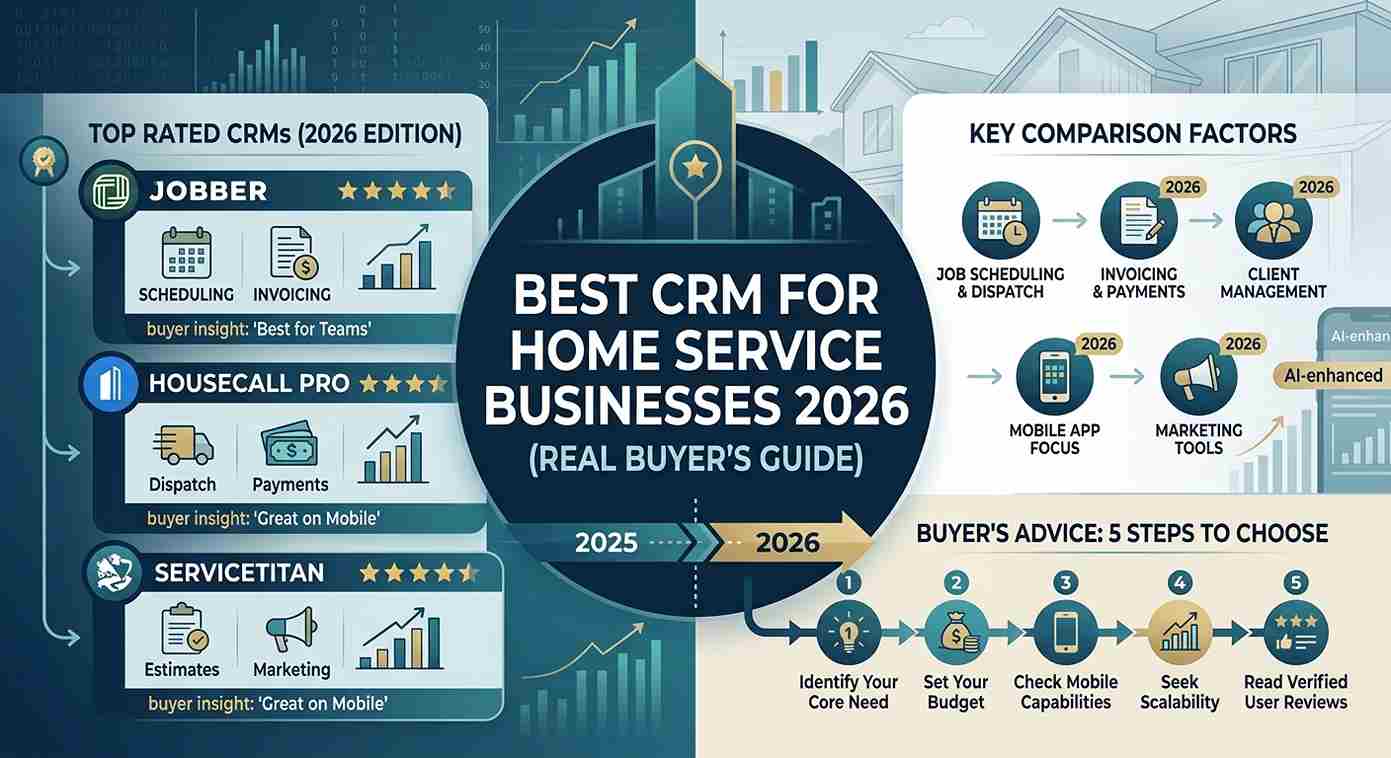
The majority of articles ranking for this keyword in 2026 list Jobber, Housecall Pro, ServiceTitan, and a few others. They build a feature matrix, give each tool a score, and declare a winner. That's not useful. Here's why.
Those platforms are field service management (FSM) tools. They handle scheduling, dispatching, invoicing, and technician routing extremely well. But they're not built around lead capture, follow-up automation, or marketing. When a new lead doesn't book on the first call, most FSM platforms have no automated way to follow that person up. They assume the job is already sold.
For a home service business doing $500K or more per year in revenue, you're not just managing jobs. You're managing a pipeline. You're competing against bigger companies with dedicated call centers. You need a system that captures leads from Google, Facebook, your website, and your GMB profile, then immediately responds, nurtures, and books.
That's where the conversation changes.
What a CRM Actually Needs to Do for a Trades Business
A CRM for home service businesses is software that manages customer relationships, tracks leads across multiple channels, automates follow-up, and connects your marketing to your operations. The definition matters because it's where most buying decisions go wrong.
When HVAC contractors or plumbers in the USA and Canada buy a CRM, they often make one of two mistakes. They either buy an FSM tool and expect it to do marketing automation it wasn't designed for, or they buy a generic sales CRM like HubSpot or Salesforce and spend months trying to adapt a B2B sales pipeline to a trades workflow.
Neither fits cleanly.
The five things a home service CRM genuinely needs to do in 2026 are:
Capture every inbound lead, regardless of where it came from, into a single place
Send an instant response when a call is missed or a form is submitted
Automate follow-up sequences over days and weeks without manual input
Book appointments directly into a calendar without phone tag
Request Google reviews automatically after a job is marked complete
If a platform doesn't do all five natively, you're either paying for add-ons or doing those steps manually. Both options cost you money.
GoHighLevel for Home Service Businesses: Why It Keeps Coming Up
GoHighLevel is a marketing and CRM platform that combines pipelines, two-way SMS, email automation, appointment scheduling, funnel building, and reputation management under one subscription. For home service businesses that are already paying for three to six separate tools, the consolidation argument alone is compelling.
At the Starter plan ($97/month as of mid-2026, verify current pricing at gohighlevel.com), GoHighLevel replaces what most small trades businesses are already paying $150 to $300/month for across separate subscriptions. The Unlimited plan at $297/month adds white-label options and unlimited sub-accounts, which matters if you're running multiple locations or have an agency managing your marketing.
The specific features that make GoHighLevel a strong fit for trades are not the ones most reviews focus on. Here's what actually moves the needle for a home service operator:
Missed-call text-back fires an automated SMS the moment someone calls and doesn't get through. For an HVAC company in Phoenix running summer campaigns where call volume spikes, this single automation can recover a meaningful percentage of leads that would otherwise go cold.
Conversation AI, updated significantly in GoHighLevel's 2026 release, handles inbound enquiries across website chat, SMS, Facebook Messenger, Instagram, and WhatsApp. It qualifies the lead, answers service questions using your business information, and books the appointment directly into your calendar. The 2026 AI Voice Agent is a standout new feature that handles inbound phone calls in a human-sounding voice, navigates conversations dynamically, and books appointments directly into GoHighLevel's calendar system. For a plumbing company receiving 30 or 40 calls per week, that's a real operational shift. Aiscending
Review request automation triggers after a job completion event. Set it up once and it runs indefinitely. For trades businesses where Google reviews directly drive local ranking and new lead volume, this is one of the highest-ROI automations available.
The 2026 integration with Housecall Pro is worth noting specifically. The Housecall Pro integration connects scheduled and completed job events to GoHighLevel workflows and syncs new customers. That means your field management tool and your CRM automation platform can now communicate directly, closing a gap that previously required workarounds. Builts AI
The Honest Limitations of GoHighLevel for Trades
No platform deserves an unqualified recommendation. GoHighLevel has real limitations that matter for certain types of home service businesses, and most content on this topic skips them.
First, GoHighLevel is not a field service management tool. It doesn't handle dispatching, route optimization, technician tracking, or job costing. If those operations are the bottleneck in your business, GoHighLevel alone won't solve them. You'd need to run it alongside Jobber, Housecall Pro, or a similar FSM platform.
Second, the setup cost is real. The time to set up is roughly 15 hours over four weeks, tools replaced are four to six, and monthly savings are $50 to $150 depending on your current stack. If you're a solo operator doing under $5K/month in revenue, that setup investment may not pay off fast enough to justify it yet. crmautomates
Third, GoHighLevel's interface is not intuitive. There's no other way to say it. The platform is extraordinarily capable, but owners who try to set it up themselves without prior CRM or automation experience often build fragile systems that look functional until something breaks. Misconfigured automation workflows, missing A2P 10DLC registration, disconnected pipelines, and broken follow-up sequences are common failure points.
This is where the difference between buying GoHighLevel and having it properly built matters enormously.
Why Setup Quality Determines Whether GoHighLevel Actually Works for You
This is the part most competitor articles ignore completely.
GoHighLevel is infrastructure. A hammer doesn't build a house on its own, and neither does GHL. The quality of your pipelines, your automation logic, your calendar configuration, your A2P compliance, and your follow-up sequences determines whether you get a system that works or a subscription you're not fully using.
Teams working with certified GoHighLevel experts across home service clients in the USA and Canada consistently see the same pattern: businesses that set up GHL themselves or use generic freelancers get partial functionality. Leads come in but follow-up doesn't fire. Review requests trigger at the wrong stage. Pipelines aren't connected to automations. The calendar doesn't integrate with the tech they're already using for dispatch.
A properly built GoHighLevel setup for an HVAC or roofing company typically includes:
Separate pipelines for new leads, booked estimates, sold jobs, and completed work
Missed-call text-back that routes to the right service category
Automated follow-up sequences that run across SMS, email, and voicemail drops for 30 to 60 days
A2P 10DLC registration completed correctly so texts actually reach customers
Review request workflows that fire only after a job is marked as completed in the field
Google Business Profile integration for direct review links
Getting that built correctly by someone who knows the platform deeply versus someone learning it on your account is not a marginal difference. It's often the difference between the system paying for itself in 90 days or sitting unused for six months.
If you're evaluating whether your current GoHighLevel setup is actually doing what it should, CRM Automates offers a free GHL audit that reviews your pipelines, automations, and funnels sub-account by sub-account. You leave the call with a specific list of what's broken and what to fix first. Book that call at crmautomates.com.
When Jobber or Housecall Pro Is the Better Starting Point
GoHighLevel isn't always the right first move. The recommendation changes based on where your business actually is.
If you're running under $250K/year in revenue, have no dedicated office staff, and your primary bottleneck is scheduling and invoicing rather than lead follow-up, Jobber is a better fit to start. For shops under 10 technicians, Jobber wins on price and breadth, with plans ranging from $49 to $249/month. It's purpose-built for trades, the onboarding is fast, and the mobile app works well for technicians in the field. QuoteIQ
Housecall Pro suits businesses with same-day service models where mobile-first payment collection and simple dispatch boards matter most. For mobile-first operations with same-day payment needs, Housecall Pro is the alternative at $69 to $169/month. QuoteIQ
ServiceTitan enters the picture at scale. It's designed for HVAC, plumbing, and electrical operations running 15 or more technicians, and it carries the overhead in pricing and onboarding that reflects that. Attempting ServiceTitan at $5,000+ per year before your operation can absorb a 3 to 6 month implementation process is a mistake you won't recover from quickly.
Here's the cleaner way to think about the decision:
If your primary problem is running jobs efficiently, start with an FSM tool. If your primary problem is that leads aren't being followed up, jobs aren't being sold from your pipeline, or your Google reviews aren't growing, GoHighLevel is where you'll get return faster.
Many home service businesses at the $500K to $2M revenue level run both. An FSM handles dispatch and field operations, while GoHighLevel runs lead capture, follow-up, and reputation.
What CRM Automation Actually Does for a Home Service Business Day-to-Day
CRM automation is the use of software rules and triggers to handle customer communication, lead follow-up, and operational tasks without manual input from your team. In a home service context, this is where the financial case becomes concrete.
Consider a roofing company in Calgary running Google LSA ads. A homeowner submits a lead form at 9PM on a Tuesday. Without automation, that lead sits until someone opens the inbox Wednesday morning, maybe gets a call back by 10AM, and by then has already heard from two other contractors. With a properly configured GoHighLevel setup, that same lead receives a text within 60 seconds, gets asked a qualifying question about their roof type and timeline, receives a booking link, and is on the calendar before midnight.
The speed-to-lead gap between home service businesses with good CRM automation and those without is measurable. According to a 2024 study from Vendasta, service businesses that respond to leads within five minutes are 21 times more likely to qualify them than those that respond after 30 minutes.
That's not a small advantage in a market where three competitors are running ads on the same keywords.
Beyond lead response, CRM automation handles estimate follow-up sequences for quotes that weren't accepted on the first call, seasonal re-engagement campaigns to past customers, technician performance tracking by lead source, and post-job review collection. Each of those running automatically means your team spends time closing work rather than chasing it.
The Real Cost of Getting This Wrong
Home service business owners in the USA and Canada are losing revenue in ways that don't show up on their P&L as a line item. When a lead doesn't get followed up, it doesn't appear as a loss. It just never becomes revenue.
Consider the math for an HVAC company averaging $1,200 per job. If 20 leads per month go unresponded or fall through without follow-up, and even 30% of those would have converted with proper automation, that's six jobs, or $7,200 per month, that isn't showing up in your numbers. Over a year, that's $86,400 in revenue that exists in your missed-call log and unread form submissions.
Getting the right CRM in place and actually built correctly doesn't cost you money. It recovers money that was already yours.
Most businesses also underestimate the switching cost of getting this wrong once. Rebuilding a broken CRM setup, migrating contacts, rebuilding automations, and retraining your team after a failed implementation costs time and money that compounds. Getting it right the first time, with certified expertise behind the build, is almost always cheaper than fixing it later.
How to Evaluate Any CRM for Your Home Service Business in 2026
Before committing to any platform, run your specific operation through these eight questions:
Does it capture leads from every channel you're currently getting leads from, including phone, Google, Facebook, and your website?
Does it respond to missed calls and unread form submissions automatically?
Does it have native two-way SMS that's compliant with A2P 10DLC requirements for the USA and Canada?
Can it book appointments without back-and-forth calls?
Does it integrate with the FSM tools you're already using, or does it replace them?
Does it request reviews automatically after job completion?
What does the actual setup take, in hours and cost, to make it functional for your business type?
Who supports you when something breaks, and how fast do they respond?
The last two questions are where most buying decisions fail. Pricing gets evaluated carefully, but setup complexity and ongoing support get assumed away. A $97/month platform that takes $2,000 in expert hours to build correctly is still cheaper than a $300/month platform that never gets configured properly, but the cost needs to be counted honestly.
CONCLUSION
The best CRM for home service businesses in 2026 isn't a single platform that wins for everyone. For most trades businesses doing serious volume in the USA or Canada, the answer is a properly configured GoHighLevel setup handling lead capture, follow-up automation, and reputation management, paired with an FSM tool for field operations if you have more than a handful of technicians. For operators just getting started, Jobber or Housecall Pro is a faster, simpler path.
What matters more than which platform you choose is whether your chosen platform is actually built to work for your specific operation. A mediocre CRM that's set up correctly beats a powerful one configured poorly every time.
If you want to know exactly what's broken in your current setup and what it's costing you, CRM Automates offers a free audit and strategy call with certified GoHighLevel experts who've built systems for HVAC companies, roofing contractors, cleaning services, and trades businesses across the USA and Canada. Book your free call at crmautomates.com.
The right system doesn't just organize your business. It runs it while you're on the job.
FAQ SECTION
1. What is the best CRM for home service businesses in 2026?
The best CRM depends on your business size and biggest problem. For lead follow-up automation and reputation management, GoHighLevel is the strongest option for home service businesses already doing meaningful revenue. For scheduling and dispatch, Jobber or Housecall Pro are better fits. Many businesses at the $500K+ level run both types together.
2. Is GoHighLevel good for HVAC, plumbing, or roofing companies?
Yes, GoHighLevel is well-suited for HVAC, plumbing, roofing, and similar trades. Its missed-call text-back, appointment booking, automated follow-up sequences, and review request features address the specific gaps where home service businesses lose revenue. The 2026 Housecall Pro integration also connects field job events directly to GHL workflows.
3. What's the difference between a CRM and field service management software?
A CRM manages customer relationships, lead pipelines, follow-up automation, and marketing communication. Field service management (FSM) software handles dispatching, technician routing, job scheduling, and invoicing. Tools like Jobber and ServiceTitan are FSM platforms. GoHighLevel is a CRM and marketing automation platform. Many mature home service businesses use both.
4. How much does GoHighLevel cost for a home service business?
GoHighLevel's Starter plan is $97/month and the Unlimited plan is $297/month, as of mid-2026. Verify current pricing directly at gohighlevel.com before purchasing, as pricing can change. Factor in setup costs: a professionally built GHL system for a home service business typically requires 10 to 20 hours of expert time beyond the subscription.
5. What is missed-call text-back and why does it matter?
Missed-call text-back is an automation that sends an instant SMS to anyone who calls your business and doesn't reach a person. For home service businesses that run lean and can't always answer the phone, this single feature prevents warm leads from going cold. It keeps the conversation alive until you can respond personally.
6. Can a small home service business use GoHighLevel?
Yes, but with conditions. If you're a solo operator under $5K/month in revenue, the setup investment may not pay off quickly enough. A one to three person team doing $10K to $30K/month in revenue will typically see clear ROI within the first 90 days if the system is set up correctly. The platform itself is affordable. The time and expertise to configure it properly is what needs to be budgeted.
7. Do I need to hire a GoHighLevel expert to set it up?
Not technically required, but strongly recommended for home service businesses. Most owners who set up GHL themselves end up with partially functioning systems. Missing A2P 10DLC compliance, broken follow-up triggers, and disconnected pipelines are common. A certified GHL expert builds it correctly once and costs less than recovering from a failed DIY setup.
8. What is A2P 10DLC and why do home service businesses need it?
A2P 10DLC is the registration framework required by US and Canadian carriers for businesses sending automated text messages. Without completing this registration, your automated SMS messages may be blocked or flagged as spam. Any home service business using CRM automation for lead follow-up, appointment reminders, or review requests must have A2P registration completed properly to ensure messages reach customers.