GoHighLevel Stability & Efficiency Concerns: Complete Solutions for USA Agencies | CRM Automates
GoHighLevel Stability & Efficiency Concerns: The Complete Solutions Guide for USA Marketing Agencies

You built your agency on GoHighLevel. You invested in the funnels, the automations, the sub-accounts, the workflows. And then one morning, a client calls asking why their follow-up sequence went silent. A lead never got tagged. A calendar appointment disappeared. Your power dialer is showing missed calls nobody can explain.
Sound familiar?
Across the USA — from growth-stage agencies in Austin and Atlanta to SaaS operators in New York and Los Angeles — one pattern keeps repeating: GoHighLevel is powerful, but an improperly architected GHL account becomes a liability at scale. The platform does not break. Your setup breaks.
This guide covers every major GoHighLevel stability concern, efficiency problem, and performance issue your agency will face — and gives you real, actionable solutions that actually work. Whether you manage 10 sub-accounts or 300, what you learn here directly determines whether your CRM becomes a revenue engine or a daily emergency.
Why GoHighLevel Performance Issues Are More Common Than You Think
GoHighLevel — also called HighLevel or GHL — has grown into one of the most adopted all-in-one CRM and marketing automation platforms for agencies across the USA. It combines pipelines, workflows, campaigns, funnels, landing pages, SMS marketing, email marketing, call tracking, calendars, reputation management, and more inside a single platform.
That breadth is also its biggest performance risk.
Most agencies and SaaS operators inherit accounts that were "set up" but never properly architected. Triggers fire out of sequence. Workflows conflict with each other. Sub-accounts are cloned from broken snapshots. Email domains are not authenticated. Automations carry no error handling. Nobody documented anything.
The result? A GoHighLevel CRM that feels slow, unpredictable, and unreliable — even though the platform itself is running normally.
At CRM Automates, we have supported 300+ clients across agencies, SaaS businesses, and high-ticket service operators throughout the USA. The same stability and efficiency problems appear in almost every account audit we run. This guide documents all of them — and shows you exactly how to fix each one.
Section 1: Understanding GoHighLevel CRM Performance Issues and Root Causes
Why Is My GoHighLevel Account Running So Slow?
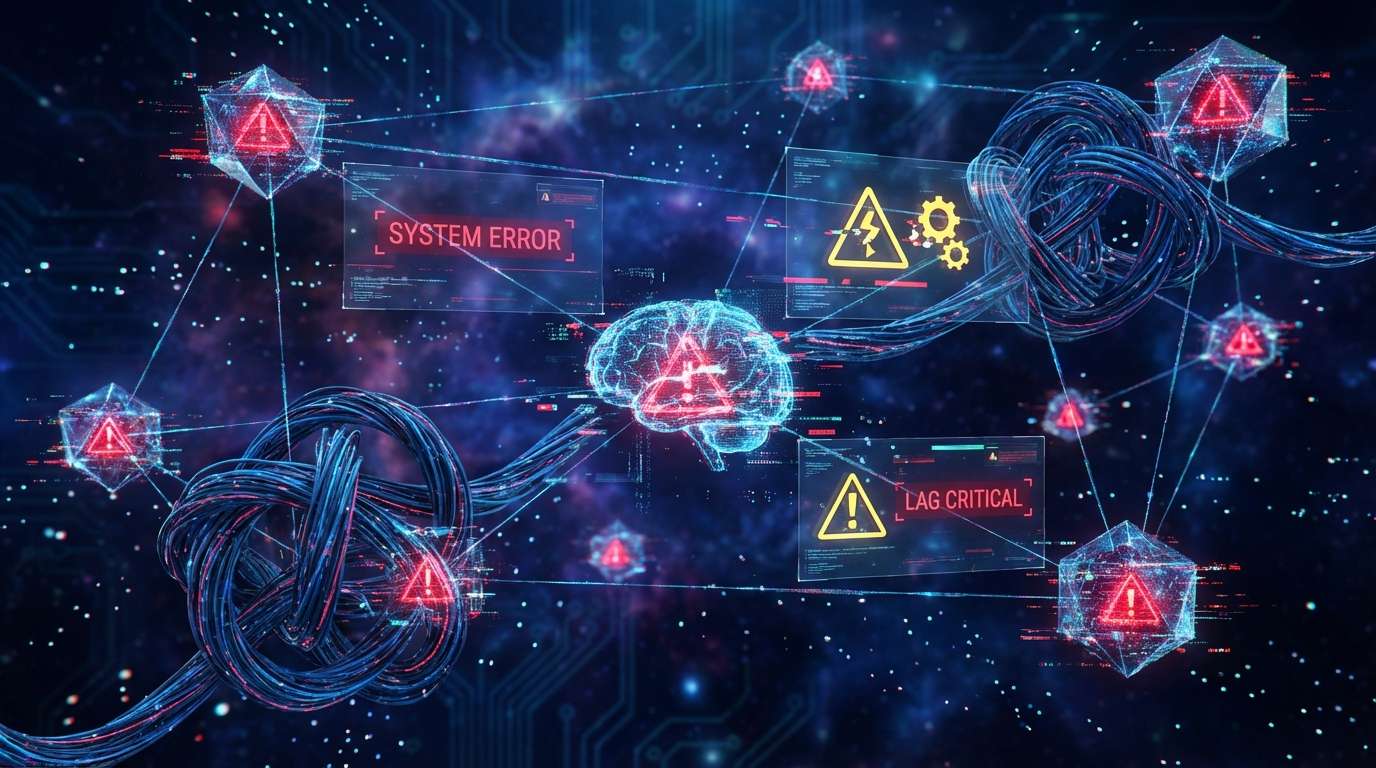
Before you can fix GoHighLevel performance issues, you need to understand where slowness actually comes from. Most agencies assume it is a platform problem. It almost never is.
Here are the real root causes behind slow GoHighLevel CRM behavior:
Workflow bloat. When your automation library grows without pruning, GHL must evaluate thousands of trigger conditions every time a contact takes action. Inactive workflows that were never turned off continue consuming processing cycles in the background.
Overlapping triggers. Two or more workflows responding to the same event — for example, a form submission triggering both a lead nurture sequence and a pipeline move — create concurrency conflicts. GHL processes them sequentially, which introduces automation delay.
Large contact databases without segmentation. An untagged contact list of 50,000 records with no filtering takes significantly longer to search, filter, and query. Duplicate records compound this problem every time a sync pushes data from a third-party integration.
Unoptimized funnels and landing pages. Funnels built with uncompressed images, excessive custom scripts, and third-party embeds slow down page load speed — hurting both user experience and ad campaign quality scores.
Misconfigured integrations. Webhooks that retry on failure without proper error handling can create thousands of queued API calls, generating server load that cascades into visible latency across the account.
Legacy snapshot architecture. If your sub-accounts were deployed from an old snapshot that carried broken logic, every account inherits the same structural problems at scale.
Understanding these root causes is step one of any proper GoHighLevel system audit. Nothing gets fixed until you know what is actually broken.
GoHighLevel CRM Stability Problems: The Full List
Here is a consolidated reference of the most common GHL stability problems reported by agencies across the USA:
Automation and Workflow Issues
Automations firing multiple times for a single trigger event
Workflows getting stuck on a wait step and never continuing
Trigger conditions evaluated incorrectly due to missing or conflicting tags
Broken branches in if/else logic that silently send contacts to the wrong path
Workflow loops with no exit condition that process the same contact indefinitely
Email Deliverability Issues
GoHighLevel LC Email not delivering to inbox due to missing DNS records
SPF, DKIM, and DMARC records not properly configured on custom domains
Emails landing in spam due to shared sending infrastructure or poor domain reputation
Bounce rates spiking after a high-volume campaign with no warm-up protocol
Email open tracking not recording correctly due to pixel loading failures
Calling and Outreach Issues
Low answer rates on GHL outbound calling due to unregistered or flagged caller IDs
Shared calling infrastructure generating spam likely labels on carrier networks
Power dialer call drops with no logged recording
SMS messages not delivered due to A2P 10DLC registration failures
Ringless voicemail drops not processing in the correct workflow order
Integration and API Issues
GoHighLevel integration errors with Stripe, Zapier, Make, or third-party CRMs
API connection sync failures causing duplicate records across systems
Webhooks not firing after GHL platform updates change endpoint behavior
Data mapping issues between GoHighLevel and external tools creating blank or incorrect field values
OAuth token expiry in integrations not handled gracefully, causing silent sync failures
Sub-Account and Multi-Account Issues
Sub-accounts deployed from snapshots carrying broken automations into every client account
Pipeline stage data not syncing correctly across sub-accounts
Reporting pulling incorrect data because custom value tokens are not mapped per account
Snapshot updates accidentally overwriting client-specific configurations
Section 2: How to Fix GoHighLevel Stability and Efficiency Problems — Step by Step
Step 1: Run a Full GoHighLevel System Audit
Before touching anything, audit everything. A proper GHL health check covers:
Workflow audit. Export a full list of active workflows. Check each for: active/inactive status, trigger conditions, exit criteria, error handling steps, and last execution timestamp. Flag any workflow that has not executed in 30+ days but remains active.
Contact database audit. Check your total contact count, duplicate rate, and tag structure. A healthy GHL account has a clean tagging taxonomy where every tag serves a documented purpose. Random tags added by broken automations are a performance drain.
Sub-account structure audit. Review every sub-account for snapshot version, active workflows, connected phone numbers, and email domain authentication status. Document which sub-accounts are using shared GHL infrastructure versus dedicated resources.
Integration audit. List every connected integration — Zapier, Make, Stripe, Google Ads, Facebook, custom webhooks. Verify each connection is active, the API token is current, and the data mapping is correct. Test each webhook with a live payload.
Funnel performance audit. Run a page speed test on every active funnel and landing page. Flag any page loading slower than three seconds. Check for uncompressed images, render-blocking scripts, and third-party embeds that do not need to be there.
Email domain audit. Check every sending domain in your GHL account. Verify SPF, DKIM, and DMARC records are published correctly in DNS. Use a free tool like MXToolbox to confirm. Any domain without all three records properly configured is a deliverability risk.
This audit becomes your master issue list. Everything else in this guide is the fix for what the audit surfaces.
Step 2: Fix GoHighLevel Automation Delays — Causes and Step-by-Step Fixes
Automation delays in GHL almost always have an identifiable root cause. Work through these in order:
Fix 1: Deactivate all unused workflows. Navigate to Automation > Workflows. Sort by last modified. Deactivate every workflow that has not been updated in 90+ days and is not actively enrolled. This reduces the trigger evaluation load for every new contact action.
Fix 2: Eliminate overlapping triggers. Search for workflows sharing the same trigger event. Consolidate where possible. If two workflows must respond to the same trigger, use a single parent workflow that branches internally rather than two separate workflows firing simultaneously.
Fix 3: Add wait steps strategically. Workflows that fire too many actions in rapid succession can hit GHL's internal rate limiting. Adding a short wait step — one to two minutes — between heavy actions (email send, SMS send, pipeline move, webhook call) reduces the chance of execution errors.
Fix 4: Use goal-based exits. Every nurture sequence should have a goal event that removes a contact when they take the desired action. Without a goal exit, contacts remain enrolled in sequences they have already completed, creating unnecessary processing load.
Fix 5: Test in a staging sub-account first. Before deploying a new workflow to live accounts, test it in a dedicated staging sub-account with real but non-client data. This catches trigger logic errors, missing custom value tokens, and broken branch conditions before they affect live campaigns.
Step 3: Fix GoHighLevel Email Deliverability Issues — DNS and Domain Fixes
Email deliverability is one of the most underestimated stability issues in any GHL account. If your emails are not reaching the inbox, none of your automations produce the results they should.
GoHighLevel LC Email Problems: Validate DNS Records Properly
If you use GoHighLevel's built-in LC Email system, follow this validation process:
Go to Settings > Email Services > LC Email. Check the sending domain status. If the domain shows as unverified, the DNS records are either missing or propagating.
Log into your DNS provider (Cloudflare, GoDaddy, Namecheap, or wherever your domain is hosted). Add or verify the following record types:
SPF record — this is a TXT record that tells receiving mail servers which IP addresses are authorized to send email on behalf of your domain. GHL's LC Email system provides the exact SPF string you need to add.
DKIM record — this is a TXT record that adds a cryptographic signature to every outbound email, allowing receiving servers to verify the message was not tampered with in transit. GHL generates a DKIM public key that must be published in your DNS.
DMARC record — this is a TXT record that instructs receiving mail servers what to do when an email fails SPF or DKIM checks. Start with a policy of "p=none" to monitor before moving to "p=quarantine" or "p=reject."
After adding records, wait 24 to 48 hours for full DNS propagation. Then verify using MXToolbox's SPF and DKIM lookup tools. Do not send high-volume campaigns from a domain that has not fully propagated.
Best GoHighLevel Settings for High-Volume Email Campaigns
For agencies running high-volume email outreach from GHL, follow these settings best practices:
Warm up new sending domains gradually. Start at 50 emails per day for the first week, double weekly, and reach your target volume after 30 to 45 days of consistent sending.
Segment your lists before sending. Never blast your entire contact database at once. Use tags and filters to send only to engaged contacts — those who have opened at least one email in the past 90 days.
Use a custom sending domain instead of GHL's shared infrastructure. Shared sending IPs carry the reputation of every other sender on the system. A dedicated domain and sending IP gives you full control of your deliverability.
Suppress unsubscribes and bounces automatically. GHL handles this natively, but verify that your suppression list is active and that bounce handling is set to remove contacts after one hard bounce.
Monitor your spam complaint rate. If your complaint rate exceeds 0.1% in any 30-day window, pause campaigns and investigate. Common causes are mismatched audience expectations, purchased lists, or deceptive subject lines.
Step 4: Fix GoHighLevel Integration Errors With Third-Party Apps
Integration failures are among the most disruptive GoHighLevel CRM stability problems because they are often silent. Data stops syncing, but no visible error appears in the GHL interface.
Troubleshooting GoHighLevel API Connection and Sync Failures
Follow this diagnostic sequence when a GHL integration stops working:
Check the integration status first. In GHL, go to Settings > Integrations and verify the connected app shows as active. A disconnected status usually means the OAuth token has expired and requires reauthorization.
Review your webhook logs. GHL logs webhook activity under each workflow step. Look for failed webhook calls. The error response body will tell you whether the failure is on GHL's side (wrong URL, missing authentication) or on the receiving system's side (invalid payload, rate limit hit).
Verify data mapping. This is the most common cause of sync failures that do not produce a visible error. A field that sends correctly from GHL but maps to the wrong field in your external CRM or tool creates records that appear to sync but carry incorrect or blank data. Review every field mapping in your integration configuration.
Test with a manual payload. Use a tool like Webhook.site or Postman to send a manual test payload to your receiving endpoint. This confirms whether the endpoint is accepting data correctly before you involve GHL's workflow engine.
Check API rate limits. If you are running high-volume automation that hits a connected API repeatedly — for example, updating contact records in Salesforce or HubSpot via webhook — you may be hitting that platform's rate limits. GHL will retry failed webhooks, which can compound the problem. Add error handling steps and exponential backoff logic in your webhook workflow.
Fix Data Mapping Issues Between GoHighLevel and Other Tools
Data mapping errors between GHL and external tools are almost always caused by one of three things: field name mismatches, data type mismatches, or missing required fields.
When you configure a webhook from GHL to an external platform, map every field explicitly. Do not rely on automatic field detection. In your receiving platform, confirm that the data type expected (text, number, date, boolean) matches what GHL actually sends.
For integrations built through Zapier or Make, add a "Formatter" step between the GHL trigger and the external action. This lets you clean, transform, and validate data before it reaches the destination system — eliminating most silent data mapping failures.
Step 5: Fix Low Answer Rates in GoHighLevel Outbound Calling
GoHighLevel's call system uses shared calling infrastructure by default. This means your outbound calls share carrier reputation with other GHL users — some of whom engage in practices that flag their numbers as spam likely.
GoHighLevel Call System Limitations and Better Alternatives
Here is the reality: if your agency relies on GHL outbound calling for client campaigns and your answer rates are below 15%, shared infrastructure is almost certainly a contributing factor.
To improve GoHighLevel call deliverability and pickup rates:
Register your numbers for STIR/SHAKEN attestation. This carrier-level standard verifies that you are an authorized user of the number you are calling from. Numbers with full A-level attestation have significantly higher answer rates than unregistered numbers.
Use dedicated numbers per campaign. Do not use the same outbound number for multiple client campaigns simultaneously. Carrier algorithms flag numbers generating high call volume with low connect duration as potential spam.
Implement a local presence dialing strategy. Calling from a number with the same area code as the recipient increases answer rates. GHL supports local area code matching in the power dialer settings.
Rotate numbers before they accumulate spam flags. Monitor your outbound number reputation using a tool like YouMail or First Orion. When a number accumulates flags, retire it and replace it with a fresh number.
For agencies running very high-volume outbound calling campaigns, consider supplementing GHL's built-in calling with a dedicated cloud telephony solution like Twilio or JustCall, integrated back into GHL via webhook for call logging and pipeline updates.
Step 6: Optimize GoHighLevel Funnels for Faster Page Load Speed
Slow funnels kill conversions. Google's Core Web Vitals measurements directly affect your paid ad Quality Scores in campaigns running to GHL landing pages. A one-second delay in page load time can reduce conversions by 7%.
How to Fix Slow GoHighLevel Funnels and Automations
Run every active funnel page through Google PageSpeed Insights. Focus on the Largest Contentful Paint (LCP), First Input Delay (FID), and Cumulative Layout Shift (CLS) scores.
Compress all images before uploading to GHL. Use WebP format where possible. A hero image that is 2MB compresses to under 200KB with no visible quality loss — and shaves seconds off initial page load.
Remove unnecessary custom code blocks. Every third-party script — chat widgets, analytics tags, heatmap tools, pixel fires — adds load time. Audit every custom code block in your funnel and remove any that are not actively in use.
Use GHL's native countdown timers and form elements instead of embedded third-party tools. Native elements load with the page. Iframes and third-party embeds load independently, delaying interactivity.
Enable lazy loading for images below the fold. This defers image loading until the user scrolls to that section, reducing the initial page load burden.
For high-volume campaigns where funnel speed is critical — paid search landing pages for real estate agencies in Phoenix, home services funnels in Chicago, or e-commerce lead capture pages in Miami — funnel architecture directly affects your cost per lead.
Section 3: GoHighLevel Workflow Design Best Practices for Maximum Efficiency
GoHighLevel Automation Best Settings for Maximum Efficiency
A well-designed GoHighLevel workflow is clean, documented, and predictable. Here are the architecture principles that separate high-performing GHL accounts from chaotic ones:
One workflow, one purpose. Each workflow should do exactly one thing — nurture a lead, handle a pipeline stage change, send a post-appointment follow-up, or trigger an onboarding sequence. Workflows that try to do multiple things simultaneously are the primary source of automation conflicts.
Always include an exit condition. Every workflow that enrolls contacts should have a clear condition under which the contact exits — goal event achieved, tag applied, specific pipeline stage reached. Without exit conditions, contacts pile up inside sequences indefinitely.
Use custom values for all account-specific data. Never hardcode a client's phone number, email address, or business name inside a workflow. Use GHL custom values instead. This makes snapshots portable and eliminates the manual find-and-replace work that breaks sub-account deployments.
Add error notification steps. Use GHL's internal notification action to alert your operations team when a critical workflow step fails. Waiting for a client to report a problem is not a system — proactive error notifications are.
Document every workflow. Add a description to every GHL workflow explaining what it does, when it fires, and what the expected outcome is. This documentation is essential for VAs and team members who did not build the system, and it makes troubleshooting dramatically faster.
GoHighLevel Workflow Design to Avoid Automation Conflicts
Automation conflicts in GHL are almost always caused by two patterns: trigger overlap and tag collision.
Trigger overlap happens when multiple workflows share the same trigger event without coordinated exit logic. The solution is to use a single master trigger workflow that branches internally to different sequences based on contact properties — instead of multiple independent workflows all listening for the same event.
Tag collision happens when different workflows apply or remove the same tags, causing contact segments to drift in unpredictable ways. Solve this with a master tagging taxonomy — a documented list of every tag in your GHL account, what it means, which workflow applies it, and which workflow removes it.
Standard Operating Procedures for Stable GoHighLevel Systems
SOPs are the single most underinvested asset in most GHL-based agencies. Without documented procedures, every team member makes decisions independently — and those independent decisions accumulate into system entropy over time.
Every stable GHL operation runs documented SOPs for:
How to deploy a new sub-account from the approved snapshot library
How to add or modify a workflow before it goes live (including required testing steps)
How to handle a client reporting an automation failure
How to onboard a new VA or team member who will have access to GHL
How to conduct a monthly system health check
How to manage a GHL platform update that might affect existing workflows
How to run a pre-launch QA check on new funnels before paid traffic is sent
Agencies in competitive markets across the USA — digital marketing firms in Dallas, lead gen agencies in Denver, SaaS operators in Seattle — treat their GHL SOPs as a core business asset. It is what allows the system to run without the founder being in the dashboard every day.
Section 4: GoHighLevel Multi-Account Management for Scaling Agencies

How to Structure GoHighLevel Sub-Accounts for Reliability
Sub-account architecture is where most agencies create their biggest scaling problems. The temptation is to clone a working sub-account and push it to new clients as fast as possible. This works until the original account had structural problems — at which point every cloned account inherits those problems simultaneously.
The correct approach to GHL sub-account structuring:
Build a master snapshot that is clean, fully documented, and tested. This snapshot should contain your standard pipeline stages, core workflow logic, email domain setup steps, and custom value placeholders — but no client-specific data.
Version-control your snapshots. Every time you make a structural change to the master snapshot, save a new version. Name it with a date. This allows you to roll back if a new snapshot version causes issues.
Test new snapshot versions on a staging sub-account before pushing to clients. Never push a snapshot update to 50 live client accounts without testing it on one account first.
Document what each snapshot contains. Your team should know exactly which workflows, funnels, pipelines, and custom values are included in each snapshot before they deploy it.
Scaling With GoHighLevel Snapshots Without Breaking Systems
Snapshot-based scaling is GoHighLevel's most powerful feature for agencies managing large client portfolios. But scaling with snapshots requires discipline.
Common snapshot-based scaling mistakes to avoid:
Pushing a snapshot update to existing sub-accounts without reviewing what it will overwrite. GHL snapshot updates can overwrite customizations that a client or your team has made in their sub-account. Always preview what changes before pushing.
Using snapshots that include active workflows without proper custom value configuration. If a workflow inside the snapshot references a custom value that is not set up in the destination sub-account, the automation will either fail silently or send incorrect data.
Treating snapshots as a one-time deployment rather than a maintained asset. Your master snapshot needs regular maintenance as GHL updates its platform, as you improve your standard workflows, and as you identify bugs in existing logic.
GoHighLevel Training for VAs to Maintain System Stability
Virtual assistants are an essential part of how USA agencies scale their GHL operations. But an untrained VA with access to your agency account or a client's sub-account is one of the fastest ways to introduce instability.
Train every VA on your GHL team on:
The tagging taxonomy — what each tag means and when it should or should not be applied manually
Workflow modification rules — no workflow should be modified without following the documented change protocol
Contact management procedures — how to handle duplicate records, how to merge contacts correctly, and how to manually enroll or unenroll contacts from sequences
Escalation procedures — when a VA encounters something they do not know how to handle, what is the exact path to escalate it without making it worse
Agencies in high-growth markets — from performance marketing firms in Los Angeles to real estate lead gen businesses in Houston — have discovered that VA training quality directly predicts GHL system stability.
Section 5: GoHighLevel Performance Monitoring and Long-Term Maintenance
How to Set KPIs to Monitor GoHighLevel CRM Performance
You cannot manage what you do not measure. Every GHL-based agency should track a core set of performance KPIs that signal system health before client-visible failures occur.
Automation execution rate. What percentage of contacts enrolled in a workflow complete it successfully? An execution rate below 90% indicates broken steps, missing custom values, or trigger logic errors.
Email deliverability rate. What percentage of sent emails reach the inbox versus bouncing or landing in spam? Track this per sending domain. Deliverability below 95% requires immediate investigation.
Workflow error rate. GHL logs workflow execution errors in the contact activity history. Track how many errors your account generates per 1,000 workflow executions. A rising error rate before a platform update is a warning signal.
Pipeline stage conversion rate. Track the percentage of contacts moving from each pipeline stage to the next. A sudden drop in a specific stage conversion rate often indicates a broken automation that should be moving contacts forward.
Funnel page load speed. Run a weekly PageSpeed Insights check on your top five highest-traffic funnels. Set an alert if any page drops below a score of 70.
Sub-account health score. Develop a simple internal scorecard for each client sub-account: email domain authenticated, active workflows documented, phone numbers registered, last audit date, open issues. Review this scorecard monthly.
GoHighLevel Reporting Setup to Track System Efficiency
GHL's native reporting tools give you pipeline performance data, campaign metrics, and conversation inbox analytics. But most agencies use only a fraction of what is available.
Set up custom dashboards in GHL for:
Lead source performance by campaign and funnel
Pipeline velocity — average days to move from first contact to closed
Automation engagement metrics — open rates, reply rates, click-through rates by sequence
Call performance — outbound calls made, answer rate, call duration, callback rate
SMS performance — delivery rate, opt-out rate, reply rate by campaign
Export these reports to a shared Google Sheet or a business intelligence tool like Google Looker Studio on a weekly cadence. This gives your operations team and account managers a live view of system performance without logging into GHL every day.
Monitoring GoHighLevel Uptime and Incident Impact on Clients
GoHighLevel publishes a public status page at status.gohighlevel.com. Every agency should bookmark this page and check it when unusual behavior occurs before spending hours debugging a problem that is actually a platform-side incident.
When a GHL platform incident occurs:
Document the start time and affected features immediately. This creates a record for client communication.
Pause any active campaigns that depend on the affected features. Sending a campaign during an email infrastructure incident increases the risk of delivery failures and potential spam flagging.
Notify affected clients proactively. A short message explaining that GHL is experiencing a platform issue — and that you are monitoring it — builds trust. Clients who discover problems themselves and then learn you knew about them lose confidence quickly.
Once the incident is resolved, review which automated sequences were interrupted and manually re-enroll any contacts who missed critical steps during the outage window.
Disaster Recovery Plan for GoHighLevel CRM-Related Outages
Every agency handling client campaigns should have a documented disaster recovery plan for GHL outages. This plan does not need to be complicated. It needs to answer three questions clearly:
What do we do if GHL is down for less than four hours? (Answer: monitor, pause paid campaigns if applicable, notify clients if campaigns are affected, resume when resolved.)
What do we do if GHL is down for more than four hours during an active campaign launch? (Answer: identify which client campaigns are affected, communicate expected resolution timeline, consider activating backup outreach channels such as direct email via an external platform.)
What do we do if a misconfiguration or snapshot update breaks a client's sub-account? (Answer: roll back to the previous working snapshot version, document what changed, communicate root cause and resolution to the client.)
Section 6: When to Hire a GoHighLevel Specialist or Expert Support Team
GoHighLevel Expert Support to Fix Recurring CRM Issues
If your agency is experiencing the same GHL problems repeatedly — broken automations, deliverability issues, integration failures, slow funnels — the problem is not the platform. The problem is that nobody with the right systems architecture expertise has addressed the root cause.
Signs that you need a GoHighLevel specialist:
You spend more than five hours per week debugging GHL problems instead of growing your agency
Your VAs are making configuration changes without a documented protocol and creating new issues
You are onboarding new clients but the sub-account setup process takes too long and creates errors
Your email deliverability has been declining for three or more months without a clear diagnosis
You are planning to scale to 50+ sub-accounts but your current architecture would not survive it
A client has churned or expressed frustration because of a technical problem in their GHL account
When to Hire a GoHighLevel Specialist for Tech Problems
The decision to bring in a GHL expert should not happen after a crisis. It should happen before you scale. Retrofitting a broken architecture at 100 sub-accounts costs ten times more in time, money, and client relationships than building it correctly at 20.
The right time to engage a GoHighLevel specialist is when:
You are preparing to onboard 10 or more new clients in the next 90 days and your current systems were not designed to handle that volume.
You are launching a white-label SaaS product and need your GHL sub-account architecture to be clean, professional, and reliable enough to charge monthly recurring fees for.
You have acquired or merged with another agency and need to audit and consolidate two different GHL setups without losing data or breaking active campaigns.
You are running paid advertising campaigns where funnel performance, automation speed, and lead response time directly affect your client's cost per acquisition.
Section 7: CRM Automates — GoHighLevel Stability and Efficiency Solutions for USA Agencies
What CRM Automates Does for GoHighLevel Agencies
CRM Automates is a premium GoHighLevel systems partner serving SaaS founders, marketing agencies, and high-ticket operators across the USA. With 300+ clients supported, 250+ systems experts on staff, and 99.3% execution uptime, we do not just manage CRMs — we engineer revenue infrastructure.
Our engagement model is built around your specific GoHighLevel stability and efficiency concerns:
System Audit and Diagnosis. We start by auditing your entire GHL setup — workflows, automations, funnels, sub-accounts, integrations, email domains, call infrastructure, and reporting. We identify every structural issue, performance bottleneck, and reliability risk before we touch anything.
Infrastructure Build or Rebuild. We design and deploy clean GoHighLevel architecture aligned with your revenue model. Every workflow is documented. Every automation has error handling. Every sub-account is deployed from a maintained, version-controlled snapshot.
Dedicated GHL Expert or Execution Pod. You get a dedicated GoHighLevel engineer assigned to your account — or an entire execution team including CRM expert, media buyer, content writer, SEO specialist, and project manager — all working inside your systems on a timezone-aligned schedule.
Ongoing Optimization and Monitoring. We monitor your GHL performance, ship continuous improvements, handle platform updates, and manage incident response — so your operations do not depend on you being in the dashboard.
Agencies across the USA — from real estate lead generation businesses in Phoenix to digital marketing firms in Chicago to SaaS operators in San Francisco — trust CRM Automates to keep their GoHighLevel systems performing at enterprise standard.
Section 8: Common GoHighLevel Mistakes Agencies Make When Scaling
Across hundreds of agency audits, these are the configuration errors that appear most often in GHL accounts that are underperforming or generating client complaints:
Deploying clients from untested snapshots. The snapshot looked fine in your own account. But it had a broken custom value reference that only shows up in a new sub-account with a different domain. Now every new client deployment has the same invisible bug.
Never auditing inactive workflows. Workflows that were turned off but never deleted continue to be evaluated by GHL's trigger engine. A large backlog of inactive workflows adds measurable latency to every automation across the account.
Sending high-volume email from an unwarmed domain. Jumping from zero to 5,000 emails per day on a new sending domain is one of the fastest ways to permanently damage your domain's sender reputation. Warm-up is not optional — it is what determines whether your emails reach inboxes at scale.
Ignoring integration sync failures. When a Zapier integration quietly stops working, contacts stop flowing. Most agencies discover this problem two weeks later when they notice pipeline activity has dropped — by which time weeks of leads have been lost.
Building automations without testing on a staging account. Live testing is fine for a one-person operation. But when you are managing dozens of sub-accounts and a single workflow change is pushed to all of them, untested logic creates client-visible failures simultaneously across your entire portfolio.
Hardcoding client data inside workflows. When a client changes their phone number, email address, or business name, every workflow that hardcoded that information must be manually updated. One missed instance means a contact receives a communication with the wrong details.
No incident communication protocol. When something breaks, the clients who feel heard are the ones who stay. Agencies that communicate proactively during a GHL incident retain clients. Agencies that let clients discover problems themselves explain why they are losing accounts.
Local FAQ: GoHighLevel Stability and Efficiency Questions from USA Agency Owners
Q: Why are my GoHighLevel automations running hours behind schedule?
A: The most common causes are workflow concurrency conflicts (multiple workflows firing simultaneously for the same contact), overlapping trigger conditions, or a backlog of queued actions caused by a high-volume campaign. Start by auditing active workflows for trigger overlap and consolidating where possible. If the delay is persistent across all automations and not linked to a specific workflow, check GHL's status page for a platform-side incident.
Q: How do I fix email deliverability issues in GoHighLevel LC Email?
A: Verify that your sending domain has correct SPF, DKIM, and DMARC records published in DNS. Use MXToolbox to confirm all three. If your domain is properly authenticated but deliverability is still poor, check your bounce rate, complaint rate, and list hygiene. High bounce rates (above 2%) damage sender reputation quickly. Warm up new sending domains gradually rather than launching at full volume immediately.
Q: My GoHighLevel funnels are loading slowly and hurting my ad campaigns. What do I fix first?
A: Start with image compression. Unoptimized images are the single most common cause of slow GHL funnel load times. Convert images to WebP format and compress them before uploading. Then remove any unused third-party scripts from your custom code blocks. Run Google PageSpeed Insights on each funnel page and address the specific issues it flags.
Q: How do I prevent client churn due to GoHighLevel technical problems?
A: Build proactive monitoring into your operations. Set up KPI tracking dashboards that surface system health signals before clients notice problems. Create an incident communication protocol so your team knows exactly how to notify clients when something breaks. Invest in proper GHL architecture from the start — most client-visible failures are caused by structural problems that were baked in at setup, not random platform failures.
Q: When should I hire a GoHighLevel expert instead of trying to fix problems myself?
A: When the same types of problems keep recurring despite your fixes. When you are about to scale and your current architecture was not built for volume. When your own time has a higher opportunity cost than what an expert engagement costs monthly. Recurring GHL problems are almost always architectural — a symptom of the system being built incorrectly the first time. Fixing individual instances without addressing the architecture is a path to perpetual maintenance.
Q: How long does a GoHighLevel system audit take?
A: A thorough GHL system audit — covering workflows, automations, funnels, sub-account structure, integrations, email domains, and reporting — typically takes two to five business days depending on account complexity. At CRM Automates, we complete the audit and deliver a prioritized issue list before any rebuild work begins.
Q: Can I migrate from a chaotic GoHighLevel setup to a clean one without losing data?
A: Yes, but it requires a careful migration protocol. The process involves exporting and backing up all contact data, documenting existing workflow logic before any changes are made, building the new architecture in a staging environment, testing thoroughly, and migrating contacts in controlled batches rather than all at once. Done correctly, migration produces zero data loss and zero campaign interruption.
Q: What is the best way to structure GoHighLevel sub-accounts for a growing agency?
A: Use a maintained master snapshot as the foundation for every new sub-account deployment. Version-control your snapshots so you can roll back if needed. Build every sub-account with custom value placeholders rather than hardcoded client data. Establish a documented onboarding protocol so every sub-account is deployed consistently regardless of who on your team does the setup.
Ready to Fix Your GoHighLevel Stability and Efficiency Problems for Good?
If your GoHighLevel account is running slowly, your automations are failing, your email deliverability is declining, or your clients are experiencing technical problems — these are not platform bugs. They are system architecture problems. And they have specific, fixable causes.
CRM Automates has helped 300+ agencies across the USA engineer GoHighLevel infrastructure that performs at scale. We audit, diagnose, rebuild, and manage GHL systems so you stop debugging and start growing.
Book a Strategy Call: Schedule a complimentary systems audit call with our team at crmautomates.com/book-now. We will identify the root causes of your GHL performance issues and give you a clear roadmap to fix them.
Request a Systems Audit: Already know your GHL setup has structural problems? Request a full audit at crmautomates.com/book-now. We deliver a prioritized issue list within five business days.
Explore Ongoing Support: Need a dedicated GoHighLevel expert or a full execution team embedded in your operations? View our engagement options at crmautomates.com/get-a-team.
You built your agency to grow. Your systems should make that possible — not prevent it.